To use GLM in Claude Code, you point Claude Code at Z.ai’s Anthropic-compatible endpoint, https://api.z.ai/api/anthropic, authenticate with your Z.ai API key, and map Claude Code’s Opus, Sonnet and Haiku model slots to glm-5.3 and glm-5.3-flash. The whole GLM Claude Code setup lives in one file, ~/.claude/settings.json, and takes about five minutes. Usage is billed against the GLM Coding Plan, Z.ai’s subscription for coding tools, not per token.
This guide follows Z.ai’s official Claude Code instructions step by step: installing Claude Code, the three ways to configure it (Z.ai’s Coding Tool Helper, a one-line script, or editing settings.json by hand), turning on the 1M-token context, switching effort levels, adding Z.ai’s MCP tools, and fixing the errors people actually hit, such as “1113 Insufficient Balance”. Z.ai, formerly Zhipu AI, maintains the endpoint and the model mapping described here.
What you need before you start
- An active GLM Coding Plan (Lite, Pro or Max, or a Team Plan seat). Plans start at $18 per month. The Anthropic endpoint used here is part of the plan, and the plan quota only works in supported tools such as Claude Code.
- A Z.ai API key from the API Keys page. Team members need their own Team Plan Key, which is not interchangeable with other Z.ai keys.
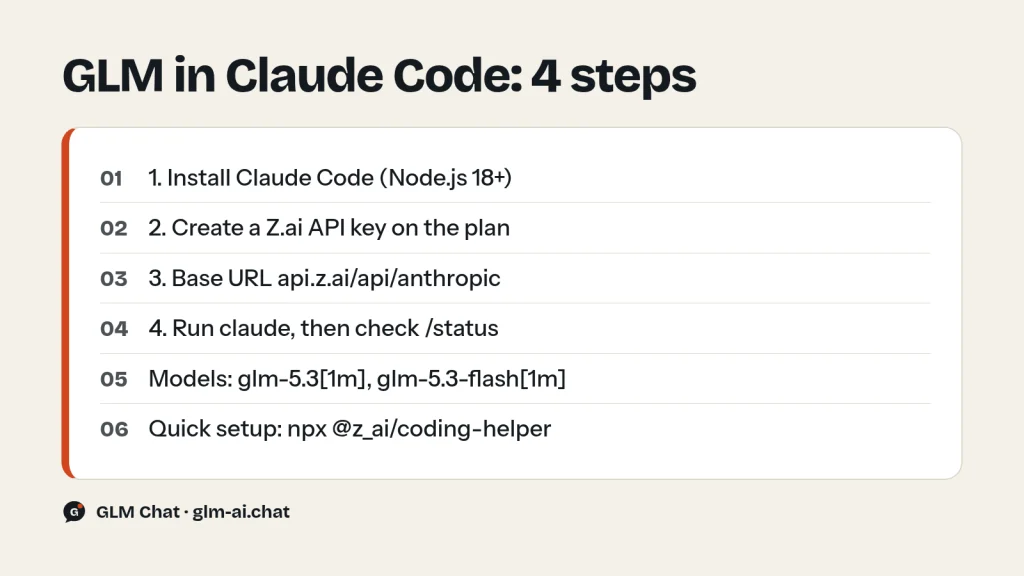
- Node.js 18 or newer. On macOS, install Node.js with nvm to avoid permission problems. On Windows, also install Git for Windows.
- A recent Claude Code. Z.ai recommends the latest version; the 1M-context model names need a current release.
You do not need an Anthropic account or an Anthropic API key for this setup. Claude Code is only the agent; the model answering every request is GLM.
Step 1: Install Claude Code
Install Claude Code globally with npm, move into your project and start it once to confirm it runs:
# Install Claude Code
npm install -g @anthropic-ai/claude-code

# Navigate to your project
cd your-awesome-project

# Start it
claude
If you already have Claude Code, check the version and update it:
claude --version
claude update
Z.ai says it has confirmed compatibility with Claude Code 2.0.14 and other versions, and still recommends the latest release. If you are not comfortable with npm but use Cursor, Z.ai’s guide suggests asking Cursor to install Claude Code for you by pasting Anthropic’s Claude Code overview link with the request “Help me install Claude Code”.
Step 2: Get your Z.ai API key
- Go to the Z.ai developer platform at z.ai/model-api and register or log in.
- Subscribe to a GLM Coding Plan tier at z.ai/subscribe if you have not already.
- Open the API Keys page at z.ai/manage-apikey/apikey-list and create a new key.
- Copy the key and keep it out of your repository. Treat it like a password: never commit settings files that contain it.
Step 3: Point Claude Code at GLM
Claude Code reads environment variables from the env block of ~/.claude/settings.json. You need two of them at minimum: ANTHROPIC_BASE_URL (Z.ai’s endpoint) and ANTHROPIC_AUTH_TOKEN (your Z.ai key). Pick one of the three methods below. Some of the commands print nothing when they succeed; that is normal as long as no error appears.
Method A: Coding Tool Helper (recommended)
Coding Tool Helper is Z.ai’s command-line wizard for loading the Coding Plan into coding tools. It needs Node.js 18 or newer and works on macOS, Linux and Windows:
npx @z_ai/coding-helper- Use the arrow keys and Enter to move through the wizard.
- Select the UI language, then choose your coding plan.
- Paste your API key.
- Pick Claude Code as a tool to manage. The helper installs it if it is missing.
- Load the plan into Claude Code, optionally set up the MCP servers, and finish.
If you use it often, install it globally and run it as coding-helper or chelper. The most useful commands afterwards:
npm install -g @z_ai/coding-helper
coding-helper auth                   # configure the key interactively
coding-helper auth reload claude     # load the latest plan into Claude Code
coding-helper doctor                 # check configuration and tool status
coding-helper auth revoke            # remove the stored key
Method B: the automated script (macOS and Linux only)
Z.ai also publishes a shell script that edits ~/.claude/settings.json for you. It does not support Windows:
curl -O "https://cdn.bigmodel.cn/install/claude_code_zai_env.sh" && bash ./claude_code_zai_env.shThe script writes these variables, so you do not need to edit anything by hand:
{
    "env": {
        "ANTHROPIC_AUTH_TOKEN": "your_zai_api_key",
        "ANTHROPIC_BASE_URL": "https://api.z.ai/api/anthropic",
        "API_TIMEOUT_MS": "3000000"
    }
}
Method C: edit settings.json by hand
This is the method to use if you have configured Claude Code before, or if you want full control of the model mapping. Open the file:
- macOS and Linux:
~/.claude/settings.json(create the folder withmkdir -p ~/.claudeif needed). - Windows:
%USERPROFILE%\.claude\settings.json. In PowerShell,notepad "$env:USERPROFILE\.claude\settings.json"opens it. - WSL or Git Bash: paths can differ from native Windows. Edit the file that belongs to the Claude Code installation you actually launch.
Add or update the env fields. This is Z.ai’s full manual configuration; replace your_zai_api_key with your key:
{
    "env": {
        "ANTHROPIC_AUTH_TOKEN": "your_zai_api_key",
        "ANTHROPIC_BASE_URL": "https://api.z.ai/api/anthropic",
        "ANTHROPIC_DEFAULT_HAIKU_MODEL": "glm-5.3-flash[1m]",
        "ANTHROPIC_DEFAULT_SONNET_MODEL": "glm-5.3[1m]",
        "ANTHROPIC_DEFAULT_OPUS_MODEL": "glm-5.3[1m]",
        "CLAUDE_CODE_AUTO_COMPACT_WINDOW": "1000000",
        "CLAUDE_CODE_DISABLE_NONESSENTIAL_TRAFFIC": 1,
        "API_TIMEOUT_MS": "3000000"
    }
}
If the file already contains other settings, do not replace it. Merge the keys into the existing env object and keep the JSON valid. Changes take effect in a new terminal window.
| Variable | Value | Purpose |
|---|---|---|
| ANTHROPIC_BASE_URL | https://api.z.ai/api/anthropic | Sends Claude Code’s requests to Z.ai |
| ANTHROPIC_AUTH_TOKEN | your Z.ai key | Authenticates against your Coding Plan |
| ANTHROPIC_DEFAULT_OPUS_MODEL | glm-5.3[1m] | Model for Claude Code’s Opus slot |
| ANTHROPIC_DEFAULT_SONNET_MODEL | glm-5.3[1m] | Model for the Sonnet slot |
| ANTHROPIC_DEFAULT_HAIKU_MODEL | glm-5.3-flash[1m] | Model for the lightweight Haiku slot |
| CLAUDE_CODE_AUTO_COMPACT_WINDOW | 1000000 | Lets the context grow to 1M tokens before compacting |
| API_TIMEOUT_MS | 3000000 | Request timeout of 3,000,000 ms, or 50 minutes |
| CLAUDE_CODE_DISABLE_NONESSENTIAL_TRAFFIC | 1 | Turns off Claude Code’s non-essential network calls |
Step 4: Launch Claude Code and confirm the model
- Close every open Claude Code window and open a fresh terminal.
- Go to your project and run Claude Code:
cd your-project-directory, thenclaude. - If Claude Code asks “Do you want to use this API key”, select “Yes”.
- Grant Claude Code permission to access the files in the folder.
- Type
/statusand check two lines: the settings source should show your~/.claude/settings.json, and the model should show the GLM model you configured, for exampleglm-5.3[1m]orglm-5.3-flash[1m].
Then give it a real task, for example “Please create a React component containing a user login form” or “My API request returns a 404 error. Please help me check the code.” If you get an answer and files change as expected, the setup works.
Model mapping: which GLM model runs in each Claude Code slot
Claude Code thinks in terms of three model tiers. Each environment variable tells it which GLM model to call for that tier. Z.ai documents three sensible mappings:
| Setup | Opus slot | Sonnet slot | Haiku slot | Best for |
|---|---|---|---|---|
| Default mapping | GLM-5.3-Flash | GLM-5.3-Flash | GLM-5.3-Flash | Stretching your quota |
| Z.ai manual config | glm-5.3[1m] | glm-5.3[1m] | glm-5.3-flash[1m] | Hard coding work |
| Flash everywhere | glm-5.3-flash[1m] | glm-5.3-flash[1m] | glm-5.3-flash[1m] | Routine edits, image input |
The trade-off is credits. On the plan, GLM-5.3 consumes credits at 6.9 / 1.7 / 24 per 10,000 input, cached and output tokens, and GLM-5.3-Flash at 2.3 / 0.56 / 8, exactly one third on input and output. GLM-5.3 is the stronger coder; Z.ai reports it scores 50% higher than GLM-5.2 on its in-house Z.ai Code Bench. GLM-5.3-Flash is the natively multimodal model, so it can read screenshots you drop into the conversation, while GLM-5.3 is text-only.
A practical rule: keep GLM-5.3 on the Opus and Sonnet slots while you build something new or refactor across many files, and switch the Sonnet slot to Flash during long, repetitive sessions or when your weekly credits run low. To use GLM-5.3-Flash everywhere, Z.ai’s switching guide says to add or replace only these keys:
{
  "env": {
    "CLAUDE_CODE_AUTO_COMPACT_WINDOW": "1000000",
    "ANTHROPIC_DEFAULT_HAIKU_MODEL": "glm-5.3-flash[1m]",
    "ANTHROPIC_DEFAULT_SONNET_MODEL": "glm-5.3-flash[1m]",
    "ANTHROPIC_DEFAULT_OPUS_MODEL": "glm-5.3-flash[1m]"
  }
}
The plan only serves GLM-5.3 and GLM-5.3-Flash. Other model names are either rerouted (see the GLM-5.2 section below) or rejected, and a model outside the plan is one of the documented causes of the 1113 error.
Enable the 1M-token context
Both plan models support a 1M-token context window. Claude Code needs two things to use it:
- Add the
[1m]suffix to the model name, for exampleglm-5.3[1m]orglm-5.3-flash[1m]. - Set
"CLAUDE_CODE_AUTO_COMPACT_WINDOW": "1000000"so Claude Code does not compact the conversation long before the model’s real limit.
If Claude Code reports that a model with the [1m] suffix does not exist, your Claude Code is too old. Run claude update and try again. Keep in mind that a larger context means more input tokens per step; caching keeps most of that cheap on the plan (1.7 credits per 10,000 cached tokens on GLM-5.3), but uncached input still costs 6.9.
Effort levels and thinking in Claude Code
GLM-5.3 and GLM-5.3-Flash always think before answering. In a Claude Code session, type /effort to change the thinking intensity. The default is max. Z.ai’s endpoint translates whatever the tool sends into one of three levels:
| What the tool sends | Level used | Handling |
|---|---|---|
| thinking not set, true, enabled, adaptive | max | Default level |
| thinking false, disabled, none, off | low | Still does lightweight thinking |
| effort minimal, light, low | low | Auto-converted |
| effort medium, high | high | Auto-converted |
| effort xhigh, max, ultra | max | Auto-converted |
| any other value | max | Falls back to default, logs a hint |
Priority runs explicit effort first, then the thinking toggle, then the default max. Turning thinking off in Claude Code never switches to another model; it just drops to low. Z.ai recommends max for coding because deeper reasoning gives more stable results on complex tasks. Drop to low or high for quick questions, renames and small edits to save output tokens, which are the most expensive part of every request. Our GLM thinking mode guide covers how effort works on the regular API.
GLM-5.2 in Claude Code
When GLM-5.2 launched in June 2026, Claude Code users enabled its 1M context with the model name GLM-5.2[1m]. The plan now routes every GLM-5.2 and GLM-5.1 request to GLM-5.3, and GLM-4.7 requests to GLM-5.3-Flash. If your settings.json still says glm-5.2[1m], your requests are already answered by GLM-5.3.
Change the names anyway. Setting glm-5.3[1m] explicitly makes /status show the model you are really using, avoids surprises if the routing changes, and matches Z.ai’s current documentation. If you specifically want GLM-5.2, the only way is the pay-as-you-go API with the model ID glm-5.2, outside the plan.
Add Z.ai’s MCP tools to Claude Code
Every Coding Plan tier includes four MCP servers that give Claude Code abilities GLM-5.3 lacks on its own: image understanding, live web search, web page reading and GitHub repository reading. Add them with claude mcp add, replacing your_api_key with your Z.ai key:
# Web Search (remote HTTP server)
claude mcp add -s user -t http web-search-prime https://api.z.ai/api/mcp/web_search_prime/mcp --header "Authorization: Bearer your_api_key"

# Web Reader
claude mcp add -s user -t http web-reader https://api.z.ai/api/mcp/web_reader/mcp --header "Authorization: Bearer your_api_key"

# Zread (GitHub repository docs and code)
claude mcp add -s user -t http zread https://api.z.ai/api/mcp/zread/mcp --header "Authorization: Bearer your_api_key"

# Vision Understanding (local server, needs Node.js 22 or newer)
claude mcp add -s user zai-mcp-server --env Z_AI_API_KEY=your_api_key Z_AI_MODE=ZAI -- npx -y "@z_ai/mcp-server"
If you added a server with the placeholder still in place, remove it and add it again:
claude mcp list
claude mcp remove zai-mcp-server
Each Web Search, Web Reader or Zread call costs 1.2 credits; vision requests are billed at GLM-5.3-Flash rates. The Vision server’s tools include turning UI screenshots into code, reading text from screenshots, diagnosing error screenshots and interpreting architecture diagrams. For search on the regular API, see our GLM web search API guide.
What running GLM in Claude Code costs
Every request Claude Code makes is converted to plan credits: (input × multiplier + cached input × multiplier + output × multiplier) / 10,000. A typical agent step with 100,000 context tokens (95,000 cached) and 2,000 output tokens costs 24.4 credits on GLM-5.3 and 8.07 on GLM-5.3-Flash. A Lite plan’s 2,000 credits per 5 hours cover about 82 such GLM-5.3 steps at peak rates.
- Peak hours are Monday to Friday, 14:00–18:00 UTC+8. Outside them, and all weekend, model usage costs half the credits.
- Claude Code’s sub-agents run model calls in parallel. Concurrency limits scale with the tier (Max > Pro > Lite), and Z.ai recommends Lite for one project at a time.
The full breakdown of tiers, worked credit examples and the break-even point against the API is in our GLM Coding Plan guide. If you are weighing GLM against staying on Anthropic’s own models, our GLM vs Claude comparison lays out prices and Z.ai’s reported benchmark numbers side by side.
Troubleshooting GLM in Claude Code
My settings.json changes do nothing
- Close all Claude Code windows, open a new terminal and run
claudeagain. - Check the JSON: variable names spelled exactly, no missing or trailing commas. Paste it into any JSON validator if unsure.
- Run
/statusand confirm the settings source is the file you edited. On Windows with WSL or Git Bash, you may be editing a different file from the one your Claude Code reads. - If it still fails, delete
~/.claude/settings.jsonand configure again; Claude Code generates a fresh file.
Error 1113 “Insufficient Balance” even though I subscribed
This almost always means the request is not being matched to your plan. Check three things: the base URL is exactly https://api.z.ai/api/anthropic (not the general /api/paas/v4 URL), the model is glm-5.3 or glm-5.3-flash (with or without [1m]), and the key is the one from the account that holds the plan. Team members must use the Team Plan Key.
“Model does not exist” with the [1m] suffix
Update Claude Code with claude update. Older versions do not recognise the [1m] suffix.
Rate-limit and quota errors (429)
- 1308: usage limit reached; the message says when it resets.
- 1310: weekly or monthly limit exhausted.
- 1316–1321: 5-hour or 7-day plan limits.
- 1309: your Coding Plan has expired.
- 1311: your plan does not include the requested model.
- 1313: fair-usage restriction.
- 1302 / 1305: request rate limit, or the service is temporarily overloaded. Retry after a short wait, and reduce parallel sub-agents on Lite.
Our GLM rate limits and error codes guide explains each code in detail.
401 authentication errors
A 401 with code 1000, 1001 or 1003 means the key is wrong, missing or expired. Re-copy the key into ANTHROPIC_AUTH_TOKEN, or run coding-helper auth to store it again.
Timeouts on long tasks
Make sure API_TIMEOUT_MS is set to "3000000". If you sit behind a proxy, Node.js does not use the system proxy automatically; set HTTP_PROXY and HTTPS_PROXY before starting the helper or Claude Code.
Plugin status looks wrong in the Claude Code marketplace
Z.ai’s helper docs say to run claude update to get Claude Code 2.0.70 or later.
Still stuck? Work through our GLM not working checklist. To confirm the models themselves respond, try the same prompt in our free GLM-5.3 chat. The same Coding Plan also works in VS Code through GLM in Cline and in personal agents through GLM with OpenClaw.
GLM Claude Code FAQ
Can I use GLM in Claude Code for free?
No. The Anthropic-compatible endpoint that Claude Code uses is part of the paid GLM Coding Plan, which starts at $18 per month (or $12.60 per month billed yearly). You can try GLM-5.3 and GLM-5.3-Flash for free in our chat before subscribing.
What is the base URL for Z.ai in Claude Code?
https://api.z.ai/api/anthropic. Set it as ANTHROPIC_BASE_URL in the env block of ~/.claude/settings.json, with your Z.ai key as ANTHROPIC_AUTH_TOKEN.
Which GLM model does Claude Code use by default?
Z.ai’s guide lists GLM-5.3-Flash as the default for all three slots (Opus, Sonnet and Haiku). Its manual configuration instead maps Opus and Sonnet to glm-5.3[1m] and Haiku to glm-5.3-flash[1m]. Run /status to see what you are using.
Can I use GLM-5.2 in Claude Code?
You can type glm-5.2, but the Coding Plan routes GLM-5.2 requests to GLM-5.3. To run GLM-5.2 itself, call the model ID glm-5.2 on the pay-as-you-go API, for example from your own scripts.
Do I need an Anthropic account to use GLM in Claude Code?
No. Claude Code is only the client. With ANTHROPIC_BASE_URL pointed at Z.ai, every request goes to GLM and is billed to your Coding Plan.
Can I turn thinking off for GLM in Claude Code?
Not completely. GLM-5.3 and GLM-5.3-Flash always reason. Disabling thinking in Claude Code maps to the low effort level, which still does lightweight thinking. Use /effort to choose low, high or max.
Does the GLM Coding Plan work in the Claude Code IDE extensions?
Yes. Z.ai’s supported-tools list includes Claude for IDE, the Claude Code plugin for VS Code and JetBrains, and all supported tools share the same plan quota. Z.ai keeps a separate setup guide for it in the Coding Plan docs.