The GLM API is Z.ai’s OpenAI-compatible Chat Completions endpoint. Create a key at z.ai/manage-apikey/apikey-list, send a POST to https://api.z.ai/api/paas/v4/chat/completions with the header Authorization: Bearer your-api-key, and pass a model ID such as glm-5.3 plus a messages array. That is the whole contract. If you already use the OpenAI SDK, you change two lines: the API key and the base_url.
This guide walks through every step with code you can paste and run: getting a Z.ai API key, choosing the right base URL (the pay-as-you-go API and the Coding Plan use different ones), a first request in curl, Python and Node, streaming with separate reasoning and answer text, the parameters that behave differently from OpenAI, and a migration checklist. Z.ai is the company formerly known as Zhipu AI, so “Zhipu API”, “Z.ai API” and “GLM API” all point to the same platform.
Want to see how the models answer before you write code? Use the free GLM chat on this site; it needs no key and no sign-up.
Get a Z.ai API key
Every GLM API call is authenticated with a key from the Z.ai developer platform. The process takes about two minutes:
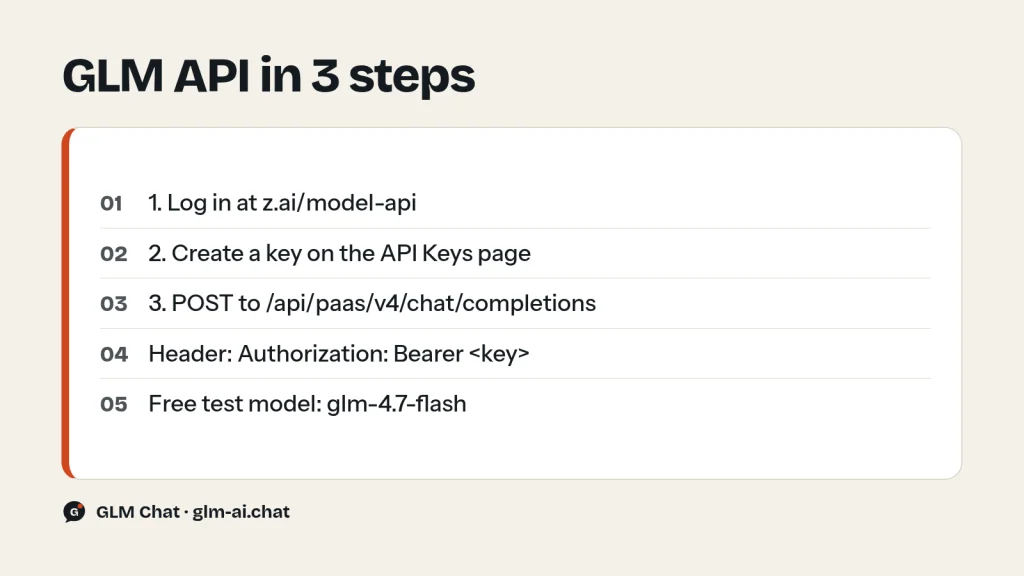
- Open the Z.ai developer platform at z.ai/model-api and register or log in.
- If you plan to call paid models, top up on the billing page at z.ai/manage-apikey/billing. The free models (
glm-4.7-flash,glm-4.5-flashandglm-4.6v-flash) are priced at zero per token. - Open the API Keys page at z.ai/manage-apikey/apikey-list and create a new key.
- Copy the key and store it as an environment variable instead of pasting it into source files:
export ZAI_API_KEY=your-api-key.
Treat the key like a password. Z.ai’s own best-practice list is short and worth following: never hard-code keys, keep them in environment variables or a secrets manager, and rotate them regularly. If a key leaks, delete it on the API Keys page and create a new one right away.
Billing details that trip people up
- Balance shows up a day late. Z.ai’s billing history reflects the previous day’s consumption, so today’s calls are not visible yet. A balance that has not moved is normal.
- Card top-ups without 3DS. Z.ai’s help page says 3DS card verification is not supported. If a card top-up fails, that is the first thing to check.
- Usage bundles are consumed first. If you buy an API usage bundle for a model, calls draw from the bundle until it runs out, then continue at the normal pay-as-you-go rate from your balance, with no interruption.
- No balance means error 1113. A paid model called from an account with no balance and no resource package returns HTTP 429 with business code 1113. Top up, or switch to a free model while you test.
For the full price list per model, see the GLM pricing page.
GLM API base URLs
Z.ai runs several endpoints. Picking the wrong one is the most common setup mistake, because each is tied to a different way of paying. Use this table:
| Base URL | Protocol | Use it for |
|---|---|---|
https://api.z.ai/api/paas/v4 | OpenAI Chat Completions | Pay-as-you-go API calls from your own code |
https://api.z.ai/api/coding/paas/v4 | OpenAI Chat Completions | GLM Coding Plan, inside supported coding tools only |
https://api.z.ai/api/anthropic | Anthropic Messages | GLM Coding Plan in Claude Code and Goose |
https://api.z.ai/api/v1 | OpenAI Responses | Listed in the Coding Plan endpoint guide |
The general endpoint is https://api.z.ai/api/paas/v4, and chat requests go to /chat/completions under it. Other paths on the same base include /images/generations for GLM-Image and /tokenizer for counting tokens. When you configure an SDK, use the base with a trailing slash exactly as Z.ai’s examples do: https://api.z.ai/api/paas/v4/.
The Coding Plan endpoints only work inside the coding tools Z.ai supports, such as Claude Code, Cline, OpenCode and Cursor. Plan quota cannot be spent on general API calls from your own scripts, and plan usage never draws from your account balance. If you subscribe to the plan but point a tool at the general URL, you are billed from your balance, or you get error 1113 when the balance is empty. The GLM Coding Plan guide covers tiers and credits, and GLM in Claude Code covers the Anthropic-compatible setup.
Your first GLM API request with curl
This is the smallest complete request. It reads the key from the environment and asks the flagship model for a short answer:
curl -X POST "https://api.z.ai/api/paas/v4/chat/completions" \
  -H "Content-Type: application/json" \
  -H "Authorization: Bearer $ZAI_API_KEY" \
  -d '{
    "model": "glm-5.3",
    "messages": [
      {"role": "system", "content": "You are a helpful AI assistant."},
      {"role": "user", "content": "Hello, please introduce yourself."}
    ]
  }'
GLM-5.3 always thinks before it answers and defaults to its deepest setting, reasoning_effort: "max". For a quick hello that is overkill. Add "reasoning_effort": "low" to get a faster, cheaper reply, or test on the free glm-4.7-flash model with thinking switched off:
curl -X POST "https://api.z.ai/api/paas/v4/chat/completions" \
  -H "Content-Type: application/json" \
  -H "Authorization: Bearer $ZAI_API_KEY" \
  -d '{
    "model": "glm-4.7-flash",
    "messages": [
      {"role": "user", "content": "Give me three names for a coffee shop."}
    ],
    "thinking": {"type": "disabled"},
    "temperature": 0.7,
    "max_tokens": 1024
  }'
What comes back
A successful call returns HTTP 200 and a JSON body in the familiar Chat Completions shape. These are the fields you will actually read:
| Field | What it holds |
|---|---|
choices[0].message.content | The answer text |
choices[0].message.reasoning_content | The model’s reasoning, when thinking ran |
choices[0].message.tool_calls | Functions the model wants you to run |
choices[0].finish_reason | stop, tool_calls, length, sensitive, model_context_window_exceeded or network_error |
usage | prompt_tokens, completion_tokens, total_tokens and prompt_tokens_details.cached_tokens |
id, request_id, created, model | Task ID, request ID, Unix timestamp in seconds, model name |
Check finish_reason on every response. length means the answer hit max_tokens and was cut off; sensitive means the content filter stopped it. The cached_tokens count tells you how much of the prompt was billed at the cheaper cached-input rate, which the context caching guide explains in detail.
GLM API in Python with the OpenAI SDK
The OpenAI Python SDK is the fastest route if your code already uses it. Install version 1.0 or newer:
pip install --upgrade 'openai>=1.0'Then point the client at Z.ai. GLM-specific parameters such as thinking and reasoning_effort go in extra_body, which the SDK merges into the JSON request body:
import os
from openai import OpenAI
client = OpenAI(
    api_key=os.environ["ZAI_API_KEY"],
    base_url="https://api.z.ai/api/paas/v4/",
)
completion = client.chat.completions.create(
    model="glm-5.3",
    messages=[
        {"role": "system", "content": "You are a helpful AI assistant."},
        {"role": "user", "content": "Explain what an API rate limit is in two sentences."},
    ],
    extra_body={
        "thinking": {"type": "enabled"},
        "reasoning_effort": "low",
    },
)
message = completion.choices[0].message
print(message.content)
print("Reasoning:", getattr(message, "reasoning_content", None))
print("Tokens:", completion.usage.total_tokens)
The SDK keeps fields it does not know about, so reasoning_content is available on the message object; getattr with a default keeps the code safe when a model returns no reasoning. Everything else, including tools, response_format, max_tokens and stream, uses the normal SDK arguments.
GLM API in Python with requests
No SDK needed. Plain HTTP with requests gives you full control over the payload and makes errors easy to inspect:
import os
import requests
url = "https://api.z.ai/api/paas/v4/chat/completions"
headers = {
    "Authorization": f"Bearer {os.environ['ZAI_API_KEY']}",
    "Content-Type": "application/json",
}
payload = {
    "model": "glm-4.7-flash",
    "messages": [{"role": "user", "content": "Hello, please introduce yourself."}],
    "thinking": {"type": "disabled"},
    "temperature": 0.7,
}
response = requests.post(url, headers=headers, json=payload, timeout=120)
if response.status_code != 200:
    raise RuntimeError(f"API call failed: {response.status_code} {response.text}")
data = response.json()
print(data["choices"][0]["message"]["content"])
print(data["usage"])
When a call fails, response.text holds a JSON error such as {"error": {"code": "1214", "message": "..."}}. The business code tells you exactly what went wrong; the GLM API error code guide lists every one with its fix.
GLM API with the official zai-sdk
Z.ai also ships its own Python SDK, zai-sdk, which supports Python 3.8 to 3.12 and covers chat, vision, image and video generation, and more. Install it and create a ZaiClient:
pip install zai-sdkimport os
import zai
from zai import ZaiClient
client = ZaiClient(api_key=os.getenv("ZAI_API_KEY"))
try:
response = client.chat.completions.create(
model="glm-5.3",
messages=[
{"role": "system", "content": "You are a helpful AI assistant."},
{"role": "user", "content": "Hello, please introduce yourself."},
],
thinking={"type": "enabled"},
max_tokens=4096,
)
print(response.choices[0].message.content)
except zai.core.APIStatusError as err:
print(f"API status error: {err}")
except zai.core.APITimeoutError as err:
print(f"Request timeout: {err}")With zai-sdk, GLM parameters such as thinking are plain keyword arguments. The client also accepts base_url, timeout and max_retries if you need to tune them. For Java, Z.ai publishes ai.z.openapi:zai-sdk on Maven (version 0.3.5 in the current docs), and the official OpenAI Java SDK works with the same base URL.
Which Python option should you pick? Use the OpenAI SDK if you want one client for several providers or already have OpenAI code. Use zai-sdk if you only target Z.ai and want GLM parameters without extra_body. Use requests for scripts, serverless functions or anywhere you want zero dependencies beyond HTTP.
GLM API in Node.js: openai package and fetch
In Node, install the official openai package and set baseURL. Save this as first.mjs and run it with node first.mjs:
npm install openaiimport OpenAI from "openai";
const client = new OpenAI({
apiKey: process.env.ZAI_API_KEY,
baseURL: "https://api.z.ai/api/paas/v4/",
});
const completion = await client.chat.completions.create({
model: "glm-5.3",
messages: [
{ role: "system", content: "You are a helpful AI assistant." },
{ role: "user", content: "Hello, please introduce yourself." },
],
reasoning_effort: "low",
});
console.log(completion.choices[0].message.content);The Node SDK sends extra keys in the request object as they are, so GLM-only fields such as thinking: { type: "disabled" } can sit next to model and messages. In TypeScript, the compiler will flag those unknown keys; add a type assertion or a // @ts-expect-error comment on that line.
Prefer no dependencies? Node 18 and later ship fetch, which is all you need:
const res = await fetch("https://api.z.ai/api/paas/v4/chat/completions", {
  method: "POST",
  headers: {
    "Authorization": `Bearer ${process.env.ZAI_API_KEY}`,
    "Content-Type": "application/json",
  },
  body: JSON.stringify({
    model: "glm-4.7-flash",
    messages: [{ role: "user", content: "Hello, please introduce yourself." }],
    thinking: { type: "disabled" },
  }),
});
if (!res.ok) {
  throw new Error(`API call failed: ${res.status} ${await res.text()}`);
}
const data = await res.json();
console.log(data.choices[0].message.content);
Multi-turn conversations
The API is stateless. It remembers nothing between calls, so a conversation is simply a messages array that you grow yourself: append the user’s message, send the whole array, then append the assistant’s reply before the next turn. A minimal chat loop looks like this:
import os
from openai import OpenAI
client = OpenAI(api_key=os.environ["ZAI_API_KEY"], base_url="https://api.z.ai/api/paas/v4/")
history = [{"role": "system", "content": "You are a concise programming assistant."}]
while True:
    user_input = input("You: ")
    if user_input.lower() in {"quit", "exit"}:
        break
    history.append({"role": "user", "content": user_input})
    reply = client.chat.completions.create(
        model="glm-5.3-flash",
        messages=history,
        extra_body={"reasoning_effort": "low"},
    )
    answer = reply.choices[0].message.content
    history.append({"role": "assistant", "content": answer})
    print("GLM:", answer)
Three things keep long conversations healthy. First, every turn re-sends the full history, so input tokens grow with each message; trim or summarise old turns once a chat gets long. Second, repeated content across calls can be served from cache and billed at the lower cached-input rate; usage.prompt_tokens_details.cached_tokens shows how much was. Third, by default the API drops reasoning_content from earlier turns (clear_thinking is true on the standard endpoint), so you do not need to send old reasoning back for ordinary chat. Agents that call tools are the exception, covered in the function calling guide.
Streaming GLM API responses
Set stream: true and the API returns Server-Sent Events: a series of data: {...} lines, each carrying a small delta, followed by a final data: [DONE]. Streaming is the right default for any chat interface because the first words appear almost immediately instead of after the full answer is generated.
GLM models that think send two kinds of text in the stream. delta.reasoning_content carries the reasoning, and it arrives first. delta.content carries the answer. Keep them apart: show reasoning in a collapsible panel or drop it, and render only content as the reply. The last chunk before [DONE] carries finish_reason and the usage totals.
Streaming with the OpenAI Python SDK
import os
from openai import OpenAI
client = OpenAI(api_key=os.environ["ZAI_API_KEY"], base_url="https://api.z.ai/api/paas/v4/")
stream = client.chat.completions.create(
    model="glm-5.3",
    messages=[{"role": "user", "content": "Write a four-line poem about spring."}],
    stream=True,
    extra_body={"reasoning_effort": "low"},
)
in_answer = False
for chunk in stream:
    if not chunk.choices:
        continue
    choice = chunk.choices[0]
    reasoning = getattr(choice.delta, "reasoning_content", None)
    if reasoning:
        print(reasoning, end="", flush=True)
    if choice.delta.content:
        if not in_answer:
            print("\n--- answer ---")
            in_answer = True
        print(choice.delta.content, end="", flush=True)
    if choice.finish_reason:
        print(f"\n[finish_reason: {choice.finish_reason}]")
Parsing raw SSE in Python
Without an SDK, read the response line by line, strip the data: prefix, stop at [DONE] and parse each JSON chunk. Decode bytes as UTF-8 yourself so that non-ASCII text never gets garbled:
import json
import os
import requests
resp = requests.post(
    "https://api.z.ai/api/paas/v4/chat/completions",
    headers={
        "Authorization": f"Bearer {os.environ['ZAI_API_KEY']}",
        "Content-Type": "application/json",
    },
    json={
        "model": "glm-4.7-flash",
        "messages": [{"role": "user", "content": "Write a poem about spring."}],
        "stream": True,
    },
    stream=True,
    timeout=300,
)
resp.raise_for_status()
for raw in resp.iter_lines():
    line = raw.decode("utf-8").strip()
    if not line.startswith("data:"):
        continue
    data = line[len("data:"):].strip()
    if data == "[DONE]":
        break
    chunk = json.loads(data)
    if not chunk.get("choices"):
        continue
    choice = chunk["choices"][0]
    delta = choice.get("delta") or {}
    if delta.get("reasoning_content"):
        print(delta["reasoning_content"], end="", flush=True)
    if delta.get("content"):
        print(delta["content"], end="", flush=True)
    if choice.get("finish_reason"):
        print(f"\nfinish_reason={choice['finish_reason']} usage={chunk.get('usage')}")
Parsing SSE in Node with fetch
Network chunks do not line up with SSE lines, so buffer the text and only parse complete lines:
const res = await fetch("https://api.z.ai/api/paas/v4/chat/completions", {
  method: "POST",
  headers: {
    "Authorization": `Bearer ${process.env.ZAI_API_KEY}`,
    "Content-Type": "application/json",
  },
  body: JSON.stringify({
    model: "glm-4.7-flash",
    messages: [{ role: "user", content: "Write a poem about spring." }],
    stream: true,
  }),
});
if (!res.ok) throw new Error(`HTTP ${res.status}: ${await res.text()}`);
const decoder = new TextDecoder();
let buffer = "";
for await (const part of res.body) {
  buffer += decoder.decode(part, { stream: true });
  const lines = buffer.split("\n");
  buffer = lines.pop();
  for (const line of lines) {
    if (!line.startsWith("data:")) continue;
    const data = line.slice(5).trim();
    if (data === "[DONE]") continue;
    const chunk = JSON.parse(data);
    const delta = chunk.choices?.[0]?.delta ?? {};
    if (delta.reasoning_content) process.stdout.write(delta.reasoning_content);
    if (delta.content) process.stdout.write(delta.content);
  }
}
One difference from non-streaming calls matters for error handling. If generation fails partway through a stream, the API does not send an HTTP error code, because the 200 status has already gone out. It reports the problem in finish_reason instead, for example network_error or sensitive. Always log the final finish_reason. For streaming function calls (tool_stream), see the GLM function calling guide.
Thinking and reasoning_effort
Every current GLM text model can reason before answering, and the controls differ by model. Two parameters matter: thinking, an object with type set to enabled or disabled, and reasoning_effort, which sets how hard the model thinks when thinking is on.
| Model | Default | Can you turn it off? | reasoning_effort |
|---|---|---|---|
| glm-5.3, glm-5.3-flash | Always on | No: disabled makes the request fail | low / high / max (default max) |
| glm-5.2 | On | Yes, or pass none / minimal | high / max (default max); low and medium map to high |
| glm-5.1, glm-5 | On | Yes, thinking.type: disabled | Not supported |
| glm-4.7, glm-4.7-flash | On | Yes, per turn | Not supported |
| glm-4.6, glm-4.5 series | Hybrid: the model decides | Yes | Not supported |
The practical rule: for chat, extraction and quick lookups, use reasoning_effort: "low" on GLM-5.3 and GLM-5.3-Flash, and disable thinking on the others. Keep the default max for hard coding, math and multi-step agent work. The GLM thinking mode guide covers interleaved, preserved and turn-level thinking in depth.
OpenAI compatibility: what is the same and what differs
Z.ai describes the API as OpenAI-compatible while noting that “in some scenarios, there are still differences.” In practice the request and response shapes match, and a handful of parameters behave differently. Know these before you migrate:
| Area | GLM API behaviour |
|---|---|
| Endpoint and auth | Same shape: POST /chat/completions, Bearer token |
| Messages | Same roles: system, user, assistant, tool. A request cannot contain only system or assistant messages |
| Streaming | Same SSE format ending in data: [DONE], plus delta.reasoning_content |
temperature | Range 0.0 to 1.0. Default 1.0 on GLM-5.x, 4.7 and 4.6; 0.6 on the GLM-4.5 series |
top_p | Range 0.01 to 1.0, default 0.95. Tune temperature or top_p, not both |
do_sample | GLM-only. false means greedy decoding and ignores temperature and top_p |
thinking | GLM-only object: {"type": "enabled"} or {"type": "disabled"}, plus clear_thinking |
reasoning_effort | GLM-5.2 and newer only, with GLM’s own values (see above) |
tool_choice | Only auto is supported |
tools | Up to 128 functions; also web_search and retrieval tool types |
response_format | text or json_object, on text models only |
stop | One stop word is supported |
max_tokens | Up to 131,072 on GLM-5.x, 4.7 and 4.6; 98,304 on the GLM-4.5 series |
| Errors | JSON {"error": {"code", "message"}} with Z.ai business codes such as 1214 or 1302 |
Z.ai’s OpenAI SDK page adds one more note: do_sample = False (the equivalent of temperature 0) is not applicable through OpenAI-style calls, so use a low temperature instead when you need stable output from the OpenAI SDK. For web search inside chat completions, see the GLM web search API guide.

Migrating from OpenAI: checklist
Most migrations take minutes. Work through this list in order and run your test suite after the last step:
- Swap the key:
api_key=os.environ["ZAI_API_KEY"]. - Set the base URL:
base_url="https://api.z.ai/api/paas/v4/"(orbaseURLin Node). - Change the model name to a GLM ID, for example
glm-5.3,glm-5.3-flashorglm-4.7-flash. IDs are lowercase. - Clamp
temperatureto 1.0 or below. Anything higher is an invalid parameter. - Decide on thinking. Add
reasoning_efforton GLM-5.3 and GLM-5.3-Flash, orthinking: {"type": "disabled"}on models that allow it, to control latency. - Handle
reasoning_contentin both normal and streamed responses so reasoning never leaks into the user-visible answer. - Replace
tool_choicevalues such as"required","none"or a named function with"auto". - Replace
response_formatJSON Schema requests with{"type": "json_object"}and validate the result in your code. - Cut
stopdown to a single stop string. - Map error handling to Z.ai business codes: retry 1302 and 1305 with backoff, never retry 1113 or 1211.
- Re-test for randomness, latency and cost, especially in long-context and deep-thinking paths.
The last point comes straight from Z.ai’s own migration guide: after switching models, check whether output is too random or too conservative, whether tool streams arrive complete, and how latency and cost behave with long context and deep thinking.
Choosing a model ID
The model ID goes in the model field, in lowercase. A misspelled or retired ID returns error 1211 (unknown model). These are the IDs most projects need, with pay-as-you-go prices per 1M tokens:
| Model ID | Input / output | Context | Pick it for |
|---|---|---|---|
| glm-5.3 | $1.40 / $4.40 | 1M | Hardest coding and agent tasks |
| glm-5.3-flash | $0.15 / $0.50 | 1M | Cheap default; image, video and file input |
| glm-5.3-flashx | $0.37 / $1.25 | 1M | Faster Flash variant, API only |
| glm-5.2 | $1.40 / $4.40 | 1M | Long-horizon work; thinking can be skipped |
| glm-5.1 | $1.40 / $4.40 | 200K | Existing GLM-5.1 pipelines |
| glm-5 | $1.00 / $3.20 | 200K | Cheaper GLM-5 generation |
| glm-4.7 | $0.60 / $2.20 | 200K | Mid-price coding model |
| glm-4.7-flash | Free | 200K | Testing, prototypes, free workloads |
| glm-4.7-flashx | $0.07 / $0.40 | — | Faster paid version of 4.7-Flash |
| glm-4.6 | $0.60 / $2.20 | 200K | Hybrid thinking |
| glm-4.5 / glm-4.5-air | $0.60 / $2.20 and $0.20 / $1.10 | 128K | Older, lighter workloads |
| glm-4.5-flash | Free | — | Free older model |
Vision work uses glm-5.3-flash or the GLM-4.6V family (glm-4.6v, glm-4.6v-flashx, and the free glm-4.6v-flash) with image_url content parts. If you are unsure, start with glm-5.3-flash at reasoning_effort: "low": it is inexpensive, multimodal and has a 1M-token context. The GLM models comparison covers every model side by side.
Production checklist for the GLM API
A first request proves the key works. These habits keep a real integration stable once traffic grows:
- Set timeouts that match the model. Deep reasoning at
maxeffort can take far longer than a plain completion. Give non-streaming calls generous timeouts, or stream so the connection never sits idle. - Set
max_tokenson purpose. Default output limits are large (65,536 tokens on most current models). A sensible cap protects your bill and your latency; watch forfinish_reason: "length"to know when the cap was too tight. - Tag requests. Pass your own
request_id(6 to 64 characters, unique per call) so you can match logs to responses, and an anonymoususer_id(6 to 128 characters) per end user. Never put personal data in either field. - Retry only what can succeed. Rate limits (1302), overload (1305) and network errors (1234) are worth a retry with exponential backoff. Balance, authentication and parameter errors are not.
- Cap your concurrency. Limits are per account and per model, based on how many requests you have in flight. A worker pool sized to your limit prevents bursts of 429s.
- Log usage. Record
prompt_tokens,completion_tokensandcached_tokensper call. Billing history lags by a day, so your own logs are the only real-time cost view. - Pick the cheapest model that passes your tests. GLM-5.3-Flash costs about a ninth of GLM-5.3 per output token, and GLM-4.7-Flash costs nothing. Route easy traffic down and keep the flagship for the hard cases.
GLM API errors: quick reference
Errors come in two layers: the HTTP status, and a Z.ai business code inside the JSON body. The codes you will meet first:
| HTTP | Code | Meaning | First fix |
|---|---|---|---|
| 401 | 1000 | Authentication failed | Check the key and the Bearer prefix |
| 401 | 1001 | No auth header received | The environment variable is probably empty |
| 400 | 1211 | Unknown model | Use a lowercase ID from the table above |
| 400 | 1214 | Invalid parameter value | Read the field named in the message |
| 400 | 1261 | Prompt too long | Trim history or use a 1M-context model |
| 429 | 1113 | Insufficient balance | Top up, or check your Coding Plan base URL |
| 429 | 1302 | Request rate limit | Back off and retry; cap concurrency |
| 429 | 1305 | Service temporarily overloaded | Retry later |
Your account’s concurrency limits are listed at z.ai/manage-apikey/rate-limits. The full table, retry code and every Coding Plan limit code are in GLM API rate limits and error codes. If the whole service seems down rather than one request failing, work through GLM not working: status check and fixes.
ChatGLM API and the Zhipu API: naming explained
Searches for a “ChatGLM API” come from the model family’s history. ChatGLM was Z.ai’s 2023 chat model line, and the open-source ChatGLM-6B was downloaded more than 20 million times. Current models no longer carry the ChatGLM name: they are GLM-4.5 through GLM-5.3, and you call them with the model IDs above. There is no separate ChatGLM endpoint to look for.
“Zhipu API” is the same platform under the company’s former name. One practical detail: Z.ai also runs an older, separate developer platform at bigmodel.cn (open.bigmodel.cn) with a separate account system. Keys and balances do not carry over between the two, so create your key on the platform whose endpoint you call. This guide uses api.z.ai throughout. For every official domain in one place, see Z.ai official website links, and for the company background, Zhipu AI (Z.ai).
GLM API FAQ
Is the GLM API free?
Partly. glm-4.7-flash, glm-4.5-flash and the vision model glm-4.6v-flash cost nothing per token on the Z.ai API. Every other model is pay-as-you-go from your balance, from $0.15 input and $0.50 output per 1M tokens for GLM-5.3-Flash up to $1.40 and $4.40 for GLM-5.3. If you just want to chat, the free GLM chat on this site needs no key.
Where do I get a Z.ai API key?
Log in at z.ai/model-api, then open the API Keys page at z.ai/manage-apikey/apikey-list and create a key. Store it in an environment variable such as ZAI_API_KEY and send it as Authorization: Bearer your-api-key.
What is the GLM API base URL?
For pay-as-you-go calls it is https://api.z.ai/api/paas/v4, with chat at /chat/completions. The GLM Coding Plan uses https://api.z.ai/api/coding/paas/v4 for OpenAI-compatible tools and https://api.z.ai/api/anthropic for Claude Code and Goose.
Is the Z.ai API compatible with the OpenAI SDK?
Yes. Set the OpenAI client’s base URL to https://api.z.ai/api/paas/v4/, use your Z.ai key and a GLM model ID. Pass GLM-only fields such as thinking through extra_body in Python. Keep temperature at 1.0 or below and use only tool_choice: "auto".
Can I use my GLM Coding Plan with the API?
Not for general API calls. Plan quota works only inside supported coding tools through the Coding Plan endpoints. Calls to the general endpoint bill your balance instead. That mix-up is the usual reason for a 1113 error right after subscribing.
Why does my new API key return error 1113?
Code 1113 means insufficient balance or no resource package. Top up on the billing page, call a free model while testing, or, if you have a Coding Plan, make sure your tool points at the plan’s base URL rather than the general one.
Does the GLM API support streaming?
Yes. Set stream to true and read Server-Sent Events until data: [DONE]. Reasoning arrives in delta.reasoning_content and the answer in delta.content. Tool call arguments can also stream with tool_stream on GLM-5.3, 5.2, 5.1, 5, 4.7 and 4.6.
What is the Zhipu API?
It is the GLM API under the company’s former name. Zhipu AI now operates as Z.ai, and its developer API lives at api.z.ai. An older platform at bigmodel.cn uses separate accounts and keys.