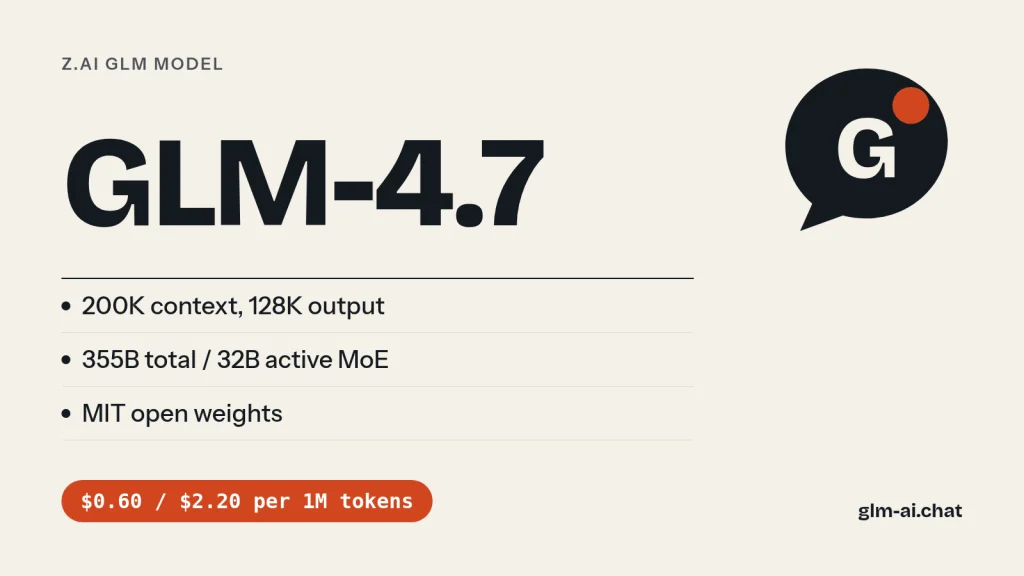
GLM-4.7 is Z.ai’s open-weight coding and agent model, released on December 22, 2025. If you searched for GLM 4.7, here are the essentials: a Mixture-of-Experts model with roughly 355B total and 32B active parameters, a 200K-token context window, up to 128K output tokens, text in and text out, and an MIT license on the weights. On the Z.ai API it costs $0.60 per million input tokens, $0.11 per million cached input tokens and $2.20 per million output tokens. Its model ID is glm-4.7.
GLM-4.7 was the last flagship of the GLM-4 generation before GLM-5 arrived in February 2026. Z.ai (the company formerly known as Zhipu AI) built it around two upgrades: stronger programming and steadier multi-step reasoning and execution. Z.ai reports 73.8% on SWE-bench Verified, 84.9 on LiveCodeBench v6 and 41% on Terminal Bench 2.0, and describes its coding as aligned with Claude Sonnet 4.5. It also introduced turn-level thinking, which lets you switch reasoning on or off for each request inside the same conversation.
The fastest way to judge it is to use it. Chat with GLM-4.7 now in GLM Chat, free and without an account, then come back here for the benchmarks, the API code, the pricing math and the download details.
What GLM-4.7 is good at
Z.ai positions GLM-4.7 around task completion rather than one-off code snippets. Give it a goal and it works through the requirement, breaks it into steps and returns a structurally complete, runnable project skeleton. That focus shows up in seven areas Z.ai calls out in its model guide:
- Agentic coding. Requirement analysis, solution decomposition and multi-stack integration from a plain description, including front-end and back-end coordination. Z.ai says GLM-4.7 now “thinks before acting” inside coding agents such as Claude Code, Kilo Code, TRAE, Cline and Roo Code.
- Front-end and UI generation. Better default layouts, colour harmony and component styling, so you spend less time fixing styles after generation.
- Slides and posters. Z.ai reports that 16:9 PPT layout compatibility rose from 52% to 91%, with output it describes as close to ready to use.
- Tool use and search. 67 on BrowseComp and 84.7 on the τ²-Bench interactive tool-calling benchmark, which Z.ai reports as an open-source best at launch, ahead of Claude Sonnet 4.5.
- Multi-turn collaboration. It holds context and constraints more reliably across long conversations, answers simple questions directly and keeps narrowing complex problems toward a solution.
- Writing and role play. More descriptive prose, consistent characters and world-building, suited to interactive fiction and character apps.
- Research. Stronger intent understanding and cross-source consolidation for deep research and decision-support workflows.
Where it is weaker: GLM-4.7 is text-only, so it cannot read screenshots or photos. For image input use GLM-5.3-Flash, which accepts images, video and files. Its 200K context is also a fifth of the 1M window on GLM-5.2 and the GLM-5.3 models, which matters if you feed it whole repositories or very long documents.
GLM 4.7 coding performance: Z.ai’s numbers
Coding was the headline of this release. The figures below are Z.ai’s published results from the GLM-4.7 launch, with the gain over GLM-4.6 where Z.ai stated one. They were measured by Z.ai, not by GLM Chat; our own test results appear in the next section.
| Benchmark | GLM-4.7 | Change vs GLM-4.6 | What it measures |
|---|---|---|---|
| SWE-bench Verified | 73.8% | +5.8 | Fixing real GitHub issues in Python repos |
| SWE-bench Multilingual | 66.7% | +12.9 | The same task across many programming languages |
| Terminal Bench 2.0 | 41% | +16.5 | Completing tasks in a real terminal |
| LiveCodeBench v6 | 84.9 | — | Fresh competitive-programming problems |
| τ²-Bench | 84.7 | — | Multi-turn tool calling with a simulated user |
| BrowseComp | 67 | — | Web browsing to find hard-to-locate facts |
| HLE (with tools) | 42.8% | 41% relative gain | Expert-level questions across many fields |
How to read these numbers:
- The biggest jump is in the terminal. A 16.5-point gain on Terminal Bench 2.0 is the clearest sign that GLM-4.7 got better at acting inside an environment, running commands and reacting to their output, rather than just writing code in isolation.
- Multilingual coding improved most on SWE-bench. The 12.9-point rise on SWE-bench Multilingual matters if your codebase is not mostly Python.
- Z.ai compares it with Claude Sonnet 4.5. Z.ai describes GLM-4.7’s mainstream coding results as aligned with Claude Sonnet 4.5, and reports LiveCodeBench v6 and τ²-Bench scores above it. It also reports the HLE score as ahead of GPT-5.1, and says GLM-4.7 ranked first among open-source models on the Code Arena blind-test leaderboard, ahead of GPT-5.2.
Z.ai also ran 100 real programming tasks inside Claude Code, covering front-end, back-end and instruction following, and reports that GLM-4.7 improved on GLM-4.6 in both stability and deliverability. Its showcase cases include highly interactive mini-games, such as Plants vs. Zombies and Fruit Ninja, developed by GLM-4.7 on its own.

Where GLM-4.7 sits in the GLM line
Put the same benchmarks side by side with its neighbours and the trajectory is clear. Z.ai’s figures for GLM-5, released two months later, are 77.8 on SWE-bench Verified and 56.2 on Terminal Bench 2.0. The small GLM-4.7-Flash scores 59.2 on SWE-bench Verified with only 3B active parameters. The GLM-5 README adds that GLM-5 “significantly outperforms GLM-4.7 across frontend, backend, and long-horizon tasks” on Z.ai’s internal CC-Bench-V2 suite.
| Model | SWE-bench Verified | Terminal Bench 2.0 | Active params |
|---|---|---|---|
| GLM-4.7-Flash | 59.2 | — | 3B |
| GLM-4.7 | 73.8 | 41 | 32B |
| GLM-5 | 77.8 | 56.2 | 40B |
Turn-level thinking and the other thinking modes
GLM-4.7 thinks by default. That is a change from GLM-4.6 and GLM-4.5, which use hybrid thinking and decide for themselves whether a request needs reasoning. Z.ai’s API reference is explicit: with thinking enabled, GLM-4.6 and GLM-4.5 decide automatically, while GLM-4.7 always reasons. You can still switch it off with "thinking": {"type": "disabled"}. GLM-4.7 does not use the reasoning_effort parameter; that control is for GLM-5.2 and newer.
GLM-4.7 works with three thinking modes, and knowing which one you need saves both money and latency:
- Interleaved thinking (since GLM-4.5, on by default): the model reasons before each reply and between tool calls, interpreting every tool result before choosing the next step.
- Preserved thinking (new with GLM-4.7): reasoning from earlier assistant turns stays in context, which keeps long agent sessions coherent and raises cache hit rates. It is on by default on the Coding Plan endpoint and off on the standard API, where you enable it with
"clear_thinking": falseand must send back the complete, unmodifiedreasoning_contentin the original order. - Turn-level thinking (new with GLM-4.7): each request in a session chooses thinking on or off. Turn it off for quick facts or wording tweaks, on for planning, multi-constraint reasoning and debugging. Z.ai says the model stays coherent across the switch.
In practice, turn-level thinking is a routing decision you make in your own code. A simple rule works well: disable thinking for short lookups, rewrites and formatting; enable it for anything with several constraints, a tool result to interpret, or code that has to run. Reasoning tokens are billed as output tokens, so every turn you run without thinking is cheaper and faster. The full mechanics are in our GLM thinking mode guide.
from openai import OpenAI

client = OpenAI(api_key="your-api-key", base_url="https://api.z.ai/api/paas/v4/")
history = [{"role": "user", "content": "Rename the variable tmp to row_count in this line: tmp = len(rows)"}]

# Light turn: no reasoning needed
fast = client.chat.completions.create(
    model="glm-4.7",
    messages=history,
    extra_body={"thinking": {"type": "disabled"}},
)
history.append({"role": "assistant", "content": fast.choices[0].message.content})

# Heavy turn in the same session: reasoning on
history.append({"role": "user", "content": "Now explain why len() on a generator fails and rewrite the loop to count rows while streaming."})
deep = client.chat.completions.create(
    model="glm-4.7",
    messages=history,
    extra_body={"thinking": {"type": "enabled"}},
)
print(deep.choices[0].message.content)
We tested it: 5 tasks
Here is how GLM-4.7 handles GLM Chat’s five standard tasks. Every model on this site runs the same battery three times, with the same settings as the public chat: temperature 0.7, a 2,048-token output cap and the lightest reasoning setting available, which for GLM-4.7 means thinking disabled. The harness records the full response, latency and token counts, and an editor scores each answer from 0 to 2.
- Python: a function that removes duplicate rows from a large CSV while streaming it, keeping the first occurrence, supporting key columns and preserving the header.
- JavaScript:
debounce(fn, wait, { leading, trailing })with acancel()method, plus unit tests for Node’s built-in test runner. - PHP refactor: a deliberately messy 60-line function with copy-pasted loops, magic discount numbers, unescaped HTML and concatenated SQL, rewritten as clean PHP 8 without changing behaviour.
- Explanation: transformer attention for a complete beginner in about 150 words.
- Extraction: a messy product description turned into strict JSON with fixed keys, units converted to centimetres and
nullfor the missing field.
A score of 2 means correct and complete, 1 means usable after a minor fix, and 0 means wrong, invented or in a broken format, for a maximum of 10.
Our test in GLM Chat

| Task | Median score | Median latency | Median output tokens | Why (across runs) |
|---|---|---|---|---|
| Python: stream-safe CSV dedupe | 2 / 2 (runs: 2, 2, 2) | 10.0 s | 328 | Streams with csv, keeps the header and first occurrence, key columns work in every run. |
| JavaScript: debounce with options + tests | 1 / 2 (runs: 1, 2, 0) | 22.2 s | 728 | Fails our debounce behaviour checks (1/3 runs); its own tests fail (1/3 runs). |
| PHP: refactor a messy 60-line function | 1 / 2 (runs: 1, 1, 1) | 24.0 s | 697 | Output not escaped (3/3 runs); SQL not parameterised (3/3 runs). |
| Explain attention to a beginner | 2 / 2 (runs: 2, 1, 2) | 9.0 s | 194 | Passes every check in most runs; no queries/keys/values (1/3 runs). |
| Extract JSON from a messy description | 2 / 2 (runs: 2, 2, 2) | 7.0 s | 114 | Every field correct and units converted in every run. |
| Total | 8 / 10 |
What to look for in GLM-4.7’s results: the PHP refactor is the task that best reflects its “task completion” training, because it rewards a model that keeps behaviour identical across all three order types, parameterises the SQL and escapes the output in one pass. The debounce task is a good check on edge cases, since leading and trailing calls together trip up many models. The extraction task tests discipline more than intelligence: a model that invents a value for the missing field scores 0 there, however fluent the rest of the JSON looks.
Keep in mind that the battery runs with thinking disabled, so it shows GLM-4.7 in its fastest, cheapest mode. With thinking on, as Z.ai ran its own benchmarks, expect longer responses and more reasoning tokens. Compare the table with the GLM-4.7-Flash results and the GLM-5.3-Flash results to see what you gain or lose by moving down to the free model or up to the newer one.
GLM-4.7 vs GLM-4.6, GLM-5 and GLM-5.3-Flash
GLM-4.7 sits between two generations. The table puts it next to the model it replaced, the flagship that followed it, its free sibling and the model Z.ai now routes it to on the Coding Plan.
| Spec | GLM-4.6 | GLM-4.7 | GLM-4.7-Flash | GLM-5 | GLM-5.3-Flash |
|---|---|---|---|---|---|
| Released | Sep 30, 2025 | Dec 22, 2025 | Jan 19, 2026 | Feb 12, 2026 | Aug 26, 2026 |
| Parameters | 357B MoE | 355B / 32B active | 30B / 3B active | 744B / 40B active | 320B / 18B active |
| Context / output | 200K / 128K | 200K / 128K | 200K / 128K | 200K / 128K | 1M / 128K |
| Input | Text | Text | Text | Text | Text, image, video, file |
| Thinking | Hybrid (auto) | On, can disable, turn-level | On, can disable | On (auto), can disable | Always on, effort low/high/max |
| API price (in / out) | $0.60 / $2.20 | $0.60 / $2.20 | Free | $1.00 / $3.20 | $0.15 / $0.50 |
| Weights | MIT | MIT | MIT | MIT | MIT |
GLM-4.7 vs GLM-4.6
Same price, same context window, same MoE size class. GLM-4.7 is the straightforward upgrade: better coding scores across the board, stronger tool use, better front-end output and the new turn-level and preserved thinking controls. The one behavioural difference to plan for is that GLM-4.6 decides by itself whether to think, while GLM-4.7 reasons on every request unless you disable it. If you migrate a latency-sensitive app from 4.6 to 4.7, add "thinking": {"type": "disabled"} to the light requests or your output token count will rise.
GLM-4.7 vs GLM-5
GLM-5 doubled the scale to 744B total and 40B active parameters, added DeepSeek Sparse Attention and pushed SWE-bench Verified from 73.8 to 77.8 and Terminal Bench 2.0 from 41 to 56.2 in Z.ai’s figures. It costs $1.00 in and $3.20 out, so it is about 67% more expensive on input and 45% more on output. For long-horizon agent work, GLM-5 and its successors (GLM-5.1, GLM-5.2, GLM-5.3) are the better fit.
GLM-4.7 vs GLM-5.3-Flash
This is the comparison that matters most today. GLM-5.3-Flash is newer, multimodal, has a 1M context and costs $0.15 in and $0.50 out, roughly a quarter of GLM-4.7’s input price and less than a quarter of its output price. Z.ai also reports it beating GLM-5.2 on six coding and agentic benchmarks. The trade-off is that GLM-5.3-Flash’s thinking cannot be switched off; the lowest you can go is reasoning_effort: "low". If you rely on GLM-4.7’s zero-reasoning turns for latency, test both before you switch.
Pricing and free access
GLM-4.7 is priced like GLM-4.6 and GLM-4.5 on the Z.ai API. Cached input costs less than a fifth of normal input, and cache storage is free for a limited time.
| Model | Input | Cached input | Output |
|---|---|---|---|
| GLM-4.7 | $0.60 | $0.11 | $2.20 |
| GLM-4.7-FlashX | $0.07 | $0.01 | $0.40 |
| GLM-4.7-Flash | Free | Free | Free |
| GLM-4.6 | $0.60 | $0.11 | $2.20 |
| GLM-5 | $1.00 | $0.20 | $3.20 |
| GLM-5.3-Flash | $0.15 | $0.03 | $0.50 |
A worked example. Say you send 1,000 requests, each with 2,000 input tokens and 500 output tokens. That is 2M input tokens and 0.5M output tokens. On GLM-4.7 you pay 2 × $0.60 = $1.20 for input plus 0.5 × $2.20 = $1.10 for output, $2.30 in total. The same workload on GLM-5.3-Flash costs 2 × $0.15 + 0.5 × $0.50 = $0.55, and on GLM-4.7-Flash it costs nothing. Remember that reasoning tokens count as output, so with thinking on, your real output figure will be higher than the visible answer. Full tables for every model are on the GLM pricing page, and context caching explains how to push more of your input into the $0.11 tier.
Free ways to use GLM-4.7
- GLM Chat. GLM-4.7 is one of the models in our free GLM chat: no sign-up, up to 40 messages a day on paid models such as GLM-4.7, and up to 8,000 characters per message. Your history stays in your browser.
- chat.z.ai. Z.ai’s own free web chat for its GLM models, at chat.z.ai.
- GLM-4.7-Flash on the API. If you need a free API rather than a chat window, the smaller GLM-4.7-Flash is free on Z.ai for input, cached input and output. Z.ai calls it the free-tier version of GLM-4.7.
GLM-4.7 on OpenRouter
OpenRouter lists GLM-4.7 as z-ai/glm-4.7 at $0.40 in and $1.75 out per million tokens, with a 204,800-token context. OpenRouter routes across several providers and its prices change often, so treat that as OpenRouter’s listed price and confirm it on the GLM-4.7 OpenRouter page before you budget.
GLM-4.7 on the Coding Plan
On the GLM Coding Plan, requests for GLM-4.7 are now routed automatically to GLM-5.3-Flash. If your Claude Code, Cline or OpenCode config still says glm-4.7, it keeps working, but the model answering is GLM-5.3-Flash. That is usually an upgrade. If you specifically need GLM-4.7’s behaviour, call it on the pay-as-you-go API instead. Setup guides: GLM in Claude Code and GLM in Cline.
Using GLM-4.7 via API
GLM-4.7 is served on Z.ai’s OpenAI-compatible Chat Completions endpoint. Create a key on the API Keys page at z.ai/manage-apikey/apikey-list, keep it in an environment variable, and use the model ID glm-4.7. Our GLM API quickstart covers Node and streaming in more depth.
curl
curl -X POST "https://api.z.ai/api/paas/v4/chat/completions" \
  -H "Content-Type: application/json" \
  -H "Authorization: Bearer $ZAI_API_KEY" \
  -d '{
    "model": "glm-4.7",
    "messages": [
      {"role": "system", "content": "You are a senior Python reviewer."},
      {"role": "user", "content": "Review this function for bugs: def avg(xs): return sum(xs) / len(xs)"}
    ],
    "thinking": {"type": "enabled"},
    "max_tokens": 4096,
    "temperature": 1.0
  }'
Python with the OpenAI SDK
Install or upgrade the SDK with pip install --upgrade 'openai>=1.0', point base_url at Z.ai, and pass GLM-specific fields such as thinking through extra_body. This example streams, printing the reasoning and the answer separately.
import os
from openai import OpenAI

client = OpenAI(
    api_key=os.environ["ZAI_API_KEY"],
    base_url="https://api.z.ai/api/paas/v4/",
)

stream = client.chat.completions.create(
    model="glm-4.7",
    messages=[{"role": "user", "content": "Write a Flask endpoint that returns the 10 newest orders as JSON."}],
    extra_body={"thinking": {"type": "enabled"}},
    max_tokens=4096,
    stream=True,
)

for chunk in stream:
    delta = chunk.choices[0].delta
    reasoning = getattr(delta, "reasoning_content", None)
    if reasoning:
        print(reasoning, end="", flush=True)   # the model's thinking
    if delta.content:
        print(delta.content, end="", flush=True)  # the final answer
Python with Z.ai’s own SDK
# pip install zai-sdk
from zai import ZaiClient

client = ZaiClient(api_key="your-api-key")

response = client.chat.completions.create(
    model="glm-4.7",
    messages=[{"role": "user", "content": "Summarise the trade-offs of REST vs gRPC in five bullets."}],
    thinking={"type": "disabled"},  # fast turn, no reasoning
    max_tokens=1024,
)
print(response.choices[0].message.content)
Parameters that matter for GLM-4.7
| Parameter | GLM-4.7 behaviour |
|---|---|
thinking.type | enabled (default) or disabled |
thinking.clear_thinking | true by default; false turns on preserved thinking |
temperature | 0.0 to 1.0, default 1.0 |
top_p | 0.01 to 1.0, default 0.95 |
max_tokens | Up to 131,072 (128K) |
tools | Function calling, up to 128 functions |
tool_stream | Supported: streams tool-call arguments |
response_format | {"type": "json_object"} for JSON mode |
do_sample | false disables sampling |
Two practical tips. First, when you combine thinking with tools, append the assistant’s reasoning_content to the message history along with its tool calls, so the model can continue its chain of reasoning after the tool result; GLM function calling has a full loop. Second, a 429 with business code 1302 means you hit your account’s rate limit for glm-4.7, 1305 means the service is temporarily overloaded, and 1113 means insufficient balance. Rate limits are per account and per model, visible at z.ai/manage-apikey/rate-limits. The rate limits and error codes guide lists every code.
Function calling with GLM-4.7
GLM-4.7 takes tool definitions in the standard OpenAI tools format, up to 128 functions per request. Z.ai’s tool_choice supports only "auto", so the model decides when to call a tool; you cannot force a specific function. The loop below runs a tool, returns the result and lets GLM-4.7 finish the answer. Note the reasoning_content line: with thinking on, Z.ai asks you to send the model’s reasoning back with its tool calls so it can continue the same chain of thought after it sees the result.
import json, os
from openai import OpenAI

client = OpenAI(api_key=os.environ["ZAI_API_KEY"], base_url="https://api.z.ai/api/paas/v4/")

def get_order_status(order_id: str) -> dict:
    # Replace with a real database or API lookup
    return {"order_id": order_id, "status": "shipped", "eta_days": 2}

tools = [{
    "type": "function",
    "function": {
        "name": "get_order_status",
        "description": "Look up the shipping status of a customer order by its ID.",
        "parameters": {
            "type": "object",
            "properties": {"order_id": {"type": "string", "description": "Order ID, for example A-1042"}},
            "required": ["order_id"],
        },
    },
}]

messages = [{"role": "user", "content": "Where is my order A-1042 and when will it arrive?"}]

for _ in range(5):  # hard stop so a confused agent cannot loop forever
    resp = client.chat.completions.create(
        model="glm-4.7",
        messages=messages,
        tools=tools,
        tool_choice="auto",
        extra_body={"thinking": {"type": "enabled"}},
    )
    msg = resp.choices[0].message
    if not msg.tool_calls:
        print(msg.content)
        break
    turn = {"role": "assistant", "content": msg.content or "",
            "tool_calls": [tc.model_dump() for tc in msg.tool_calls]}
    reasoning = getattr(msg, "reasoning_content", None)
    if reasoning:
        turn["reasoning_content"] = reasoning  # keep the chain of thought
    messages.append(turn)
    for tc in msg.tool_calls:
        args = json.loads(tc.function.arguments)
        result = get_order_status(**args)
        messages.append({"role": "tool", "tool_call_id": tc.id, "content": json.dumps(result)})
Three rules keep tool use reliable. Give each function one job and a clear description, because the description is all the model knows about it. Validate the parsed arguments before you execute anything, since function.arguments is a JSON string produced by the model. And set a maximum number of rounds, as above, so a confused agent cannot call tools forever. If you stream, add "tool_stream": true to the request to receive the arguments as they are generated.
JSON mode for structured output
When a program reads the reply, set response_format to {"type": "json_object"} and describe the exact keys in the system prompt. JSON mode guarantees valid JSON syntax, not your schema, so check the keys yourself and retry on a mismatch.
resp = client.chat.completions.create(
    model="glm-4.7",
    messages=[
        {"role": "system", "content": "Extract fields and return only JSON with keys "
                                      "title, severity (low|medium|high), component, steps. "
                                      "Use null for anything not stated."},
        {"role": "user", "content": "Checkout page crashes on Safari when the coupon field is empty. "
                                    "Happens every time. Blocks all payments."},
    ],
    response_format={"type": "json_object"},
    extra_body={"thinking": {"type": "disabled"}},
)
ticket = json.loads(resp.choices[0].message.content)
missing = {"title", "severity", "component", "steps"} - ticket.keys()
if missing:
    raise ValueError(f"model left out: {missing}")
Prompt tips that work well with GLM-4.7
- State the goal, not only the step. GLM-4.7 is tuned for task completion. “Build a signup form with email validation and a success state, as one runnable HTML file” gets a more complete result than “write an email regex”.
- Put hard constraints in the system prompt. Language version, libraries you may not use, output format and length limits belong there, where they hold across a multi-turn session.
- Name the format for slides and pages. For presentations, ask for a 16:9 layout explicitly; Z.ai singles out 16:9 compatibility as one of the release’s biggest gains. For UI, describe the layout, colour scheme and components you want.
- Match thinking to the turn. Enable it for debugging, planning and anything with several constraints; disable it for rewording, lookups and formatting.
- Keep temperature inside 0.0 to 1.0. Values outside that range are rejected as an invalid parameter. The default of 1.0 suits creative work; lower it for extraction and code you want to be repeatable.
Downloading the weights
GLM-4.7’s weights are open under the MIT license, which allows commercial use, modification and redistribution. Z.ai publishes two Hugging Face repositories:
- zai-org/GLM-4.7: the BF16 release, about 358B parameters in the checkpoint (the count includes the MTP layer), split across 92 safetensors files.
- zai-org/GLM-4.7-FP8: the FP8 release for lower memory use.
On ModelScope, Z.ai’s organization is named ZhipuAI. The Hugging Face repository is tagged for the transformers library with the Glm4MoeForCausalLM architecture, which routes each token through 8 experts. Deployment instructions for the GLM-4.x family live in the zai-org/GLM-4.5 GitHub repository, the same place the GLM-4.7-Flash model card points to for vLLM and SGLang setups.
Hardware reality. A simple estimate for the weights alone: about 358B parameters × 2 bytes in BF16 is roughly 717 GB, which matches the repository’s size on Hugging Face. At 1 byte per parameter, the FP8 weights come to roughly 358 GB. Add memory for the KV cache and activations on top, and you are in multi-GPU server territory either way. For a single workstation, GLM-4.7-Flash at about 31B parameters is the realistic local option. Licence details for every GLM release are in Is GLM open source?
GLM-4.7, Zhipu AI and Z.ai: the naming
Many people still search for “GLM 4.7 Zhipu AI”, and they are looking for the same model. Zhipu AI renamed itself Z.ai, and the company listed on the Main Board of HKEX on January 8, 2026 (stock code 2513). GLM-4.7 shipped a few weeks before that listing, so older articles and repositories often credit Zhipu. The model, the ID glm-4.7 and the weights are the same whichever name you see.
One practical difference: Z.ai’s older developer platform, bigmodel.cn, uses a separate account system from z.ai. Keys from one do not work on the other, so make sure your base URL and your key come from the same platform. Our Zhipu AI company guide covers the history, and the GLM release timeline shows where GLM-4.7 fits among every release.
Should you still use GLM-4.7?
Use GLM-4.7 when you want an open, MIT-licensed model in the 355B class with a thinking switch you can flip per turn, and when 200K of context covers your inputs. It is also a sensible choice if you already self-host GLM-4.6 or GLM-4.5 on the same hardware, because it sits in the same 355B size class with 32B active parameters.
If one of those does not describe you, a newer or smaller model will serve you better. The next section maps common needs to the right model.
Which GLM model should you pick instead?
| Your need | Pick | Why |
|---|---|---|
| Best price-to-quality on the API | GLM-5.3-Flash | $0.15 / $0.50, 1M context, newer |
| Zero token cost | GLM-4.7-Flash | Free on the Z.ai API, 200K context |
| Top coding and long-horizon agents | GLM-5.3 | Z.ai’s flagship, 1M context, $1.40 / $4.40 |
| 1M context with thinking you can skip | GLM-5.2 | MIT weights; none skips thinking |
| A next-generation upgrade at 200K | GLM-5 or GLM-5.1 | 744B / 40B active, MIT weights |
| A model that decides when to think | GLM-4.6 | Hybrid thinking, same price as GLM-4.7 |
| Self-hosting on one workstation | GLM-4.7-Flash | About 62 GB of BF16 weights |
| A mid-size open model | GLM-4.5-Air | 106B total / 12B active |
| Image or video input | GLM-5.3-Flash | Image, video and file input |
| Free image understanding | GLM-4.6V-Flash | Free vision model, 128K context |
| OpenClaw agent workflows | GLM-5-Turbo | GLM-5 variant tuned for OpenClaw |
| Coding tools on a flat subscription | Coding Plan | GLM-5.3 and GLM-5.3-Flash in supported tools |
Model pages for each: GLM-5.3-Flash, GLM-4.7-Flash, GLM-5.3, GLM-5.2, GLM-5 and GLM-5-Turbo, GLM-4.5-Air. OpenClaw setup is covered in GLM + OpenClaw. The full lineup, with release dates and prices for every model, is on GLM models compared.
Migrating from GLM-4.7 to a newer model
Moving off GLM-4.7 is mostly a model-ID change, because every GLM text model uses the same endpoint and message format. The differences are in thinking controls, context and price. This table lists the parameters that change:
| Setting | GLM-4.7 | GLM-5 / GLM-5.1 | GLM-5.2 | GLM-5.3 / GLM-5.3-Flash |
|---|---|---|---|---|
| Model ID | glm-4.7 | glm-5, glm-5.1 | glm-5.2 | glm-5.3, glm-5.3-flash |
| Context / output | 200K / 128K | 200K / 128K | 1M / 128K | 1M / 128K |
thinking: disabled | Works | Works | Works | Request fails |
reasoning_effort | Not used | Not used | high / max (default max) | low / high / max (default max) |
| Temperature default | 1.0 | 1.0 | 1.0 | 1.0 |
| Image input | No | No | No | GLM-5.3-Flash only |
| Weights license | MIT | MIT | MIT | GLM-5.3 License / MIT (Flash) |
| Price (in / out) | $0.60 / $2.20 | $1.00 / $3.20; $1.40 / $4.40 | $1.40 / $4.40 | $1.40 / $4.40; $0.15 / $0.50 |
The concrete edits to make:
- Replace
"thinking": {"type": "disabled"}on GLM-5.3 models. GLM-5.3 and GLM-5.3-Flash use forced thinking, and sendingdisabledmakes the request fail. Send"thinking": {"type": "enabled"}with"reasoning_effort": "low"for your light turns instead. - Set
reasoning_effortexplicitly on GLM-5.2 and GLM-5.3. The default ismax, the most thorough and most token-hungry level. Reasoning tokens are billed as output, so a GLM-4.7 workload moved over unchanged can produce more output tokens than you expect. On GLM-5.2,noneorminimalskips thinking,lowandmediummap tohigh, andxhighmaps tomax. - Revisit your context trimming. If you cut history to fit 200K on GLM-4.7, you can keep far more on the 1M models. Check the cost first, since every input token is billed.
- Keep preserved thinking consistent.
clear_thinking,reasoning_contentin history,tools,tool_streamandresponse_formatwork the same way on the newer models, so agent code carries over. - Check the license if you self-host. GLM-5, 5.1, 5.2 and 5.3-Flash are MIT like GLM-4.7. GLM-5.3 uses the custom GLM-5.3 License, which adds a security-review condition for very large “Model as a Service” providers. Details in Is GLM open source?
On the Coding Plan there is nothing to migrate: glm-4.7 requests already go to GLM-5.3-Flash. Our thinking mode guide has per-model defaults for every parameter above.
GLM-4.7 FAQ
Is GLM-4.7 free?
Not on the API: GLM-4.7 costs $0.60 per million input tokens and $2.20 per million output tokens on Z.ai. You can use it free in GLM Chat (up to 40 messages a day, no account) and in Z.ai’s web chat at chat.z.ai. If you need a free API, GLM-4.7-Flash, the lightweight free-tier version of GLM-4.7, costs nothing on Z.ai.
What is GLM-4.7’s context window?
200K tokens of context, with up to 128K tokens (131,072) of output in a single response. That is the same as GLM-4.6 and GLM-5, larger than GLM-4.5’s 128K context, and smaller than the 1M context of GLM-5.2, GLM-5.3 and GLM-5.3-Flash.
Is GLM-4.7 open source?
Yes. The weights are published on Hugging Face as zai-org/GLM-4.7 (BF16) and zai-org/GLM-4.7-FP8 under the MIT license, which permits commercial use, modification and redistribution.
Is GLM-4.7 made by Zhipu AI?
Yes. Zhipu AI is the former name of Z.ai, the company that develops the GLM family. GLM-4.7 is documented on docs.z.ai and its weights are published under Z.ai’s zai-org account on Hugging Face.
How do I turn off thinking in GLM-4.7?
Send "thinking": {"type": "disabled"} in the request body, or extra_body={"thinking": {"type": "disabled"}} with the OpenAI Python SDK. Because GLM-4.7 supports turn-level thinking, you can disable it for one request and enable it again for the next in the same conversation.
Is GLM-4.7 good for coding?
It was Z.ai’s strongest coding model at release: 73.8% on SWE-bench Verified, 84.9 on LiveCodeBench v6 and 41% on Terminal Bench 2.0 in Z.ai’s figures, which Z.ai describes as aligned with Claude Sonnet 4.5. Newer models have since passed it; GLM-5 reports 77.8 on SWE-bench Verified, and the GLM-5.3 line is stronger again.
What is the difference between GLM-4.7 and GLM-4.7-Flash?
GLM-4.7 is the full 355B-class model with 32B active parameters and costs $0.60 / $2.20 per million tokens. GLM-4.7-Flash is a 30B model with 3B active parameters that is free on the Z.ai API and small enough to self-host. Both have 200K context and 128K output. GLM-4.7 is clearly stronger on coding: 73.8 vs 59.2 on SWE-bench Verified in Z.ai’s figures.
Does the GLM Coding Plan still offer GLM-4.7?
Requests for GLM-4.7 on the Coding Plan are automatically routed to GLM-5.3-Flash. Your tool configuration keeps working, but the answering model is GLM-5.3-Flash. To use GLM-4.7 itself, call glm-4.7 on the pay-as-you-go API.
Ready to try it on your own prompts? Chat with GLM-4.7 now, or switch to the free GLM-4.7-Flash chat to compare the two side by side.