GLM-4.7-Flash is the GLM model you can call for free. On the Z.ai API, input, cached input and output all cost $0, which makes GLM 4.7 Flash the simplest answer to “is there a free GLM API?”. It is a 30B-A3B Mixture-of-Experts model (about 31B total parameters, 3B active per token) with a 200K-token context window, up to 128K output tokens and MIT-licensed open weights. Z.ai (formerly Zhipu AI) released it on January 19, 2026 as the free-tier version of GLM-4.7, and its model ID is glm-4.7-flash.
Small does not mean weak here. The model card reports 59.2 on SWE-bench Verified and 79.5 on τ²-Bench, far ahead of the two similar-size open models it is compared with, and Z.ai calls it the strongest model in the 30B class. It is also the most-downloaded GLM repository on Hugging Face, with more than 1.8 million downloads a month, because it runs on hardware that the big GLM models never will.
You can try it right now with no key and no account: Chat with GLM-4.7-Flash now. In GLM Chat it has no daily message cap. The rest of this page shows how to call it through the free API in curl and Python, what limits apply, how it scores, and how to run the weights on your own machine.

What GLM-4.7-Flash is good at
Z.ai designed GLM-4.7-Flash for high-frequency and real-time use: low latency, high throughput and zero token cost. Its release notes describe competitive coding for its size and strong general abilities in writing, translation, long-form content, role play and aesthetic output. In practice, it earns its place in five kinds of work:
- Everyday coding help. Z.ai reports open-source best scores among models of comparable size on SWE-bench Verified and τ²-Bench, and says it beats similarly sized models on front-end and back-end tasks in its internal tests. It is a good fit for explaining code, writing functions, drafting tests and small refactors.
- High-volume pipelines. Classification, tagging, summarising and extraction jobs where you send thousands of requests. With zero token cost, your constraint becomes rate limits rather than budget.
- Writing and translation. Z.ai recommends it for multilingual writing, translation, long-form text processing and role-play interactions, not just programming.
- Agent prototypes. It supports function calling, streaming tool calls, JSON mode and the same thinking modes as GLM-4.7, so you can build and debug an agent loop for free before moving it to a paid model.
- Local and private deployment. With about 31B parameters, it is the smallest current GLM text model and the most practical one to host on a single workstation or a small GPU server.
Know its limits. It is text-only: for image input, use the free GLM-4.6V-Flash or the paid GLM-5.3-Flash. With 3B active parameters it will not match GLM-4.7 on hard multi-file coding: Z.ai’s figures put the big model at 73.8 on SWE-bench Verified against 59.2 for Flash. And its HLE score of 14.4 is a reminder that expert-level knowledge questions are not its strength.
GLM 4.7 Flash benchmarks
These are the numbers from Z.ai’s model card on Hugging Face. Z.ai compares GLM-4.7-Flash with two open models of similar size: Qwen3-30B-A3B-Thinking-2507 and GPT-OSS-20B. All figures are Z.ai-reported.
| Benchmark | GLM-4.7-Flash | Qwen3-30B-A3B-Thinking-2507 | GPT-OSS-20B |
|---|---|---|---|
| AIME 25 | 91.6 | 85.0 | 91.7 |
| GPQA | 75.2 | 73.4 | 71.5 |
| LCB v6 | 64.0 | 66.0 | 61.0 |
| HLE | 14.4 | 9.8 | 10.9 |
| SWE-bench Verified | 59.2 | 22.0 | 34.0 |
| τ²-Bench | 79.5 | 49.0 | 47.7 |
| BrowseComp | 42.8 | 2.29 | 28.3 |
What each benchmark tells you:
- AIME 25: competition maths. Flash is level with GPT-OSS-20B and well above the Qwen model.
- GPQA: graduate-level science questions. Flash leads the three.
- LCB v6 (LiveCodeBench): fresh competitive-programming problems. The only row where Flash is not first; the Qwen model edges it 66.0 to 64.0.
- HLE (Humanity’s Last Exam): very hard expert questions. Low scores for all three, with Flash ahead.
- SWE-bench Verified: fixing real GitHub issues. The standout result: 59.2 against 22.0 and 34.0.
- τ²-Bench: multi-turn tool calling with a simulated user. 79.5 against 49.0 and 47.7.
- BrowseComp: finding hard-to-locate facts by browsing. 42.8 against 2.29 and 28.3.
The pattern is clear: on pure reasoning tests, GLM-4.7-Flash is roughly level with its peers, but on agentic work (fixing repositories, calling tools, browsing) it pulls far ahead. That matches how Z.ai trained the GLM-4.7 family.
How Z.ai ran these numbers
The model card lists its evaluation settings, and they double as sensible starting points for your own use. Most tasks used temperature 1.0, top-p 0.95 and up to 131,072 new tokens. Terminal Bench and SWE-bench Verified used temperature 0.7, top-p 1.0 and 16,384 new tokens. τ²-Bench used temperature 0 and 16,384 new tokens. For multi-turn agentic tasks, Z.ai turned on preserved thinking, which you enable on the API with "clear_thinking": false.
We tested it: 5 tasks
Here is how GLM-4.7-Flash handles GLM Chat’s five standard tasks. Every model on this site goes through the same battery three times, with the settings the public chat uses: temperature 0.7, a 2,048-token output cap and the lightest reasoning setting available, which for GLM-4.7-Flash means thinking disabled. The harness saves the full response, latency and token counts, and an editor scores each answer from 0 to 2.
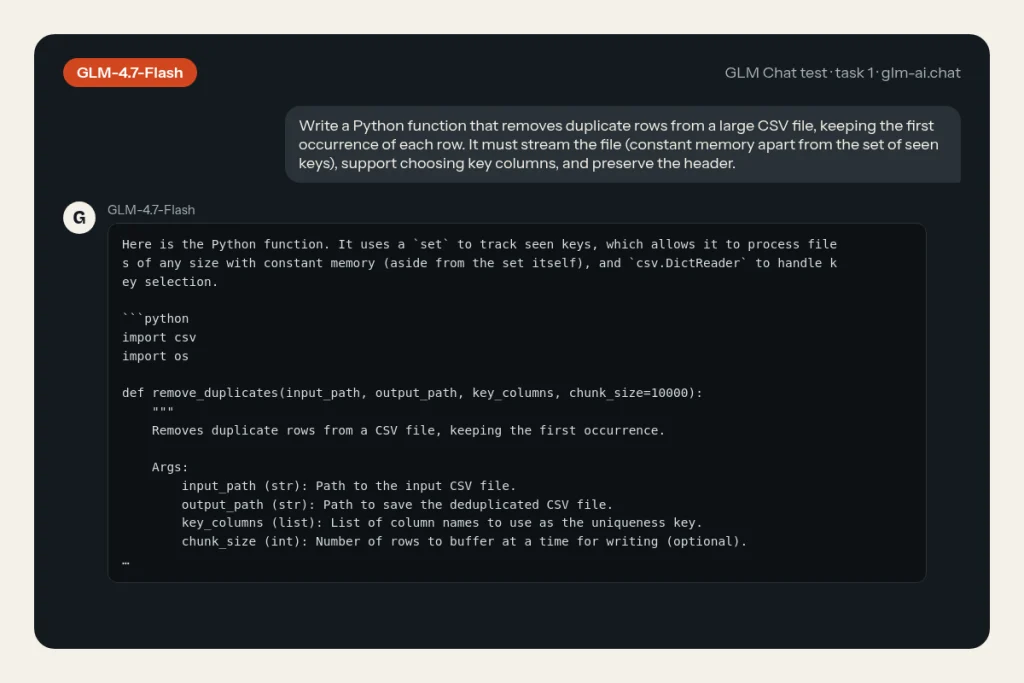
- Python: stream a large CSV and drop duplicate rows, keeping the first occurrence, supporting key columns and preserving the header.
- JavaScript:
debounce(fn, wait, { leading, trailing })withcancel(), plus tests for Node’s built-in test runner. - PHP refactor: clean up a messy 60-line function (duplicated loops, magic discounts, unescaped HTML, concatenated SQL) into modern PHP 8 without changing behaviour.
- Explanation: transformer attention for a complete beginner in about 150 words.
- Extraction: turn a messy product description into strict JSON with fixed keys, centimetre units and
nullfor the missing field.
A 2 means correct and complete, a 1 means usable after a small fix, and a 0 means wrong, invented or in a broken format. The maximum is 10.
Our test in GLM Chat
| Task | Median score | Median latency | Median output tokens | Why (across runs) |
|---|---|---|---|---|
| Python: stream-safe CSV dedupe | 2 / 2 (runs: 2, 2, 1) | 60.1 s | 552 | Passes every check in most runs; doesn’t stream row by row with the csv module (1/3 runs). |
| JavaScript: debounce with options + tests | 0 / 2 (runs: 0, 0, 1) | 58.1 s | 1,654 | Fails our debounce behaviour checks (2/3 runs); no node –test tests (2/3 runs); its own tests fail (1/3 runs). |
| PHP: refactor a messy 60-line function | 0 / 2 (runs: 0, 0, 0) | 54.0 s | 853 | Changes the function’s behaviour (3/3 runs); SQL not parameterised (3/3 runs); output not escaped (1/3 runs). |
| Explain attention to a beginner | 1 / 2 (runs: 1, 1, 1) | 4.2 s | 142 | Outside 120–180 words (3/3 runs); no queries/keys/values (3/3 runs); weighting step missing (2/3 runs). |
| Extract JSON from a messy description | 1 / 2 (runs: 1, 1, 1) | 16.0 s | 114 | A dimension left in inches (3/3 runs); name padded (3/3 runs). |
| Total | 4 / 10 |
What to look for: GLM-4.7-Flash is the smallest model in the battery, so the interesting question is where 3B active parameters start to show. The explanation and extraction tasks are short and well defined, which suits a small model; watch whether it respects the word range and resists inventing the missing JSON field. The PHP refactor and the debounce tests are longer and demand that every constraint holds at once, which is where small models tend to drop a detail such as escaping or the leading-plus-trailing case.
Put its row next to GLM-4.7’s results and GLM-5.3-Flash’s results. If the free model scores close to the paid ones on the tasks you care about, you have found a way to cut your API bill to zero for that workload.
Using GLM-4.7-Flash via API (the free GLM API)
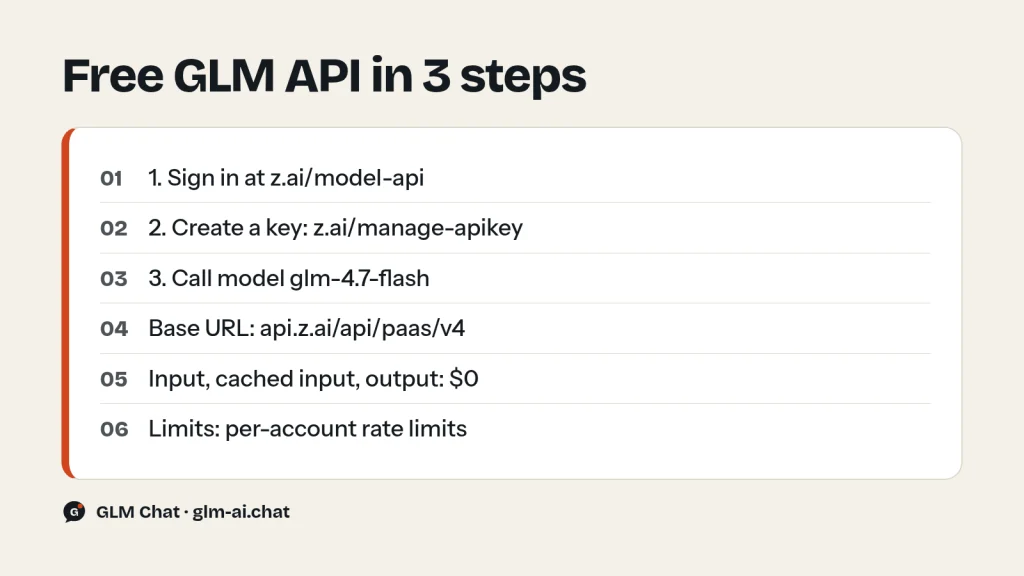
GLM-4.7-Flash uses the same OpenAI-compatible endpoint as every other Z.ai text model. The only thing that changes is the model ID, and the price line on your bill. Three steps get you from nothing to a working free request:
- Sign in to the Z.ai developer platform at z.ai/model-api.
- Open the API Keys page at z.ai/manage-apikey/apikey-list, create a new key and store it as an environment variable such as
ZAI_API_KEY. - Send requests to
https://api.z.ai/api/paas/v4/chat/completionswith"model": "glm-4.7-flash".
curl
curl -X POST "https://api.z.ai/api/paas/v4/chat/completions" \
  -H "Content-Type: application/json" \
  -H "Authorization: Bearer $ZAI_API_KEY" \
  -d '{
    "model": "glm-4.7-flash",
    "messages": [
      {"role": "user", "content": "Write a regex that matches ISO 8601 dates like 2026-09-24 and explain it."}
    ],
    "thinking": {"type": "disabled"},
    "max_tokens": 1024
  }'
The response is standard Chat Completions JSON: the answer is in choices[0].message.content, and the usage object reports tokens as usual, even though they cost nothing.
Python with the OpenAI SDK
import os
from openai import OpenAI

client = OpenAI(
    api_key=os.environ["ZAI_API_KEY"],
    base_url="https://api.z.ai/api/paas/v4/",
)

resp = client.chat.completions.create(
    model="glm-4.7-flash",
    messages=[
        {"role": "system", "content": "You are a concise senior engineer."},
        {"role": "user", "content": "Give me three ways to speed up a slow PostgreSQL query."},
    ],
    extra_body={"thinking": {"type": "disabled"}},  # fast mode
    max_tokens=1024,
)
print(resp.choices[0].message.content)
print(resp.usage)
Streaming with thinking on
Thinking is on by default for the GLM-4.7 series, GLM-4.7-Flash included. When it is on, the reasoning streams in delta.reasoning_content and the answer in delta.content. Leave it on for maths, debugging and multi-step tasks; switch it off with {"type": "disabled"} when you want speed.
stream = client.chat.completions.create(
    model="glm-4.7-flash",
    messages=[{"role": "user", "content": "A train leaves at 09:40 and arrives at 13:05. How long is the trip? Show your steps."}],
    extra_body={"thinking": {"type": "enabled"}},
    stream=True,
)
for chunk in stream:
    delta = chunk.choices[0].delta
    if getattr(delta, "reasoning_content", None):
        print(delta.reasoning_content, end="", flush=True)
    if delta.content:
        print(delta.content, end="", flush=True)
JSON mode and tools
GLM-4.7-Flash accepts the same features as its bigger sibling: response_format={"type": "json_object"} for JSON output, tools for function calling and tool_stream for streamed tool calls. Z.ai’s local-serving commands use the glm47 tool-call parser, the same tool format family as GLM-4.7. For extraction jobs, JSON mode plus a schema check on your side is the reliable pattern:
import json

resp = client.chat.completions.create(
    model="glm-4.7-flash",
    messages=[
        {"role": "system", "content": "Return only JSON with keys name, price, currency. Use null if a value is missing."},
        {"role": "user", "content": "The Aero 2 desk lamp sells for $49.90."},
    ],
    response_format={"type": "json_object"},
    extra_body={"thinking": {"type": "disabled"}},
)
data = json.loads(resp.choices[0].message.content)
assert set(data) == {"name", "price", "currency"}
print(data)
For a full tool-calling loop, including how to return reasoning_content with tool results, see GLM function calling and structured output. Our GLM API quickstart adds Node, plain HTTP and Z.ai’s own zai-sdk Python client.
Function calling with streamed tool calls
Tool use is where GLM-4.7-Flash’s τ²-Bench score of 79.5 pays off, and it costs nothing to build an agent loop on it. Define tools in the OpenAI format (up to 128 functions; Z.ai’s tool_choice supports only "auto"). With stream=True and tool_stream on, the reasoning, the answer and the tool-call arguments all arrive as they are generated, and you reassemble the arguments by index:
tools = [{
    "type": "function",
    "function": {
        "name": "get_stock_level",
        "description": "Get the number of units in stock for a product SKU.",
        "parameters": {
            "type": "object",
            "properties": {
                "sku": {"type": "string", "description": "Product SKU, e.g. LAMP-042"},
                "warehouse": {"type": "string", "enum": ["north", "south"]},
            },
            "required": ["sku"],
        },
    },
}]

stream = client.chat.completions.create(
    model="glm-4.7-flash",
    messages=[{"role": "user", "content": "Do we have at least 40 units of LAMP-042 in the north warehouse?"}],
    tools=tools,
    tool_choice="auto",
    stream=True,
    extra_body={"tool_stream": True, "thinking": {"type": "enabled"}},
)

reasoning, content, calls = "", "", {}
for chunk in stream:
    if not chunk.choices:
        continue
    delta = chunk.choices[0].delta
    if getattr(delta, "reasoning_content", None):
        reasoning += delta.reasoning_content      # keep it for the next turn
    if delta.content:
        content += delta.content
    for tc in delta.tool_calls or []:
        slot = calls.setdefault(tc.index, {"id": tc.id, "name": "", "arguments": ""})
        if tc.id:
            slot["id"] = tc.id
        if tc.function and tc.function.name:
            slot["name"] = tc.function.name
        if tc.function and tc.function.arguments:
            slot["arguments"] += tc.function.arguments

print(calls)  # e.g. {0: {"id": "...", "name": "get_stock_level", "arguments": "{...}"}}
Next, run the function, then append two things to messages: the assistant turn with its tool_calls and the collected reasoning as reasoning_content, and a tool message with the result and the matching tool_call_id. Then call the model again for the final answer. Always validate the parsed arguments before executing anything, because a small model is more likely than a large one to produce an unexpected value.
Using the free model in coding tools
Any tool that lets you set an OpenAI-compatible base URL and a model name can use GLM-4.7-Flash on the free API: set the base URL to https://api.z.ai/api/paas/v4, the model to glm-4.7-flash and the key to your Z.ai key. Do not mix this up with the Coding Plan base URL (https://api.z.ai/api/coding/paas/v4), which only serves Coding Plan subscribers. Tool-specific setups are in GLM in Cline and GLM in Claude Code.
Free tier limits and errors
Free does not mean unlimited. Z.ai applies rate limits per account and per model, based on concurrency: how many requests you can have in flight at once. Your current limits for glm-4.7-flash are shown in the console at z.ai/manage-apikey/rate-limits. There is no token price to watch, so this page is the one that governs how much work you can push through the free model.
| HTTP / code | Meaning | What to do |
|---|---|---|
| 429 / 1302 | Request rate limit reached | Lower concurrency, retry with backoff |
| 429 / 1305 | Service temporarily overloaded | Retry after a pause |
| 400 / 1211 | Unknown model | Check the ID is exactly glm-4.7-flash |
| 400 / 1261 | Prompt too long | Trim input to fit the 200K context |
| 400 / 1214 | Invalid parameter value | Keep temperature within 0.0 to 1.0 |
| 401 / 1000 | Authentication failed | Check the key and the Bearer header |
For batch jobs on the free tier, cap your concurrency and retry 429s with exponential backoff. A minimal pattern:
import time
from openai import OpenAI, RateLimitError

def ask(client: OpenAI, prompt: str, tries: int = 5) -> str:
    for attempt in range(tries):
        try:
            r = client.chat.completions.create(
                model="glm-4.7-flash",
                messages=[{"role": "user", "content": prompt}],
                extra_body={"thinking": {"type": "disabled"}},
            )
            return r.choices[0].message.content
        except RateLimitError:
            time.sleep(2 ** attempt)  # 1, 2, 4, 8, 16 seconds
    raise RuntimeError("still rate-limited after retries")
The complete list of error codes, including balance and Coding Plan limits, is in GLM API rate limits and error codes.
GLM-4.7-Flash vs GLM-4.7, GLM-4.7-FlashX, GLM-4.5-Air and GLM-5.3-Flash
GLM-4.7-Flash has four natural alternatives: its big sibling, its paid fast twin, the previous lightweight open model and the newest cheap model. Here is how they line up.
| Spec | GLM-4.7-Flash | GLM-4.7-FlashX | GLM-4.7 | GLM-4.5-Air | GLM-5.3-Flash |
|---|---|---|---|---|---|
| Released | Jan 19, 2026 | — | Dec 22, 2025 | Jul 28, 2025 | Aug 26, 2026 |
| Parameters | 30B / 3B active | Not published | 355B / 32B active | 106B / 12B active | 320B / 18B active |
| Context / output | 200K / 128K | 200K / 128K | 200K / 128K | 128K / 96K | 1M / 128K |
| Input | Text | Text | Text | Text | Text, image, video, file |
| Thinking | On, can disable | On, can disable | On, can disable, turn-level | Hybrid | Always on, effort low/high/max |
| API price (in / out) | Free | $0.07 / $0.40 | $0.60 / $2.20 | $0.20 / $1.10 | $0.15 / $0.50 |
| Weights | MIT | API only | MIT | MIT | MIT |
GLM-4.7-Flash vs GLM-4.7
Same context, same output limit, same thinking controls, and one is free. GLM-4.7 has more than ten times the active parameters and is much stronger on hard coding (73.8 vs 59.2 on SWE-bench Verified in Z.ai’s figures). Start on Flash; move a task to GLM-4.7 only when Flash’s answers need too many fixes.
GLM-4.7-FlashX: the paid fast version
GLM-4.7-FlashX (glm-4.7-flashx) is the paid, high-speed variant that Z.ai describes as lightweight, high-speed and affordable. It costs $0.07 per million input tokens, $0.01 cached and $0.40 output, keeps the 200K context and 128K output, and is available only on the API; there are no FlashX weights. Choose it when the free model’s throughput or rate limits hold you back and you want to stay in the same model family.
GLM-4.7-Flash vs GLM-4.5-Air
GLM-4.5-Air was the lightweight open GLM before Flash arrived: 106B total and 12B active parameters, a 128K context and a paid API price of $0.20 / $1.10. For self-hosting, Flash needs under a third of the memory and has a bigger context window; for API use, Flash is free. Air still makes sense if you already run it and it does the job.
GLM-4.7-Flash vs GLM-5.3-Flash
The names are similar but the prices are not: GLM-5.3-Flash costs $0.15 / $0.50 on the Z.ai API. In exchange you get a much newer model with a 1M context, image and video input, and scores Z.ai reports as beating GLM-5.2 on six coding and agentic benchmarks. GLM-5.3-Flash is the default model in GLM Chat; GLM-4.7-Flash is the one that costs nothing on the API.
The other free GLM models
GLM-4.7-Flash is one of three models that Z.ai’s pricing page lists as free for input, cached input and output. Mix them to cover text and vision without paying for tokens:
| Free model | Model ID | Type | Best for |
|---|---|---|---|
| GLM-4.7-Flash | glm-4.7-flash | Text, 200K context | The strongest free text model; coding, agents, writing |
| GLM-4.5-Flash | glm-4.5-flash | Text | Older free text model from the GLM-4.5 series |
| GLM-4.6V-Flash | glm-4.6v-flash | Vision, 128K context | Free image understanding with native function calling |
For new text projects, pick GLM-4.7-Flash over GLM-4.5-Flash: it is a generation newer, and Z.ai positions it as the free-tier version of GLM-4.7. Use GLM-4.6V-Flash whenever a request contains an image, since GLM-4.7-Flash cannot see images. The full price list for every model, free and paid, is on the GLM pricing page.
Which GLM model should you pick instead?
GLM-4.7-Flash is the right default when cost has to be zero. When it is not, or when you need something it cannot do, use this table:
| Your need | Pick | Why |
|---|---|---|
| Zero token cost, text | GLM-4.7-Flash | Free, 200K context, strongest free text model |
| Zero token cost, images | GLM-4.6V-Flash | Free vision model, 128K context |
| More speed in the same family | GLM-4.7-FlashX | $0.07 / $0.40, high-speed |
| Much better quality for little money | GLM-5.3-Flash | $0.15 / $0.50, 1M context, multimodal |
| Faster GLM-5.3-Flash | GLM-5.3-FlashX | $0.37 / $1.25, about 200 tokens/s |
| Harder coding, open 355B-class weights | GLM-4.7 | $0.60 / $2.20, 73.8 on SWE-bench Verified |
| Top coding and long-horizon agents | GLM-5.3 | Z.ai’s flagship, $1.40 / $4.40 |
| Self-hosting on one machine | GLM-4.7-Flash | About 62 GB of BF16 weights |
| A larger self-hosted model | GLM-4.5-Air | 106B total / 12B active, MIT |
| Coding tools on a flat subscription | Coding Plan | GLM-5.3 and GLM-5.3-Flash in supported tools |
More detail on each: GLM-5.3-Flash, GLM-4.7, GLM-5.3, GLM-4.5-Air and the full GLM model comparison.
Migrating to or from GLM-4.7-Flash
Switching between GLM models means changing the model ID and a few parameters; the endpoint and message format stay the same. These are the settings that differ between GLM-4.7-Flash and its neighbours:
| Setting | GLM-4.5-Flash | GLM-4.7-Flash | GLM-4.7-FlashX | GLM-5.3-Flash |
|---|---|---|---|---|
| Model ID | glm-4.5-flash | glm-4.7-flash | glm-4.7-flashx | glm-5.3-flash |
| Price (in / out) | Free | Free | $0.07 / $0.40 | $0.15 / $0.50 |
| Max output | 96K | 128K | 128K | 128K |
| Default temperature | 0.6 | 1.0 | 1.0 | 1.0 |
| Default thinking | Hybrid (auto) | On, can disable | On, can disable | Always on |
reasoning_effort | Not used | Not used | Not used | low / high / max |
| Image input | No | No | No | Yes (image_url parts) |
- From GLM-4.5-Flash: change the ID to
glm-4.7-flash. If you relied on the GLM-4.5 series’ default temperature of 0.6, settemperatureexplicitly, because the GLM-4.7 default is 1.0. GLM-4.5 models decide for themselves when to think; GLM-4.7-Flash thinks on every request, so add"thinking": {"type": "disabled"}where you want the old fast behaviour. - To GLM-4.7-FlashX: change only the model ID. Parameters, context and output limits are the same; you start paying per token.
- To GLM-5.3-Flash: remove every
"thinking": {"type": "disabled"}, because forced thinking makes that request fail. Use"thinking": {"type": "enabled"}with"reasoning_effort": "low"for fast turns, and set the effort explicitly everywhere else, since the defaultmaxgenerates the most reasoning tokens, all billed as output. - To GLM-4.7: change only the model ID. Thinking controls, tools and JSON mode behave the same, and you gain a much larger model at $0.60 / $2.20.
Getting the most out of a free model
A free model changes how you design an application. Token cost stops being the constraint, and quality per request and throughput take over. These habits get the best results from GLM-4.7-Flash:
- Decide thinking per request. Thinking is on by default. Keep it for maths, debugging, planning and anything with several constraints; disable it for rewrites, classification, short answers and extraction. Disabled thinking returns faster and holds a concurrency slot for less time, which matters when rate limits are your ceiling.
- Be explicit about format. Small models follow clear, concrete instructions better than vague ones. State the output format, the length and what to do when information is missing (“use null”), and use JSON mode when a program reads the reply.
- Validate, then escalate. Check every structured answer in code. If it fails validation, retry once on Flash, then send that one request to a paid model such as GLM-5.3-Flash or GLM-4.7. You pay only for the hard cases, and most requests stay free.
- Use preserved thinking for agents. For multi-turn tool use, Z.ai ran its own agentic benchmarks with preserved thinking on. Set
"clear_thinking": falseand send back the full, unmodifiedreasoning_contentfrom earlier turns so the model keeps its chain of reasoning. - Keep prompts inside 200K. The context window is large but not unlimited. For long documents, split the input, summarise each part and then combine the summaries, instead of sending one request that fails with a prompt-too-long error.
- Smooth out bursts. A queue with a fixed number of workers, sized to the concurrency your console shows, avoids a wall of 429 errors when a batch job starts.
This “free first, paid on failure” pattern is where GLM-4.7-Flash earns its place even after newer models have shipped. The model is good enough for the bulk of routine requests, and the difference in price between $0 and even the cheapest paid model adds up quickly at volume. Our GLM thinking mode guide explains the reasoning controls in more detail, and the GLM release timeline shows where GLM-4.7-Flash sits among every Z.ai release.
Pricing and free access
| Where | GLM-4.7-Flash price | Limits |
|---|---|---|
| Z.ai API | Free (input, cached, output) | Per-account, per-model rate limits |
| GLM Chat | Free, no account | No daily cap; one request every 3 seconds |
OpenRouter (z-ai/glm-4.7-flash) | $0.06 in / $0.40 out per 1M (listed) | Set by OpenRouter |
| Self-hosted | Your hardware | MIT license |
Z.ai API. The official pricing page lists GLM-4.7-Flash as free on every line: input, cached input, cached input storage and output. It is the cheapest way to get GLM-4.7-family output, full stop.
GLM Chat. In our free GLM chat, GLM-4.7-Flash is the unlimited model. Paid models such as GLM-4.7 and GLM-5.3 have a 40-message daily allowance per visitor; GLM-4.7-Flash has none, apart from a pace of one request every 3 seconds. When the chat’s daily allowance for paid models runs out, replies switch to GLM-4.7-Flash for the rest of the UTC day and are labelled “GLM-4.7-Flash (daily limit reached)”, so you can keep working.
OpenRouter. OpenRouter lists z-ai/glm-4.7-flash at $0.06 per million input tokens and $0.40 per million output tokens, with a 200,000-token context. That is not free: OpenRouter routes the model through third-party providers who charge for it. If you want $0, call Z.ai directly. OpenRouter’s prices change often, so confirm them on the GLM-4.7-Flash OpenRouter page.
Coding Plan. The GLM Coding Plan is a subscription for coding tools built around GLM-5.3 and GLM-5.3-Flash; requests for GLM-4.7 on the plan are routed to GLM-5.3-Flash. If all you need is a free model in your editor, the pay-as-you-go API with glm-4.7-flash costs nothing and needs no subscription.
Downloading the weights
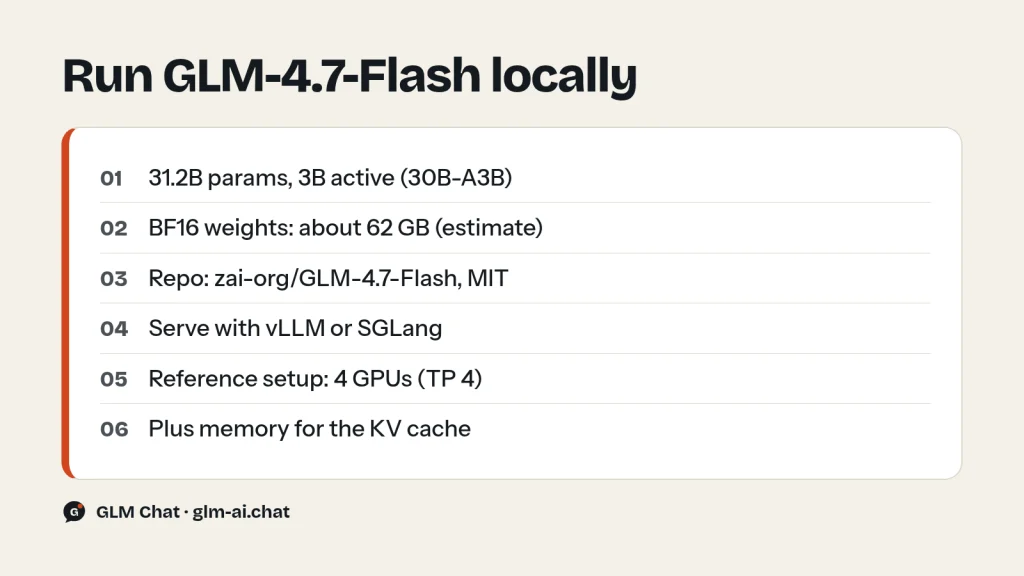
The weights are on Hugging Face at zai-org/GLM-4.7-Flash under the MIT license, which allows commercial use, modification and redistribution. The repository holds a BF16 checkpoint of about 31.2B parameters in 48 safetensors files, using the Glm4MoeLiteForCausalLM architecture with 4 experts active per token. Z.ai’s ModelScope organization is ZhipuAI, and the full GLM-4.x deployment documentation lives in the zai-org/GLM-4.5 GitHub repository.
How much memory does GLM-4.7-Flash need?
A simple estimate for the weights alone: 31.2B parameters × 2 bytes in BF16 comes to about 62 GB, which matches the repository’s size of roughly 63 GB. If you run a quantized build, the same arithmetic gives about 31 GB at 1 byte per parameter and about 16 GB at half a byte. Those figures cover the weights only; the KV cache for long contexts and the serving framework need memory on top. Z.ai’s reference commands shard the model across four GPUs (tensor parallel size 4).
Serving with vLLM
The model card notes that vLLM and SGLang support GLM-4.7-Flash on their main branches, so install recent builds. For vLLM, Z.ai’s instructions use the nightly wheels plus transformers from source:
pip install -U vllm --pre --index-url https://pypi.org/simple --extra-index-url https://wheels.vllm.ai/nightly
pip install git+https://github.com/huggingface/transformers.git

vllm serve zai-org/GLM-4.7-Flash \
     --tensor-parallel-size 4 \
     --speculative-config.method mtp \
     --speculative-config.num_speculative_tokens 1 \
     --tool-call-parser glm47 \
     --reasoning-parser glm45 \
     --enable-auto-tool-choice \
     --served-model-name glm-4.7-flash
The --speculative-config.method mtp flag uses the model’s multi-token prediction layer for speculative decoding, the glm47 parser handles tool calls and the glm45 reasoning parser separates thinking from the answer. Because the served name is glm-4.7-flash, the Python examples above work against your own server if you change base_url to it.
Serving with SGLang
python3 -m sglang.launch_server \
  --model-path zai-org/GLM-4.7-Flash \
  --tp-size 4 \
  --tool-call-parser glm47  \
  --reasoning-parser glm45 \
  --speculative-algorithm EAGLE \
  --speculative-num-steps 3 \
  --speculative-eagle-topk 1 \
  --speculative-num-draft-tokens 4 \
  --mem-fraction-static 0.8 \
  --served-model-name glm-4.7-flash \
  --host 0.0.0.0 \
  --port 8000
Install the SGLang and transformers versions pinned in the model card (Z.ai recommends uv). On Blackwell GPUs, add --attention-backend triton --speculative-draft-attention-backend triton to the launch command.
Quick test with transformers
import torch
from transformers import AutoModelForCausalLM, AutoTokenizer

MODEL_PATH = "zai-org/GLM-4.7-Flash"
messages = [{"role": "user", "content": "hello"}]
tokenizer = AutoTokenizer.from_pretrained(MODEL_PATH)
inputs = tokenizer.apply_chat_template(
    messages, tokenize=True, add_generation_prompt=True,
    return_dict=True, return_tensors="pt",
)
model = AutoModelForCausalLM.from_pretrained(
    pretrained_model_name_or_path=MODEL_PATH,
    torch_dtype=torch.bfloat16,
    device_map="auto",
)
inputs = inputs.to(model.device)
generated_ids = model.generate(**inputs, max_new_tokens=128, do_sample=False)
print(tokenizer.decode(generated_ids[0][inputs.input_ids.shape[1]:]))
Transformers is fine for a smoke test; for real throughput use vLLM or SGLang. If you do not have the GPUs, the free API gives you the same model with none of the setup. Licence details for every GLM release are in Is GLM open source?
GLM-4.7-Flash FAQ
Is GLM-4.7-Flash really free?
Yes, on the Z.ai API. Z.ai’s pricing page lists input, cached input, cache storage and output for GLM-4.7-Flash as free. What limits you is your account’s rate limit for the model, shown at z.ai/manage-apikey/rate-limits. It is also free and uncapped in GLM Chat, apart from one request every 3 seconds.
Is there a free GLM API?
Yes. Z.ai offers three free models on its API: GLM-4.7-Flash and GLM-4.5-Flash for text, and GLM-4.6V-Flash for vision. GLM-4.7-Flash is the strongest of the three for text. Create a key at z.ai/manage-apikey/apikey-list and call glm-4.7-flash at https://api.z.ai/api/paas/v4/chat/completions.
What is GLM-4.7-Flash’s context window?
200K tokens, with up to 128K output tokens per response. That matches GLM-4.7 and is larger than GLM-4.5-Air’s 128K.
Can I run GLM-4.7-Flash locally?
Yes. The MIT-licensed weights are at zai-org/GLM-4.7-Flash on Hugging Face, and the model card gives setup commands for vLLM, SGLang and transformers. Expect about 62 GB for the BF16 weights alone, plus memory for the KV cache; Z.ai’s reference commands use four GPUs.
What does 30B-A3B mean?
It describes a Mixture-of-Experts model with about 30B total parameters, of which about 3B are active for each token. You need memory for all 30B, but each token only computes through 3B, which is why the model is fast for its size. The published checkpoint counts about 31.2B parameters.
What is the difference between GLM-4.7-Flash and GLM-4.7-FlashX?
GLM-4.7-Flash is free and has open weights. GLM-4.7-FlashX is a paid, high-speed API-only variant at $0.07 in and $0.40 out per million tokens. Both have a 200K context and 128K output. Start with Flash and move to FlashX if you need more speed.
Is GLM-4.7-Flash good for coding?
For its size, yes. The model card reports 59.2 on SWE-bench Verified, against 22.0 for Qwen3-30B-A3B-Thinking-2507 and 34.0 for GPT-OSS-20B. For harder multi-file work, GLM-4.7 (73.8) or the GLM-5.3 models are stronger.
Can I use GLM-4.7-Flash commercially?
The weights are released under the MIT license, which permits commercial use, modification and redistribution. On the API, Z.ai’s usage policies apply as with any other model.
The quickest way to see what a free model can do is to give it your own prompts. Chat with GLM-4.7-Flash now, then compare it with GLM-4.7 in the chat or browse every option on GLM models compared.