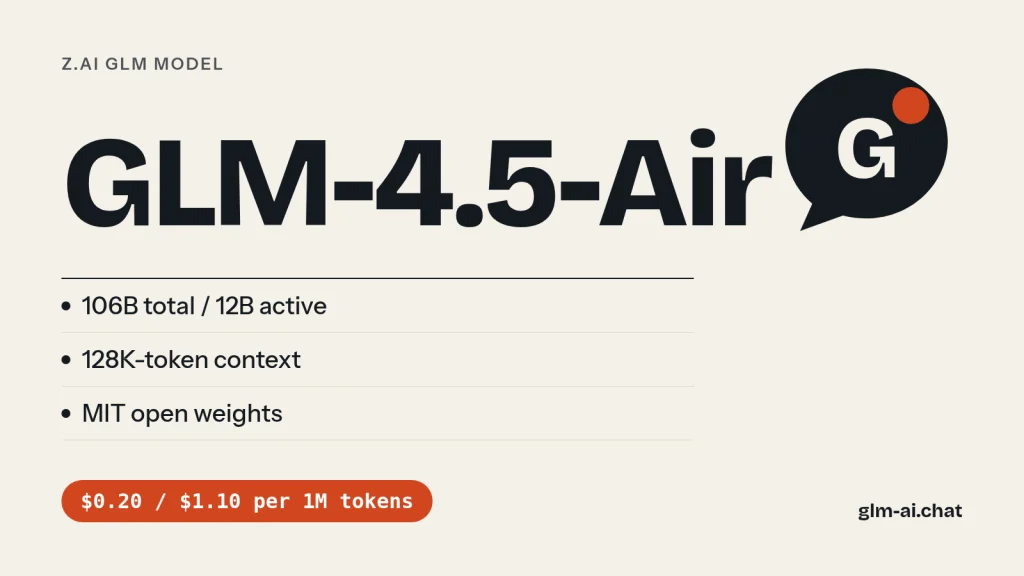
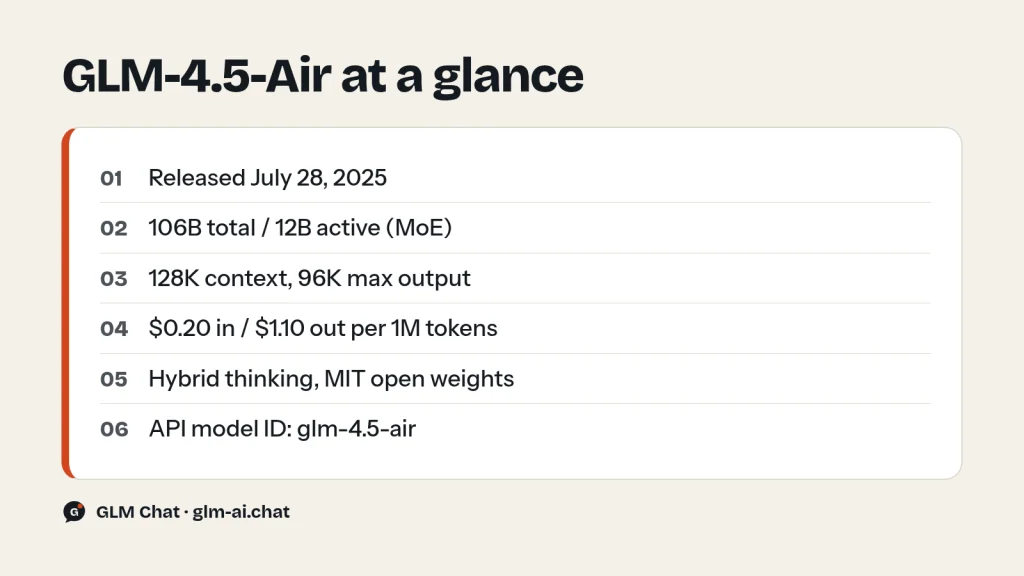
GLM 4.5 Air is the compact member of Z.ai’s GLM-4.5 family: a Mixture-of-Experts model with 106B total parameters and 12B active per token, a 128K-token context window, up to 96K output tokens and hybrid reasoning. It was released on July 28, 2025, its weights are open under the MIT license, and on the Z.ai API it costs $0.20 per million input tokens, $0.03 per million cached input tokens and $1.10 per million output tokens, about a third of what the full GLM-4.5 costs.
Z.ai (formerly Zhipu AI) built GLM-4.5-Air with the same training pipeline as GLM-4.5 but at roughly a third of the size, which makes it the GLM model of that generation that people most often run on their own hardware. On Z.ai’s 12-benchmark average it scores 59.8, against 63.2 for GLM-4.5. There is no separate GLM-4.5-Air chip in this site’s chat, so the closest way to try it here is its bigger sibling: Chat with GLM-4.5 now. It shares the architecture family, training recipe and hybrid reasoning of GLM-4.5, at full size.
This page covers what GLM-4.5-Air is good at, how it compares with GLM-4.5 and the newer lightweight models GLM-4.7-Flash and GLM-5.3-Flash, the high-speed GLM-4.5-AirX, prices, API code with the model ID glm-4.5-air, and a realistic guide to running the weights locally.
What GLM-4.5-Air is good at
Z.ai’s own tagline for GLM-4.5-Air is “cost-effective, lightweight, strong performance”, and its positioning in the model list is “cost-effective, high performance”. Behind that sit four concrete strengths.
Most of GLM-4.5’s ability at a third of the size
GLM-4.5-Air has 106B total parameters versus 355B for GLM-4.5, and 12B active versus 32B. Yet Z.ai’s model card puts its 12-benchmark average at 59.8, only 3.4 points below GLM-4.5’s 63.2. Those 12 benchmarks cover knowledge and reasoning (MMLU Pro, GPQA, HLE, AIME24, MATH 500), coding (LiveCodeBench, SciCode, SWE-Bench, Terminal-bench) and agent work (TAU-Bench, BFCL v3, BrowseComp). Z.ai also says GLM-4.5-Air surpassed Gemini 2.5 Flash, Qwen3-235B and Claude 4 Opus on reasoning benchmarks such as those tracked by Artificial Analysis, and that the GLM-4.5 series sits on the Pareto frontier for performance against parameter count on SWE-bench Verified.
Same training recipe as GLM-4.5
GLM-4.5-Air is not a distilled afterthought. Z.ai trained it with the same pipeline as GLM-4.5: pre-training on 15 trillion tokens of general-domain data, then targeted training on code, reasoning and agent datasets, a context extension to 128K tokens, and reinforcement learning to sharpen reasoning, coding and agent behaviour. The two models are documented together in one technical report (arXiv 2508.06471) and one GLM-4.5 technical blog, which makes Air unusually well described for a model of its size.
Agent and tool use
Like GLM-4.5, the Air model was trained as a foundation for agents: tool calling, web browsing, software engineering and front-end development. It can drive code-centric agents such as Claude Code and Roo Code or any application that uses tool-calling APIs. On the API it supports function calling, JSON mode, streaming and context caching, and it thinks between tool calls (interleaved thinking, which started with the GLM-4.5 series).
Hybrid reasoning you can switch off
GLM-4.5-Air is a hybrid reasoning model. In thinking mode it works through complex problems and tool use step by step; in non-thinking mode it answers immediately. On the API you choose with thinking.type; on your own server you pass enable_thinking to the chat template. For high-volume tasks such as classification, tagging or short extraction, switching thinking off is the easiest way to keep both latency and output tokens down.
Self-hosting at a manageable size
This is the main reason people search for GLM-4.5-Air. Z.ai open-sourced the Air base model, the hybrid reasoning model and an FP8 version under the MIT license, and the architecture is supported in transformers, vLLM and SGLang. At about 110B parameters in the checkpoint it is far easier to host than the 355B-class GLM-4.5, GLM-4.6 or GLM-4.7. Only 12B parameters are active per token, so per-token compute is modest for its total size.
We tested it: 5 tasks
Here is how GLM-4.5-Air handles GLM Chat’s five standard tasks. Every model we cover runs three times through the same five fixed prompts in our own test harness, with the settings of the public chat: temperature 0.7, a cap of 2,048 output tokens and the lightest reasoning setting available, which for GLM-4.5-Air means thinking disabled. The harness records the full answer, latency and token counts, and an editor scores each answer from 0 to 2, for a maximum of 10.
- Python: deduplicate rows in a large CSV while streaming it, with configurable key columns, first occurrence kept and header preserved.
- JavaScript:
debounce(fn, wait, { leading, trailing })with acancel()method, plus unit tests for Node’s built-in test runner. - PHP refactor: rewrite a messy 60-line PHP function as clean PHP 8 without changing behaviour.
- Explanation: transformer attention for a complete beginner in about 150 words.
- Extraction: a messy product description turned into valid JSON with exact keys, centimetres for dimensions and
nullwhere the text is silent.
How the current GLM models scored in our test
| Model | Task 1 | Task 2 | Task 3 | Task 4 | Task 5 | Total /10 | Avg latency | Why (across runs) |
|---|---|---|---|---|---|---|---|---|
| GLM-5.3 | 2 | 2 | 1 | 1 | 1 | 7 | 7.6 s | Task 3: output not escaped (2/3 runs) · Task 4: no queries/keys/values (2/3 runs) · +1 more |
| GLM-5.3-Flash | 2 | 0 | 1 | 2 | 2 | 7 | 12.9 s | Task 2: fails our debounce behaviour checks (2/3 runs) · Task 3: output not escaped (3/3 runs) |
| GLM-5.2 | 2 | 1 | 1 | 1 | 2 | 7 | 6.6 s | Task 2: its own tests fail (2/3 runs) · Task 3: output not escaped (3/3 runs) · +1 more |
| GLM-5.1 | 2 | 2 | 1 | 1 | 2 | 8 | 14.3 s | Task 3: output not escaped (3/3 runs) · Task 4: no queries/keys/values (2/3 runs) |
| GLM-4.7 | 2 | 1 | 1 | 2 | 2 | 8 | 14.4 s | Task 2: fails our debounce behaviour checks (1/3 runs) · Task 3: output not escaped (3/3 runs) |
| GLM-4.7-Flash | 2 | 0 | 0 | 1 | 1 | 4 | 38.5 s | Task 2: fails our debounce behaviour checks (2/3 runs) · Task 3: changes the function’s behaviour (3/3 runs) · +2 more |
For a compact model, these five tasks show where the smaller active parameter count does and does not matter. The Python and PHP tasks are about correctness under constraints: constant memory apart from the set of seen keys, parameterised SQL, escaped output, identical behaviour for all three order types including the VIP discount. Code that looks right but drops a single constraint scores 1 rather than 2, so these tasks reward care over fluency. The debounce task is the hardest of the three, because leading and trailing together and a working cancel() have to be tested with node --test.
The explanation and extraction tasks are where a lightweight model can match a large one. Both reward following instructions exactly: 120 to 180 words that get queries, keys, values and weights right, and JSON with only the requested keys, converted units and no invented values. If those are the kinds of jobs you plan to give GLM-4.5-Air, weigh them most. The full scoring rubric is in our editorial policy.
GLM-4.5-Air vs GLM-4.5, GLM-4.7-Flash and GLM-5.3-Flash
GLM-4.5-Air now has company at the lightweight end of the GLM family. The table compares it with its big sibling and the two newer small models.
| Spec | GLM-4.5-Air | GLM-4.5 | GLM-4.7-Flash | GLM-5.3-Flash |
|---|---|---|---|---|
| Release | Jul 28, 2025 | Jul 28, 2025 | Jan 19, 2026 | Aug 26, 2026 |
| Parameters | 106B / 12B active | 355B / 32B active | 31B / 3B active | 320B / 18B active |
| Context | 128K | 128K | 200K | 1M |
| Max output | 96K | 96K | 128K | 128K |
| Input / output price | $0.20 / $1.10 | $0.60 / $2.20 | Free | $0.15 / $0.50 |
| Cached input price | $0.03 | $0.11 | Free | $0.03 |
| OpenRouter listed price | $0.13 / $0.85 | $0.60 / $2.20 | $0.06 / $0.40 | $0.15 / $0.50 |
| Modality | Text | Text | Text | Text, image, video, file in |
| Default temperature | 0.6 | 0.6 | 1.0 | 1.0 |
| In GLM Chat | No (use GLM-4.5) | Yes | Yes, unlimited | Yes, default model |
| Thinking | Hybrid, on/off | Hybrid, on/off | On by default | Always on, effort low/high/max |
| Weights | MIT | MIT | MIT | MIT |
GLM-4.5-Air vs GLM-4.5
The two were trained the same way and share the 128K context, 96K output limit, hybrid reasoning, API parameters and MIT license. GLM-4.5 is stronger (63.2 vs 59.8 on Z.ai’s average) and better for the hardest reasoning and agentic coding. GLM-4.5-Air costs about a third as much on input and half as much on output, and needs roughly a third of the memory to self-host. Pick Air when volume or hardware is the constraint, the full model when quality on hard tasks is.
GLM-4.5-Air vs GLM-4.7-Flash
GLM-4.7-Flash is the newer lightweight open model, a 30B-A3B MoE (31B total, 3B active) that Z.ai calls the free-tier version of GLM-4.7. It is free on the Z.ai API, has a longer 200K context and 128K output, and at about 31B parameters it is much easier to run locally, with vLLM and SGLang support. GLM-4.5-Air is roughly three and a half times larger, with four times as many active parameters. If you want a free API model or the smallest possible local footprint, choose GLM-4.7-Flash. If you want a bigger open model from the GLM-4.5 generation for self-hosting, GLM-4.5-Air is the one.
GLM-4.5-Air vs GLM-5.3-Flash
On the API, GLM-5.3-Flash has overtaken GLM-4.5-Air on almost every axis: it is cheaper ($0.15 input and $0.50 output versus $0.20 and $1.10), has a 1M context, accepts images, video and files, and Z.ai reports that its base model outperforms GLM-4.5-Base overall. It is larger (320B total, 18B active), so it is heavier to self-host, and its thinking cannot be switched off, only turned down to low effort. For pay-per-token API use, GLM-5.3-Flash is usually the better buy today. GLM-4.5-Air keeps its edge when you self-host and need the smaller memory footprint, or want a non-thinking mode.
Which GLM model should you pick instead? GLM Air and its alternatives
“GLM Air” searches usually come from people who want a smaller, cheaper GLM. Only one model carries the Air name in its open release: GLM-4.5-Air (plus its API-only speed variant, GLM-4.5-AirX). There is no GLM-4.6-Air or GLM-4.7-Air; later generations use the Flash name for their lightweight models instead. Pick by the constraint that matters most to you:
| Your situation | Pick | Why |
|---|---|---|
| Cheapest capable API model | GLM-5.3-Flash | $0.15 / $0.50, 1M context, image, video and file input |
| Zero per-token cost | GLM-4.7-Flash or GLM-4.5-Flash | Free on the Z.ai API; GLM-4.7-Flash is newer with 200K context |
| Free image understanding | GLM-4.6V-Flash | Free vision model with a 128K context |
| Smallest model to run locally | GLM-4.7-Flash | 31B total, 3B active; weights ~62 GB in BF16 |
| Mid-size open model you host yourself | GLM-4.5-Air | 106B total, 12B active, non-thinking mode, MIT |
| Stronger answers, same API shape | GLM-4.5 | 355B / 32B, 63.2 vs 59.8 on Z.ai’s average, $0.60 / $2.20 |
| More context and coding at mid price | GLM-4.7 | 200K context, 73.8% SWE-bench Verified in Z.ai’s results, $0.60 / $2.20 |
| Low latency in the 4.5 family | GLM-4.5-AirX | High-speed serving, $1.10 / $4.50 |
The GLM models comparison lists every option with specs and prices side by side.

GLM-4.5-AirX: the high-speed variant
GLM-4.5-AirX (glm-4.5-airx) is an API-only, faster-serving version of GLM-4.5-Air. Z.ai positions it as “lightweight, ultra-fast response” and says the high-speed GLM-4.5 versions exceeded 100 tokens per second in real-world tests, aimed at low-latency, high-concurrency deployments. It uses the same 128K context and 96K output limit and the same API parameters.
The speed costs money: $1.10 input, $0.22 cached and $4.50 output per million tokens, which is 5.5 times Air’s input price and about 4 times its output price. Use AirX when response time directly affects your product, for example in an interactive assistant, and plain Air for batch jobs and background agents where a few extra seconds do not matter. Weights for AirX are not published separately; the open weights are GLM-4.5-Air’s.
Pricing and free access
| Model | Input | Cached input | Output |
|---|---|---|---|
| GLM-4.5-Air | $0.20 | $0.03 | $1.10 |
| GLM-4.5-AirX | $1.10 | $0.22 | $4.50 |
| GLM-4.5 | $0.60 | $0.11 | $2.20 |
| GLM-4.5-Flash | Free | Free | Free |
| GLM-5.3-Flash | $0.15 | $0.03 | $0.50 |
| GLM-4.7-Flash | Free | Free | Free |
A worked example: 1,000 requests of 2,000 input tokens and 500 output tokens each is 2M input and 0.5M output tokens. On GLM-4.5-Air: 2 × $0.20 = $0.40 plus 0.5 × $1.10 = $0.55, so $0.95. If 1,500 input tokens per request are a shared system prompt served from cache, input becomes 1.5 × $0.03 + 0.5 × $0.20 = $0.145 and the total about $0.70. For comparison, the same uncached job is $2.30 on GLM-4.5, $0.55 on GLM-5.3-Flash and $4.45 on GLM-4.5-AirX. Reasoning tokens bill as output, so disable thinking where you do not need it. See the GLM pricing guide and context caching guide for more.
A batch job, priced three ways
Say you tag 100,000 product listings. Each request sends a 500-token system prompt with examples (identical every time, so cached after warm-up) plus about 100 tokens of listing text, and gets back about 80 tokens of JSON. That is 50M cached input tokens, 10M uncached input tokens and 8M output tokens.
| Model | Cached input | Uncached input | Output | Total |
|---|---|---|---|---|
| GLM-4.5-Air | 50 × $0.03 = $1.50 | 10 × $0.20 = $2.00 | 8 × $1.10 = $8.80 | $12.30 |
| GLM-5.3-Flash | 50 × $0.03 = $1.50 | 10 × $0.15 = $1.50 | 8 × $0.50 = $4.00 | $7.00 + reasoning tokens |
| GLM-4.7-Flash | Free | Free | Free | $0 |
Two lessons. Output dominates the bill on Air, so keep answers short and thinking off for this kind of job. And GLM-5.3-Flash is cheaper per token, but its thinking cannot be switched off, so its real cost depends on how many reasoning tokens it spends at reasoning_effort: "low". Run a sample of a few hundred items on each model and compare the usage fields before committing.
Free and low-cost routes
- GLM Chat: this site’s free, no-sign-up chat includes GLM-4.5, the full-size sibling of Air, with up to 40 messages per day on paid models. Chat with GLM-4.5 to get a feel for the family, or use the unlimited GLM-4.7-Flash chat.
- Free API models: GLM-4.5-Flash and GLM-4.7-Flash cost nothing per token on the Z.ai API; your account’s rate limits apply.
- OpenRouter: lists
z-ai/glm-4.5-airwith a 131,072-token context at a listed price of $0.13 input and $0.85 output per million tokens. OpenRouter routes across providers and prices change often, so confirm on the GLM-4.5-Air page on OpenRouter. - Self-hosting: the MIT weights are free, including for commercial use.
The GLM Coding Plan is built around GLM-5.3 and GLM-5.3-Flash; to use GLM-4.5-Air specifically, call it on the pay-as-you-go API.
Using GLM-4.5-Air via API
GLM-4.5-Air runs on Z.ai’s OpenAI-compatible Chat Completions endpoint, https://api.z.ai/api/paas/v4/chat/completions. Create a key on the API Keys page at z.ai/manage-apikey/apikey-list, export it as ZAI_API_KEY, and use the model ID glm-4.5-air (or glm-4.5-airx for the fast variant). The GLM API quickstart walks through the setup.
curl
curl -X POST "https://api.z.ai/api/paas/v4/chat/completions" \
  -H "Content-Type: application/json" \
  -H "Authorization: Bearer $ZAI_API_KEY" \
  -d '{
    "model": "glm-4.5-air",
    "messages": [
      {"role": "user", "content": "Summarise the trade-offs of SQLite vs PostgreSQL for a small SaaS app."}
    ],
    "thinking": {"type": "enabled"},
    "max_tokens": 2048,
    "temperature": 0.6
  }'
Python with the OpenAI SDK: fast JSON extraction
A typical Air workload is high-volume structured extraction. This example switches thinking off and turns on JSON mode.
import os, json
from openai import OpenAI

client = OpenAI(
    api_key=os.environ["ZAI_API_KEY"],
    base_url="https://api.z.ai/api/paas/v4/",
)

text = "Acme Trail Lamp, 450 lumens, USB-C, runs 12 hours, ships in red or black."

resp = client.chat.completions.create(
    model="glm-4.5-air",
    messages=[
        {"role": "system", "content": "Return only JSON with keys name, brightness_lumens, battery_hours, colors. Use null if unknown."},
        {"role": "user", "content": text},
    ],
    response_format={"type": "json_object"},
    temperature=0.2,
    extra_body={"thinking": {"type": "disabled"}},
)
print(json.loads(resp.choices[0].message.content))
Streaming with thinking enabled
stream = client.chat.completions.create(
    model="glm-4.5-air",
    messages=[{"role": "user", "content": "Plan a zero-downtime migration from one database table layout to another."}],
    stream=True,
    extra_body={"thinking": {"type": "enabled"}},
)
for chunk in stream:
    delta = chunk.choices[0].delta
    if getattr(delta, "reasoning_content", None):
        print(delta.reasoning_content, end="", flush=True)  # reasoning
    if delta.content:
        print(delta.content, end="", flush=True)            # answer
For streaming, set stream=True: with thinking enabled, the reasoning arrives in delta.reasoning_content and the answer in delta.content. Key parameters for the GLM-4.5 series: temperature range 0.0 to 1.0 with a default of 0.6, top_p default 0.95, and max_tokens default 65,536 with a maximum of 98,304. Function calling works as with other GLM models; see the function calling and JSON mode guide and the thinking mode guide. If you hit error 1211, check the model ID spelling; the error codes guide covers the rest.
Feature support at a glance
| Feature | GLM-4.5-Air on the Z.ai API |
|---|---|
Streaming (stream=true) | Yes, SSE ending with data: [DONE] |
Function calling (tools) | Yes |
JSON mode (response_format) | Yes, json_object |
| Thinking on / off | Yes, thinking.type |
| Interleaved thinking with tools | Yes |
| Context caching | Yes, automatic; cached input $0.03 per 1M |
Streaming tool calls (tool_stream) | No (GLM-4.6 and newer) |
| Image or video input | No (use GLM-4.6V or GLM-5.3-Flash) |
High-volume jobs: concurrency, retries and error codes
Air is often used for batch work: tagging thousands of product listings, summarising tickets or extracting fields from documents. Two things matter at volume. First, Z.ai’s rate limits are per account and per model and are based on concurrency, so run a small, fixed number of parallel requests rather than firing everything at once; your limits are shown at z.ai/manage-apikey/rate-limits. Second, retry only the errors that are temporary.
import os, json, time
from concurrent.futures import ThreadPoolExecutor
from openai import OpenAI, RateLimitError

client = OpenAI(api_key=os.environ["ZAI_API_KEY"], base_url="https://api.z.ai/api/paas/v4/")
SYSTEM = "Return only JSON with keys title, price, currency. Use null if a value is not stated."

def extract(text, attempts=5):
    delay = 1
    for attempt in range(attempts):
        try:
            r = client.chat.completions.create(
                model="glm-4.5-air",
                messages=[{"role": "system", "content": SYSTEM},
                          {"role": "user", "content": text}],
                response_format={"type": "json_object"},
                temperature=0.2,
                extra_body={"thinking": {"type": "disabled"}},
            )
            return json.loads(r.choices[0].message.content)
        except RateLimitError as e:              # HTTP 429
            code = str(e.response.json().get("error", {}).get("code", ""))
            if code not in ("1302", "1305") or attempt == attempts - 1:
                raise                            # 1113 = no balance, 1308/1310 = usage limit
            time.sleep(delay)
            delay *= 2

listings = open("listings.txt").read().split("\n\n")
with ThreadPoolExecutor(max_workers=4) as pool:  # stay under your concurrency limit
    results = list(pool.map(extract, listings))
print(len(results), "records")| Code | Meaning | Action |
|---|---|---|
| 1302 (429) | Request rate limit | Back off and retry; lower concurrency |
| 1305 (429) | Service temporarily overloaded | Back off and retry |
| 1113 (429) | Insufficient balance | Top up the account |
| 1211 (400) | Unknown model | Fix the ID: glm-4.5-air |
| 1214 (400) | Invalid parameter value | Check ranges, for example temperature 0.0 to 1.0 |
| 1261 (400) | Prompt too long | Split input to fit 128K |
| 1301 (400) | Sensitive content detected | Review the input; do not retry unchanged |
Because the system prompt is identical on every call, those tokens are served from cache after the first requests, which cuts input cost from $0.20 to $0.03 per million tokens. For streamed calls, check finish_reason on the last chunk: length, sensitive, model_context_window_exceeded or network_error mean the output is incomplete, since streams report problems there instead of returning an error code.
Using GLM-4.5-Air in agents and coding tools
Because the endpoint is OpenAI-compatible, any tool that lets you set a custom base URL and model name can use GLM-4.5-Air: set the base URL to https://api.z.ai/api/paas/v4, the model to glm-4.5-air and the key to your Z.ai API key. Usage is then billed pay-as-you-go from your account balance. Do not mix this up with the Coding Plan: the plan has its own base URLs (https://api.z.ai/api/coding/paas/v4 for OpenAI-compatible tools and https://api.z.ai/api/anthropic for Claude Code), works only inside supported tools, and serves GLM-5.3 and GLM-5.3-Flash. Plan quota cannot be spent on general API calls, and a plan key on the wrong base URL is a common cause of error 1113. Our GLM in Cline guide shows both setups side by side.
For agents, keep thinking enabled on planning turns and return the earlier reasoning_content unchanged along with tool results, so the model’s interleaved thinking stays coherent across calls. For simple tool-execution turns, disabling thinking saves output tokens.
Downloading the weights and running GLM-4.5-Air locally
Z.ai released the GLM-4.5-Air base model, the hybrid reasoning model and an FP8 version of the hybrid reasoning model under the MIT license, which allows commercial use and secondary development. The main repository is zai-org/GLM-4.5-Air on Hugging Face (BF16 safetensors, about 110B parameters in the checkpoint), with the FP8 and base variants alongside it in the zai-org organization. Z.ai also publishes under the ZhipuAI organization on ModelScope, and the GLM-4.5 GitHub repository has serving instructions. Our guide to GLM licenses explains what MIT allows.
Serving frameworks
GLM-4.5-Air uses the glm4_moe model class (Glm4MoeForCausalLM) with 8 experts routed per token. The model code, tool parser and reasoning parser are implemented in transformers, vLLM and SGLang, so an OpenAI-compatible server from vLLM or SGLang can return tool calls and separate reasoning from answers much as the Z.ai API does. To disable thinking on your own server, pass enable_thinking=False to the chat template; the template then appends /nothink to the user message.
How much memory you need
An MoE model must keep all of its experts in memory, even though only 12B parameters are active per token. A rough estimate for the weights alone:
| Precision | Bytes per parameter | Weights only (estimate) |
|---|---|---|
| BF16 | 2 | ~221 GB (110B × 2) |
| FP8 | 1 | ~110 GB (110B × 1) |
Long contexts add a sizeable KV cache on top of those numbers, so budget headroom if you plan to use the full 128K window. In practice, GLM-4.5-Air calls for a multi-GPU server or a machine with very large accelerator memory. That is roughly a third of what GLM-4.5 needs (about 716 GB in BF16), which is exactly why Air is the self-hosting choice of its generation. If even that is too much, GLM-4.7-Flash at about 31B total parameters needs roughly 62 GB in BF16 for its weights.
Self-hosting checklist
- Pick the precision first. FP8 halves weight memory compared with BF16; use the FP8 checkpoint unless you need BF16 for fine-tuning or comparison work.
- Use a framework build that includes
glm4_moe. transformers, vLLM and SGLang all implement it, together with the GLM-4.5 tool-call and reasoning parsers. - Turn on the parsers if your application uses tools or wants reasoning separated from the answer, so responses look like the Z.ai API’s
tool_callsandreasoning_content. - Control thinking through the chat template. Pass
enable_thinking=Falsefor non-thinking mode. - Budget KV cache for your real context length. Serving the full 128K window to many users at once needs far more memory than the weights alone.
- Check parity. Run the same prompts against your server and the Z.ai API with the same temperature (0.6 default) to confirm your setup behaves as expected.
Moving from GLM-4.5-Air to a newer model
If you call GLM-4.5-Air through the API, switching to a newer lightweight model is quick. These are the settings that change:
| Setting | GLM-4.5-Air | GLM-4.7-Flash | GLM-5.3-Flash |
|---|---|---|---|
model | glm-4.5-air | glm-4.7-flash | glm-5.3-flash |
Default temperature | 0.6 | 1.0 | 1.0 |
max_tokens maximum | 98,304 | 131,072 | 131,072 |
| Context | 128K | 200K | 1M |
| Thinking default | Enabled, dynamic | On by default | Always on |
| Turning thinking off | disabled | disabled | Not possible; reasoning_effort: "low" |
| Input types | Text | Text | Text, image, video, file |
| Price (in / out per 1M) | $0.20 / $1.10 | Free | $0.15 / $0.50 |
- Pin
temperatureto 0.6 if your pipeline relied on Air’s default, then tune from there. - For GLM-5.3-Flash, delete
"thinking": {"type": "disabled"}from requests and setreasoning_efforttolowfor bulk jobs; keephighormaxfor hard tasks. Budget for reasoning tokens, which bill as output. - Validate JSON output again. Different models phrase edge cases differently, so re-run your schema checks on a sample before switching a batch pipeline.
- Check latency. Always-on reasoning still generates some reasoning tokens at low effort, and those take time. For latency-critical paths, compare with GLM-4.5-AirX or GLM-4.7-Flash with thinking disabled.
Self-hosters face a different trade-off. Moving down to GLM-4.7-Flash shrinks the weights from about 221 GB to about 62 GB in BF16 (31B × 2 bytes), which can turn a multi-GPU deployment into a single-machine one. Moving to GLM-5.3-Flash goes the other way: at 320B total parameters its weights alone come to roughly 640 GB in BF16 or 320 GB in FP8 by the same arithmetic, about three times Air’s footprint, in exchange for 1M context and multimodal input. Both newer models are MIT-licensed like Air.
Prompt tips for GLM-4.5-Air
A smaller model rewards precise prompts more than a large one does. These habits make the biggest difference with GLM-4.5-Air.
- State the output format exactly. List the keys, types and allowed values, and add JSON mode. Say what to do with missing data (for example, use
null). - Show one example. A single worked input and output in the system prompt anchors format and tone better than a paragraph of rules.
- Split multi-step jobs. Extract first, then classify, then summarise, as separate calls. Each step is simpler, cheaper to retry and easier to validate.
- Use thinking selectively. Disable it for bulk extraction; enable it for multi-step reasoning, planning and code where a wrong first step is costly.
- Keep a stable prefix. Put the system prompt and examples first and unchanged across calls, so cached input at $0.03 per million tokens replaces most of the $0.20 rate.
- Lower the temperature for deterministic tasks. Air defaults to 0.6; go lower for extraction and code, or use
do_sample: false. Adjust temperature or top_p, not both. - Escalate, don’t over-prompt. If a task still fails after a clear prompt and an example, send that task to GLM-4.5, GLM-4.7 or GLM-5.3-Flash rather than stacking more instructions.
GLM-4.5-Air FAQ
Is GLM-4.5-Air free?
The weights are free to download and use commercially under the MIT license. On the Z.ai API it is paid, at $0.20 input and $1.10 output per million tokens. The free API models in the family are GLM-4.5-Flash and the newer GLM-4.7-Flash.
How many parameters does GLM-4.5-Air have?
106B total, with 12B active per token. The Hugging Face checkpoint metadata lists about 110B parameters. For comparison, GLM-4.5 has 355B total and 32B active.
What is GLM-4.5-Air’s context window?
128K tokens, with up to 96K output tokens (98,304). The default max_tokens on the API is 65,536.
Can I run GLM-4.5-Air locally?
Yes, with serious hardware. Serve it with vLLM, SGLang or transformers. The weights alone need roughly 221 GB in BF16 or 110 GB in FP8 by simple arithmetic, plus room for the KV cache. For a much smaller local model, use GLM-4.7-Flash.
What is the difference between GLM-4.5-Air and GLM-4.5-AirX?
AirX is an API-only high-speed version of Air for low-latency use. It costs $1.10 input and $4.50 output per million tokens against Air’s $0.20 and $1.10. The open weights are Air’s.
Is there a GLM-4.6-Air or GLM-4.7-Air?
No. GLM-4.5-Air is the only Air model. The later lightweight open model is GLM-4.7-Flash (30B-A3B), and the newest cheap model is GLM-5.3-Flash.
When was GLM-4.5-Air released?
Together with GLM-4.5 on July 28, 2025. The Hugging Face repository was created on July 20, 2025. The GLM release timeline shows every model since.
Is GLM-4.5-Air good for coding?
It is capable for its size: Z.ai trained it for software engineering and agent tool use, and its 12-benchmark average of 59.8 includes SWE-Bench, Terminal-bench and LiveCodeBench. For the hardest agentic coding, newer models such as GLM-4.7 and GLM-5.3-Flash are stronger, and the latter is also cheaper on the API.
GLM-4.5-Air remains the mid-size open GLM model to reach for when you want to host a capable model yourself without a 355B-class footprint. To feel how the family behaves, Chat with GLM-4.5 now, its bigger sibling in the same series, and compare it with the newer GLM-4.6 and GLM-4.7.