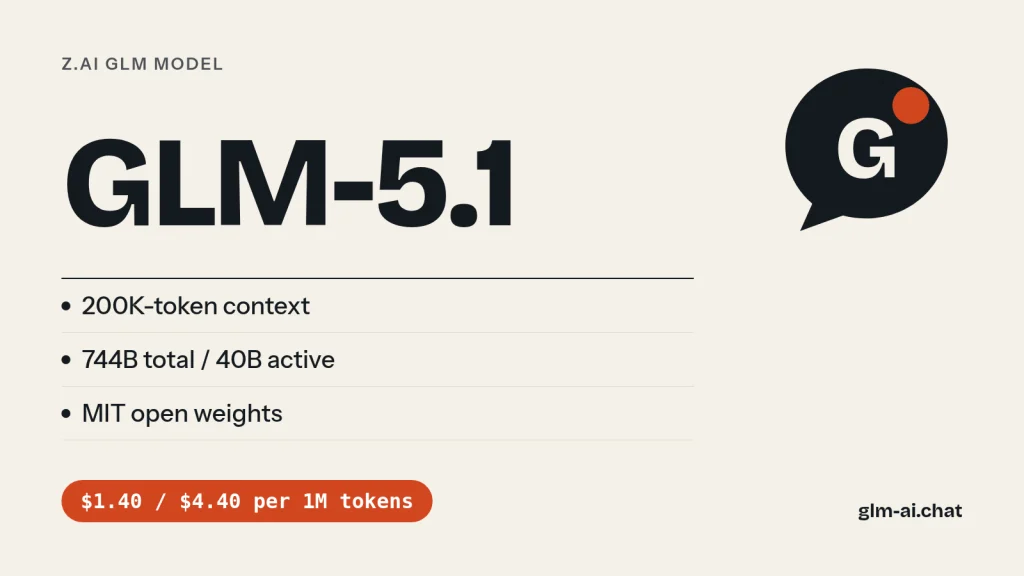
GLM-5.1 is the Z.ai flagship released on April 7, 2026, built for long-horizon agent work: Z.ai says a single GLM 5.1 run can work autonomously on one task for up to 8 hours. It is a 744B-parameter mixture-of-experts model with 40B active parameters, reads and writes text, and has a 200K-token context window with up to 128K output tokens. The weights are open under the MIT license, and the Z.ai API charges $1.40 per million input tokens and $4.40 per million output tokens.
At launch Z.ai (formerly Zhipu AI) described GLM-5.1 as overall aligned with Claude Opus 4.6 and reported a state-of-the-art 58.4 on SWE-Bench Pro. Since then it has been followed by GLM-5.2 in June and GLM-5.3 in August, both at the same API price. GLM-5.1 is still available on the API, as open weights, on OpenRouter, and in GLM Chat. Chat with GLM-5.1 now, free and without an account.
Below you will find what GLM-5.1 does well, Z.ai’s benchmark numbers next to its successors, prices and free options, working API code with the correct thinking settings, download details for the weights, and a clear answer to the practical question: should you still use it?
What GLM-5.1 is good at
GLM-5.1’s headline skill is staying useful for a long time on one task. Z.ai’s argument is that earlier models, GLM-5 included, tend to use up their repertoire early: they apply familiar techniques, get a quick gain, then plateau, and giving them more time does not help. GLM-5.1 was trained with multi-turn SFT, reinforcement learning and a process-quality evaluation framework to keep improving over hundreds of rounds and thousands of tool calls.
Long-horizon autonomous engineering
Z.ai’s examples show what “8 hours” means in practice:
- Building a complete Linux desktop system from scratch within 8 hours.
- Running 655 iterations of an experiment-analyze-optimize loop on a vector database, lifting query throughput to 6.9x the initial production version.
- On KernelBench Level 3, performing thousands of tool-driven optimizations on real machine learning workloads for a 3.6x geometric-mean speedup, against 1.49x for
torch.compilein max-autotune mode.
Z.ai also says GLM-5.1 is one of the few models able to sustain 8 hours of execution under its evaluation standard. The point is not a longer context window (GLM-5.1 has the same 200K as GLM-5) but keeping the goal in view, avoiding strategy drift and not accumulating errors over a long run.
Agentic coding in Claude Code and OpenClaw
Z.ai tuned GLM-5.1 for agent harnesses such as Claude Code and OpenClaw, with stronger long-horizon planning, stepwise execution, mid-course correction and final delivery. It breaks complex problems down, runs experiments, reads results and identifies blockers. That makes it a good fit for multi-stage engineering tasks with tight dependencies between steps, such as backend refactors, performance work and migrations.
Front-end, writing and office work
Z.ai highlights four more areas where GLM-5.1 is stronger:
- Front-end and artifacts: websites, interactive pages and prototypes with less templated structure and more varied visual design.
- Office productivity: PowerPoint, Word, PDF and Excel tasks, with better layout, content organization and default visual polish for long reports and teaching material.
- Creative writing: plot development, character portrayal and style control for fiction and copywriting.
- General conversation: more complete answers, stronger instruction following in multi-turn chats and better long-context understanding.
The architecture GLM-5.1 inherits from GLM-5
GLM-5.1 is not a new base model. It keeps the 744B-total, 40B-active mixture-of-experts design that GLM-5 introduced in February 2026, including the sparse-attention layers that lower the cost of long inputs, and Z.ai’s GitHub repository gives the same serving instructions for both. The difference is in post-training. Z.ai says earlier models, GLM-5 included, plateau after quick first-pass gains; GLM-5.1 was post-trained to keep making progress when you let it run: to revisit its reasoning, change strategy when an approach stalls, and keep a long session productive. That is why its biggest improvements show up in multi-hour agent tasks rather than in single-question benchmarks.
Where newer models are clearly better
GLM-5.1 is text-only, so for screenshots, charts or video you need GLM-5.3-Flash. Its context stops at 200K tokens, while GLM-5.2 and GLM-5.3 offer 1M. And on Z.ai’s own long-horizon benchmarks, GLM-5.2 is far ahead (details in the benchmark section below). GLM-5.1 remains strong; it is simply no longer the best GLM for the same money.
How to prompt GLM-5.1 for long runs
A model built to work for hours needs a brief that holds up for hours. These habits, drawn from how Z.ai describes GLM-5.1’s experiment-analyze-optimize loop and from its own recommended agent prompts, make the difference between a run that converges and one that wanders:
- Define “done” as something measurable. “All tests in
tests/pass and the benchmark script reports at least 2x throughput” gives the model a target it can check. “Make it faster” does not. - Give it a way to measure. Z.ai’s 655-iteration vector database example worked because every iteration produced a throughput number. Expose a test runner, a benchmark or a linter as a tool, and tell the model to run it after every change.
- Ask for a loop, not a single answer. Spell out the cycle: plan, implement, run, read the result, revise. Ask it to log each iteration’s change and measured result in a short running list.
- Protect the 200K window. Tool output fills context fast. Ask for a compact progress summary every few steps and trim old raw logs from the history your harness sends back, keeping the summaries.
- Forbid invention. Tell it not to fabricate data or results and to list anything it could not verify. Z.ai’s own sample agent prompts include exactly this kind of instruction.
- Request a closing report. What changed, how it was verified, and which risks or open items remain. That report is what you review, instead of scrolling through hours of tool calls.
We tested it: 5 tasks
Here is how GLM-5.1 handles our five standard tasks. GLM Chat runs each tested model through one fixed battery, three times, with the same settings as the public chat: temperature 0.7, a 2,048-token output limit and the lightest reasoning setting available. GLM-5.1 lets you switch thinking off, so the battery runs it with thinking disabled, which shows how good its direct answers are. The harness stores every full response with its latency and token counts, and an editor scores each task from 0 to 2.
- Python: deduplicate rows in a large CSV file, keeping the first occurrence, streaming the file with constant memory apart from the seen keys, with selectable key columns and the header preserved.
- JavaScript:
debounce(fn, wait, { leading, trailing })with acancel()method and unit tests for Node’s built-in test runner. - PHP refactor: turn a messy 60-line
proc()function (three copy-pasted loops, magic discount numbers, unescaped HTML, concatenated SQL) into clean PHP 8 without changing behaviour. - Explanation: transformer attention for a complete beginner in about 150 words.
- Extraction: turn a messy product description into valid JSON with eight fixed keys, dimensions converted to centimetres and
nullwhere the text is silent.
Our test in GLM Chat

| Task | Median score | Median latency | Median output tokens | Why (across runs) |
|---|---|---|---|---|
| Python: stream-safe CSV dedupe | 2 / 2 (runs: 2, 2, 2) | 12.0 s | 352 | Streams with csv, keeps the header and first occurrence, key columns work in every run. |
| JavaScript: debounce with options + tests | 2 / 2 (runs: 2, 2, 1) | 22.0 s | 768 | Passes every check in most runs; its own tests fail (1/3 runs). |
| PHP: refactor a messy 60-line function | 1 / 2 (runs: 1, 1, 1) | 22.0 s | 701 | Output not escaped (3/3 runs); SQL not parameterised (3/3 runs). |
| Explain attention to a beginner | 1 / 2 (runs: 1, 1, 1) | 9.4 s | 205 | No queries/keys/values (2/3 runs); small inaccuracy (1/3 runs). |
| Extract JSON from a messy description | 2 / 2 (runs: 2, 2, 2) | 6.0 s | 112 | Every field correct and units converted in every run. |
| Total | 8 / 10 |
The rubric: 2 points for a correct and complete answer that runs or reads as intended and meets every constraint, 1 point for an answer that needs a small fix, 0 for anything that fails to run, misses the task, invents data or breaks the format. Ten points is a perfect run. The checks are specific. The CSV answer must stream row by row with the csv module rather than load the file. The debounce tests must actually pass under node --test, including the tricky case where leading and trailing are both on. The PHP refactor must behave identically for all three order types, including the VIP discount, while escaping output and switching to parameterised SQL.
When you read GLM-5.1’s card, compare it with the GLM-5.2 and GLM-5.3 cards run under the same settings. The refactor task is closest to GLM-5.1’s stated strength, careful multi-step engineering, while the extraction task shows whether it stays disciplined with a strict output format when thinking is off.
GLM-5.1 benchmarks
At launch, Z.ai reported 58.4 on SWE-Bench Pro, ahead of GPT-5.4, Claude Opus 4.6 and Gemini 3.1 Pro at the time, and a balanced profile across 12 benchmarks covering reasoning, coding, agents, tool use and browsing. Z.ai’s GitHub README adds that GLM-5.1 leads GLM-5 by a wide margin on NL2Repo (repository generation) and Terminal-Bench 2.0.
The most complete public table that includes GLM-5.1 comes from Z.ai’s GLM-5.2 announcement in June 2026, where GLM-5.1 is the baseline. It shows how far the line moved in ten weeks.
| Benchmark | GLM-5.1 | GLM-5.2 | Claude Opus 4.8 | GPT-5.5 | Gemini 3.1 Pro |
|---|---|---|---|---|---|
| HLE | 31.0 | 40.5 | 49.8 | 41.4 | 45.0 |
| HLE w/ Tools | 52.3 | 54.7 | 57.9 | 52.2 | 51.4 |
| AIME 2026 | 95.3 | 99.2 | 95.7 | 98.3 | 98.2 |
| HMMT Feb 2026 | 82.6 | 92.5 | 96.7 | 96.7 | 87.3 |
| GPQA-Diamond | 86.2 | 91.2 | 93.6 | 93.6 | 94.3 |
| SWE-bench Pro | 58.4 | 62.1 | 69.2 | 58.6 | 54.2 |
| NL2Repo | 42.7 | 48.9 | 69.7 | 50.7 | 33.4 |
| DeepSWE | 18.0 | 46.2 | 58.0 | 70.0 | 10.0 |
| ProgramBench | 50.9 | 63.7 | 71.9 | 70.8 | 39.5 |
| Terminal Bench 2.1 (Terminus-2) | 63.5 | 81.0 | 85.0 | 84.0 | 74.0 |
| FrontierSWE | 30.5 | 74.4 | 75.1 | 72.6 | 39.6 |
| PostTrainBench | 20.1 | 34.3 | 37.2 | 28.4 | 21.6 |
| SWE-Marathon | 1.0 | 13.0 | 26.0 | 12.0 | 4.0 |
| MCP-Atlas (public set) | 71.8 | 76.8 | 77.8 | 75.3 | 69.2 |
| Tool-Decathlon | 40.7 | 48.2 | 59.9 | 55.6 | 48.8 |
Three things stand out. First, GLM-5.1 is still competitive on math and science (95.3 on AIME 2026, 86.2 on GPQA-Diamond) and on tool use (71.8 on MCP-Atlas). Second, its SWE-bench Pro score of 58.4 is roughly level with GPT-5.5 (58.6) in this table. Third, the very long agent benchmarks (FrontierSWE, PostTrainBench, SWE-Marathon) are where GLM-5.2 pulled far ahead, which is exactly the kind of work GLM-5.1 was designed for. On Terminal Bench 2.1 with its best reported harness, Z.ai lists GLM-5.1 at 69 in Claude Code, against 82.7 for GLM-5.2.

GLM-5.1 vs GLM-5.2, GLM-5.3 and GLM-5
All four models below share the same 744B-A40B mixture-of-experts shape. What changed from one release to the next is the training, the attention design, the context window and the thinking controls.
| Spec | GLM-5 | GLM-5.1 | GLM-5.2 | GLM-5.3 |
|---|---|---|---|---|
| Released | Feb 12, 2026 | Apr 7, 2026 | Jun 16, 2026 | Aug 14, 2026 (API Aug 18) |
| Parameters | 744B / 40B active | 744B / 40B active | 744B / 40B active | 744B / 40B active |
| Modality | Text | Text | Text | Text |
| Context / output | 200K / 128K | 200K / 128K | 1M / 128K | 1M / 128K |
| API price (in / out per 1M) | $1.00 / $3.20 | $1.40 / $4.40 | $1.40 / $4.40 | $1.40 / $4.40 |
| Thinking control | On by default, can be disabled | On by default, can be disabled | Effort high / max; none or minimal skips it | Always on; effort low / high / max |
| Weights license | MIT | MIT | MIT | GLM-5.3 License |
| In GLM Chat | No (use GLM-5.1) | Yes | Yes | Yes |
GLM-5.1 vs GLM-5
GLM-5 introduced the 744B architecture and DeepSeek Sparse Attention in February 2026. GLM-5.1 kept the same shape and context and focused on post-training for long runs. It costs 40% more per input token ($1.40 vs $1.00) and about 38% more per output token ($4.40 vs $3.20). If your jobs are short and cost-sensitive, GLM-5 is the cheaper of the two; for anything long-running, GLM-5.1 was the clear upgrade.
GLM-5.1 vs GLM-5.2
GLM-5.2 costs the same and adds a 1M-token context, IndexShare (one lightweight sparse-attention indexer shared across every four layers, for 2.9x fewer per-token FLOPs at 1M context), an improved multi-token-prediction layer for faster speculative decoding, and explicit effort levels. On Z.ai’s table it gains 17.5 points on Terminal Bench 2.1 and more than doubles GLM-5.1 on FrontierSWE. For new projects on the pay-as-you-go API there is little reason to choose GLM-5.1 over GLM-5.2.
GLM-5.1 vs GLM-5.3
GLM-5.3 is today’s flagship, again at $1.40 / $4.40. It is stronger at coding and long-horizon work, but thinking is forced on and cannot be disabled, and its weights use the custom GLM-5.3 License rather than MIT. Those two differences are the main practical reasons someone might stay on GLM-5.1: instant non-thinking replies and a plain MIT license. The GLM models comparison covers the whole family.
Should you still use GLM-5.1?
For most people, no: GLM-5.2 and GLM-5.3 are better at the same price. But there are good reasons to keep it:
- Keep GLM-5.1 if you have a production pipeline tuned and evaluated against it and you do not want behaviour changes, if you need to turn thinking fully off on a 744B model, or if you self-host and 200K context is plenty.
- Move to GLM-5.2 if you want MIT weights, the option to skip thinking, and a 1M context, with far better long-horizon scores.
- Move to GLM-5.3 if you want the strongest GLM for coding and agents and can live with always-on reasoning (use
reasoning_effort: "low"for light turns). - Move to GLM-5.3-Flash if cost matters most or you need images: $0.15 / $0.50 per million tokens, and Z.ai reports it beating GLM-5.2 on its coding and agent benchmarks.
Migrating from GLM-5.1 in four steps
- Change the model ID from
glm-5.1toglm-5.2orglm-5.3. Prices stay at $1.40 / $4.40, so your budget does not move. - Fix your thinking settings. On GLM-5.3, remove any
"thinking": {"type": "disabled"}, because that request fails; sendenabledwithreasoning_effort: "low"instead. On GLM-5.2,reasoning_effortset tononeorminimalskips thinking. - Revisit context handling. With a 1M window you may be able to drop chunking or summarisation steps you built around the 200K limit.
- Re-run your own evaluation set before switching production traffic, and compare token usage as well as quality, since effort levels change how much reasoning you pay for.
The parameter differences you will hit when moving between the 744B models and GLM-5.3-Flash:
| Setting | GLM-5.1 | GLM-5.2 | GLM-5.3 | GLM-5.3-Flash |
|---|---|---|---|---|
thinking: disabled | Accepted | Accepted | Request fails | Not accepted |
reasoning_effort | Not used (thinking switch only) | high, max; none or minimal skip thinking; low or medium map to high | low, high, max | low, high, max |
| Default effort | – | max | max | max |
| Context / max output | 200K / 128K | 1M / 128K | 1M / 128K | 1M / 128K |
| Input types | Text | Text | Text | Text, image, video, file |
| Price in / out per 1M | $1.40 / $4.40 | $1.40 / $4.40 | $1.40 / $4.40 | $0.15 / $0.50 |
| On the Coding Plan | Routed to GLM-5.3 | Routed to GLM-5.3 | Included | Included, 3x quota |
Two gotchas. First, GLM-5.2 quietly remaps effort values for compatibility, so a reasoning_effort: "low" copied from another provider becomes high there; check your token usage after switching. Second, temperature stays in the 0.0 to 1.0 range on every GLM model, so values above 1.0 carried over from other APIs are rejected with a 400 error.
One more signal: on the GLM Coding Plan, Z.ai now routes GLM-5.1 requests to GLM-5.3 automatically. Z.ai itself treats GLM-5.3 as the replacement.
Which GLM model should you pick instead?
If you landed here looking for “the GLM model for my job”, this table maps common needs to the model that fits best today, with GLM-5.1 kept in the list for the cases where it still wins.
| Your need | Pick | Why | API price in / out |
|---|---|---|---|
| Best quality for coding and agents | GLM-5.3 | Z.ai’s flagship; +50% over GLM-5.2 on Z.ai Code Bench | $1.40 / $4.40 |
| Low cost default, or images and video | GLM-5.3-Flash | Beats GLM-5.2 on Z.ai’s coding and agent tables; multimodal | $0.15 / $0.50 |
| 1M context, MIT weights, option to skip thinking | GLM-5.2 | Same price as GLM-5.1 with far stronger long-horizon scores | $1.40 / $4.40 |
| Unchanged behaviour for a tuned pipeline | GLM-5.1 | No re-evaluation needed; thinking can be turned off | $1.40 / $4.40 |
| Cheapest 744B model for short tasks | GLM-5 | Same architecture, lower price | $1.00 / $3.20 |
| Mid-price text model | GLM-4.7 | Turn-level thinking, 200K context | $0.60 / $2.20 |
| Zero API cost or a local model | GLM-4.7-Flash | Free on the Z.ai API; 30B-A3B runs on one machine | Free |
| Coding tools on a subscription | GLM-5.3 or GLM-5.3-Flash on the Coding Plan | GLM-5.1 requests are routed to GLM-5.3 anyway | From $18 / month |
A practical way to decide: run your hardest real prompt on GLM-5.3-Flash first. If it passes, you have saved roughly 89% on output tokens compared with GLM-5.1 ($0.50 vs $4.40). If it does not, step up to GLM-5.3 at the same price you pay for GLM-5.1 today.
GLM 5.1 pricing and free access
| Model | Input | Cached input | Output |
|---|---|---|---|
| GLM-5.1 | $1.40 | $0.26 | $4.40 |
| GLM-5.2 | $1.40 | $0.26 | $4.40 |
| GLM-5.3 | $1.40 | $0.26 | $4.40 |
| GLM-5 | $1.00 | $0.20 | $3.20 |
| GLM-5.3-Flash | $0.15 | $0.03 | $0.50 |
| GLM-4.7-Flash | Free | Free | Free |
A worked cost example
Say you send 1,000 requests with 2,000 input tokens and 500 output tokens each: 2M input and 0.5M output tokens.
- GLM-5.1 on Z.ai: 2 x $1.40 + 0.5 x $4.40 = $2.80 + $2.20 = $5.00
- GLM-5 on Z.ai: 2 x $1.00 + 0.5 x $3.20 = $2.00 + $1.60 = $3.60
- GLM-5.3-Flash on Z.ai: 2 x $0.15 + 0.5 x $0.50 = $0.30 + $0.25 = $0.55
With thinking on (the default), reasoning tokens are billed as output, so real output counts are often higher than the visible answer. For short tasks, disable thinking to keep the bill predictable. Repeated prefixes such as a long system prompt are billed at $0.26 instead of $1.40 per million when they hit the cache, about 81% less; the context caching guide shows how to structure prompts for cache hits. Every model’s price is on the GLM pricing page.
GLM 5.1 free chat
The simplest free option is right here: GLM-5.1 has its own chip in the free GLM chat on this site. No sign-up is required. Paid models such as GLM-5.1 allow 40 messages per day per visitor, each up to 8,000 characters, and the last 20 messages are sent as context. Your conversations stay in your own browser. For Z.ai’s newest models in Z.ai’s own interface, use its free web chat at chat.z.ai.
GLM-5.1 on OpenRouter
OpenRouter lists z-ai/glm-5.1 at about $0.97 input and $3.04 output per million tokens with a 204,800-token context. OpenRouter routes across providers and its prices change often, so confirm the current figure on the OpenRouter GLM-5.1 page before you budget. There is no free GLM-5.1 variant in OpenRouter’s listing.
GLM-5.1 and the GLM Coding Plan
The GLM Coding Plan (from $18 per month) now includes GLM-5.3 and GLM-5.3-Flash on every tier, and requests that name GLM-5.1 or GLM-5.2 are routed to GLM-5.3. So if a tool config still says glm-5.1, you are already getting GLM-5.3 on the plan. If you specifically need GLM-5.1’s behaviour, use the pay-as-you-go API or self-host the weights. For tool setup, see how to use GLM in Claude Code.
Using the pay-as-you-go API inside a coding agent is straightforward in any tool that accepts a custom OpenAI-compatible provider: set the base URL to https://api.z.ai/api/paas/v4 (the general endpoint, not the Coding Plan one), paste your API key, and enter glm-5.1 as the model name. You then pay per token from your account balance instead of plan credits, and you get the real GLM-5.1 rather than the routed GLM-5.3.
Using GLM-5.1 via API
The model ID is glm-5.1, served through Z.ai’s OpenAI-compatible endpoint https://api.z.ai/api/paas/v4/chat/completions. Create a key on the API Keys page and keep it in an environment variable. New to the platform? Start with the GLM API quickstart.
Parameters that matter for GLM-5.1:
thinking:{"type": "enabled"}is the default. With it enabled, GLM-5.1 decides for itself whether a request needs thinking. Send{"type": "disabled"}for fast direct answers.reasoning_effortis a GLM-5.2-and-newer parameter; GLM-5.1 is controlled with thethinkingswitch alone.temperatureranges from 0.0 to 1.0 with a default of 1.0.max_tokensgoes up to 131,072.- For agents, set
thinking.clear_thinkingtofalseto keep earlier reasoning in context (preserved thinking), and return the unmodifiedreasoning_contentwith each turn. GLM-5.1 also supportstool_stream, function calling andresponse_format: {"type": "json_object"}.
curl
curl -X POST "https://api.z.ai/api/paas/v4/chat/completions" \
  -H "Content-Type: application/json" \
  -H "Authorization: Bearer $ZAI_API_KEY" \
  -d '{
    "model": "glm-5.1",
    "messages": [
      {"role": "system", "content": "You are a senior backend engineer."},
      {"role": "user", "content": "Plan a zero-downtime migration from a monolith session store to Redis."}
    ],
    "thinking": {"type": "enabled"},
    "max_tokens": 8192,
    "temperature": 1.0
  }'
Python with the OpenAI SDK
Install with pip install --upgrade 'openai>=1.0'. GLM-specific fields such as thinking go in extra_body. This example turns thinking off for a quick answer:
import os
from openai import OpenAI

client = OpenAI(
    api_key=os.environ["ZAI_API_KEY"],
    base_url="https://api.z.ai/api/paas/v4/",
)

completion = client.chat.completions.create(
    model="glm-5.1",
    messages=[
        {"role": "user", "content": "Rewrite this commit message in imperative mood: 'fixed the login bug'"}
    ],
    temperature=0.7,
    max_tokens=512,
    extra_body={"thinking": {"type": "disabled"}},
)

print(completion.choices[0].message.content)
Streaming with reasoning
With thinking enabled and stream=True, reasoning arrives in delta.reasoning_content and the answer in delta.content. The stream ends with data: [DONE].
stream = client.chat.completions.create(
    model="glm-5.1",
    messages=[{"role": "user", "content": "Find the bug: def avg(xs): return sum(xs) / len(xs) - 1"}],
    stream=True,
    max_tokens=4096,
    extra_body={"thinking": {"type": "enabled"}},
)

for chunk in stream:
    delta = chunk.choices[0].delta
    reasoning = getattr(delta, "reasoning_content", None)
    if reasoning:
        print(reasoning, end="", flush=True)
    if delta.content:
        print(delta.content, end="", flush=True)
Function calling with GLM-5.1
Tools use the standard OpenAI format: a tools list of JSON-schema functions and tool_choice, which on Z.ai supports only auto. The model answers with tool_calls; you run each one and send the result back as a tool message with the matching tool_call_id. With thinking on, append the whole assistant message, reasoning included, so the model’s reasoning carries into the next step (interleaved thinking).
import json
import os
from openai import OpenAI

client = OpenAI(
    api_key=os.environ["ZAI_API_KEY"],
    base_url="https://api.z.ai/api/paas/v4/",
)

tools = [{
    "type": "function",
    "function": {
        "name": "run_tests",
        "description": "Run the project's test suite and return a summary of failures",
        "parameters": {
            "type": "object",
            "properties": {
                "path": {"type": "string", "description": "Directory containing the tests"}
            },
            "required": ["path"],
        },
    },
}]

def run_tests(path):
    # Replace with a real call to your test runner
    return {"path": path, "failed": ["test_login_redirect"]}

messages = [{"role": "user", "content": "Run the tests in ./tests and explain what broke."}]

while True:
    response = client.chat.completions.create(
        model="glm-5.1",
        messages=messages,
        tools=tools,
        tool_choice="auto",
        extra_body={"thinking": {"type": "enabled"}},
    )
    message = response.choices[0].message
    # model_dump keeps tool_calls and the extra reasoning_content field
    messages.append(message.model_dump(exclude_none=True))
    if not message.tool_calls:
        print(message.content)
        break
    for call in message.tool_calls:
        args = json.loads(call.function.arguments)
        result = run_tests(**args)
        messages.append({
            "role": "tool",
            "tool_call_id": call.id,
            "content": json.dumps(result),
        })
Always validate function.arguments before acting on it: it is a JSON string written by the model, so parse it defensively and check permissions before your code touches files, databases or payments.
JSON mode
Set response_format to {"type": "json_object"} and describe the exact keys in the system message. For extraction jobs, turning thinking off keeps the response short and cheap:
completion = client.chat.completions.create(
    model="glm-5.1",
    messages=[
        {"role": "system", "content": "Return only JSON with keys: title (string), "
                                      "severity (one of low, medium, high), files (array of strings)."},
        {"role": "user", "content": "Login redirect loops when cookies are blocked. "
                                    "Touches auth/session.py and web/login.tsx."},
    ],
    response_format={"type": "json_object"},
    extra_body={"thinking": {"type": "disabled"}},
)

ticket = json.loads(completion.choices[0].message.content)
print(ticket["severity"], ticket["files"])
JSON mode guarantees valid JSON, not your schema. Z.ai’s own guidance is to validate in layers, schema first and then business rules, and to keep a simpler fallback schema. In practice: validate with a schema library, and on failure retry once with the validation error appended to the prompt.
Thinking on or off: a quick rule
- Turn it off for extraction, classification, rewriting, short factual answers and any step where your code only needs a formatted result. You pay for fewer output tokens and get lower latency.
- Leave it on for debugging, planning, multi-constraint problems and tool-using agent steps, where reasoning between tool calls is what GLM-5.1 was trained for.
- Mix per request. The switch is per call, so an agent can think on planning turns and skip thinking on formatting turns within the same session.
Tips for long agent runs
- Keep the reasoning. In multi-step tool loops, send back each assistant turn’s
reasoning_contentexactly as you received it. Z.ai’s docs warn that reordering or editing it hurts performance and cache hit rates. - Turn on preserved thinking for agents. Set
thinking.clear_thinkingtofalseon the standard API; it is on by default only on the Coding Plan endpoint. - Put stable content first. System prompts, tool schemas and reference files that stay the same across turns should lead the prompt, so they are billed at the $0.26 cached rate.
- Stream tool calls. Enable
streamandtool_streamso your harness can start acting on a tool call before the whole response has arrived. - Budget output generously. Long plans plus reasoning can be large;
max_tokenscan go to 131,072, but set a limit that matches the step so a runaway turn does not burn your budget.
Prefer Z.ai’s own SDK? pip install zai-sdk, then from zai import ZaiClient and ZaiClient(api_key=...); the call shape is the same, with thinking passed as a normal argument. If requests fail with 400, 401 or 429 errors, the GLM API rate limits and error codes guide explains each code. For tool loops and JSON mode, see GLM function calling, and for thinking behaviour across models, GLM thinking mode.
Downloading the weights
GLM-5.1 is open-weights under the MIT license, so you can use it commercially, fine-tune it and redistribute it. Z.ai publishes two precisions (see GLM licenses explained for how MIT compares with the newer GLM-5.3 License):
| Repository | Size | Precision | Mirror |
|---|---|---|---|
| zai-org/GLM-5.1 | 744B-A40B | BF16 | ModelScope ZhipuAI/GLM-5.1 |
| zai-org/GLM-5.1-FP8 | 744B-A40B | FP8 | ModelScope ZhipuAI/GLM-5.1-FP8 |
Z.ai’s GLM-5 GitHub repository lists these serving options for GLM-5.1 and the other 744B models: SGLang, vLLM, Transformers (the glm_moe_dsa architecture), KTransformers and Unsloth. On Ascend NPUs, vLLM-Ascend, xLLM and SGLang are supported. For fine-tuning, the repository points to Slime (v0.3.0+), the reinforcement learning framework the GLM team uses, and ms-swift (v4.4.0+) for SFT, PPO and GRPO.
Hardware reality, as a rough estimate for the weights alone: 744B parameters at 1 byte each (FP8) is about 744 GB, and at 2 bytes (BF16) about 1.49 TB, before any KV cache or activation memory. That is data-center territory: a multi-GPU node at minimum. Only 40B parameters are active per token, which keeps generation fast once everything is loaded, but all 744B must be in memory. If you want something you can run on one workstation, look at GLM-4.7-Flash (30B total) or GLM-4.5-Air (106B total).
GLM-5.1 FAQ
Is GLM-5.1 free?
You can use GLM-5.1 free in GLM Chat (40 messages per day, no account), and the MIT-licensed weights are free to download. The Z.ai API is paid at $1.40 per million input tokens and $4.40 per million output tokens. OpenRouter lists it at about $0.97 / $3.04.
When was GLM-5.1 released?
Z.ai released GLM-5.1 on April 7, 2026. The Hugging Face repository was created a few days earlier, on April 3, 2026. It followed GLM-5 (February 12, 2026) and was succeeded by GLM-5.2 (June 16, 2026). The full sequence is on the GLM release timeline.
What is GLM-5.1’s context window?
200K tokens, with up to 128K output tokens. OpenRouter lists it as 204,800 tokens. If you need more, GLM-5.2, GLM-5.3 and GLM-5.3-Flash all offer 1M tokens.
Is GLM-5.1 open source?
Its weights are open under the MIT license, available on Hugging Face as zai-org/GLM-5.1 (BF16) and zai-org/GLM-5.1-FP8. MIT allows commercial use, modification and redistribution with the license notice kept.
Can I turn off thinking in GLM-5.1?
Yes. Send "thinking": {"type": "disabled"}. Thinking is on by default, and when enabled the model decides whether a given request needs it. This is one of the few practical advantages GLM-5.1 keeps over GLM-5.3, where thinking cannot be disabled.
Is GLM-5.1 better than Claude?
Z.ai positioned GLM-5.1 as overall aligned with Claude Opus 4.6 and reported it ahead of Opus 4.6 on SWE-Bench Pro at launch. Against the newer Claude Opus 4.8, Z.ai’s own June table shows GLM-5.1 behind on every row except IMOAnswerBench (83.8 vs 83.5). See GLM vs Claude for the current comparison, including prices.
Does the GLM Coding Plan still offer GLM-5.1?
Requests for GLM-5.1 on the Coding Plan are routed automatically to GLM-5.3. To run the real GLM-5.1, use the pay-as-you-go API with the model ID glm-5.1, OpenRouter, or the open weights.
How do I write the name: GLM-5.1, GLM 5.1 or glm5.1?
Z.ai writes it GLM-5.1. The API model ID is lowercase: glm-5.1. Spellings such as “glm5.1” or “GLM 5.1” refer to the same model, but the API only accepts the exact ID.
The best way to see whether GLM-5.1 still fits your work is to give it one of your real tasks. Chat with GLM-5.1 now, then switch the chip to GLM-5.2 or GLM-5.3 and ask the same question to compare.