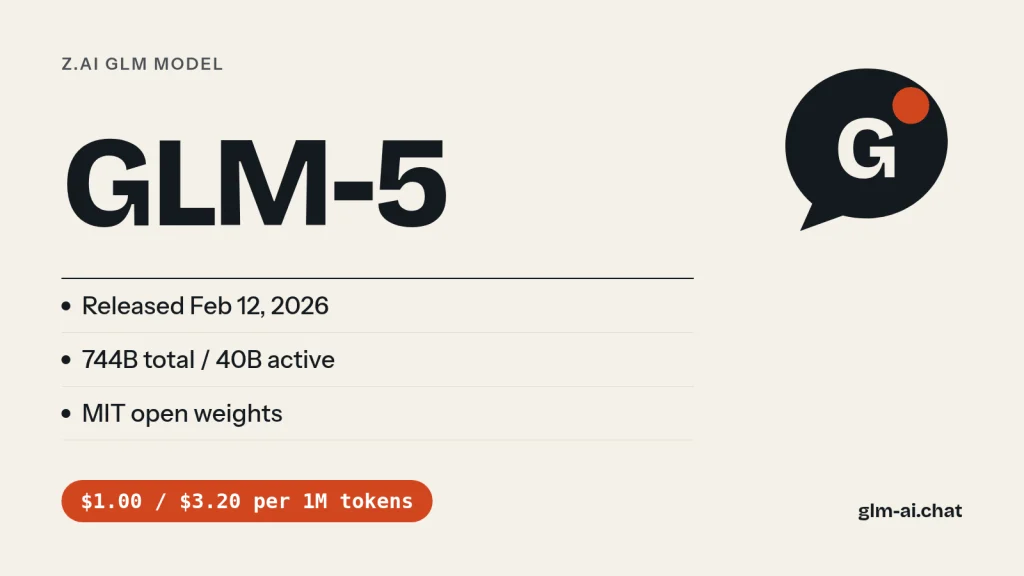
GLM-5 is the model that opened Z.ai’s GLM-5 generation. It was released on February 12, 2026, with weights on Hugging Face a day earlier. GLM 5 is a mixture-of-experts model with 744B total and 40B active parameters, up from 355B and 32B in GLM-4.5, trained on 28.5 trillion tokens. It reads and writes text, handles a 200K-token context with up to 128K output tokens, ships under the MIT license, and costs $1.00 per million input tokens and $3.20 per million output tokens on the Z.ai API, the cheapest price of any 744B GLM model.
Z.ai (formerly Zhipu AI) built GLM-5 for what it calls agentic engineering: long, multi-step coding and agent tasks rather than single answers. It was the first GLM to use DeepSeek Sparse Attention, and at launch Z.ai reported leading open-model scores of 77.8 on SWE-bench Verified and 56.2 on Terminal Bench 2.0. About a month later came GLM-5-Turbo, a variant tuned for OpenClaw agents, which this page also covers in full.
GLM Chat does not offer GLM-5 itself, but it does offer its direct successor: GLM-5.1 runs on the same 744B-A40B architecture with longer-horizon post-training. Chat with GLM-5.1 now for free to get a feel for the GLM-5 line.
GLM 5 release date and what launched
GLM-5 was released on February 12, 2026. That is the date of its entry in Z.ai’s API release notes; the Hugging Face repository went up on February 11. Z.ai published a technical report alongside it, “GLM-5: from Vibe Coding to Agentic Engineering” (arXiv 2602.15763), which later models in the series, up to GLM-5.3-Flash, still cite.
GLM-5 arrived less than two months after GLM-4.7 and started a fast release cycle. Here is where it sits:
| Date | Model | What it added |
|---|---|---|
| Dec 22, 2025 | GLM-4.7 | 355B-class flagship, turn-level thinking |
| Jan 19, 2026 | GLM-4.7-Flash | Free 30B-A3B model |
| Feb 12, 2026 | GLM-5 | 744B-A40B, sparse attention, 200K context |
| Mar 2026 | GLM-5-Turbo | OpenClaw-tuned variant (API only) |
| Apr 7, 2026 | GLM-5.1 | Long-horizon post-training, up to 8 hours per task |
| Jun 16, 2026 | GLM-5.2 | 1M context, IndexShare, effort levels |
| Aug 14-18, 2026 | GLM-5.3 | Current flagship |
| Aug 26, 2026 | GLM-5.3-Flash | Multimodal, 320B-A18B, low cost |
The full history, back to GLM-4.5, is on the GLM release timeline.
What changed from GLM-4.5 and GLM-4.7
- More than double the size. 744B total parameters with 40B active, against 355B and 32B in the GLM-4.5 architecture that GLM-4.6 and GLM-4.7 kept.
- More pre-training data. 28.5 trillion tokens, up from 23 trillion.
- Sparse attention. GLM-5 was the first GLM to integrate DeepSeek Sparse Attention (DSA), which Z.ai says keeps long-context quality while cutting deployment cost and improving token efficiency. GLM-5.2’s IndexShare and GLM-5.3-Flash’s hybrid attention build on this step.
- Asynchronous reinforcement learning. Z.ai built slime, an asynchronous RL framework, to make large-scale post-training faster and to let the model learn from long agent interactions. It is open source and remains the framework the GLM team uses.
What GLM-5 is good at
Z.ai designed GLM-5 to shift the focus “from coding to engineering”: not only writing a function but building and fixing whole systems. Its strengths fall into three groups.
Systems engineering and agentic coding
GLM-5 handles backend architecture, complex algorithms and stubborn bugs with deep reasoning. Z.ai says it can plan over long ranges, refactor backends and debug deeply with minimal human intervention, and that in internal evaluations modelled on Claude Code task distributions it improves substantially over GLM-4.7 in front-end development, backend systems engineering and long-running tasks. On Z.ai’s internal CC-Bench-V2 suite, it narrows the gap to Claude Opus 4.5.
Agent tasks and long-term planning
The clearest example is Vending Bench 2, which asks a model to run a simulated vending machine business for a full year. GLM-5 ranked first among open-source models, finishing with a final balance of $4,432, close to Claude Opus 4.5. That kind of benchmark rewards what agents actually need: keeping a goal over many steps, managing resources and not losing coherence. Z.ai also reports top open-model results on BrowseComp (web research), MCP-Atlas (tool use across multi-step tasks) and τ²-Bench (multi-tool planning).
Writing, translation and extraction
Outside coding, Z.ai lists role-play with consistent characters, scripts and storyboards with long-text consistency, professional translation that keeps terminology aligned, extraction of fields and relationships from contracts, announcements and financial reports into structured data, and quality inspection of text such as customer-service tickets. It is bilingual by design, and Z.ai’s model overview lists it for agentic long-term planning, backend refactoring and in-depth debugging.
When GLM-5 is still the right choice
- High-volume text work on a big model. Extraction, translation and document QA at $1.00 / $3.20 cost less than on any newer 744B GLM.
- Pinned pipelines. If you validated prompts and evaluations against GLM-5, keeping it avoids behaviour drift while you test a successor.
- Self-hosting under MIT. The weights carry the plain MIT license, and the serving recipes are shared with GLM-5.1 and GLM-5.2, so tooling is mature.
- Direct answers without reasoning. Unlike GLM-5.3, GLM-5 lets you disable thinking completely, which keeps latency and output tokens down for simple requests.
Where GLM-5 falls short today
GLM-5 is text-only and limited to 200K tokens. Its successors kept the same architecture and improved on it: GLM-5.1 for multi-hour runs, GLM-5.2 for 1M-token context, GLM-5.3 for the best coding results. For images and the lowest price, GLM-5.3-Flash costs less than a sixth of GLM-5 on output. GLM-5’s case today is its price among the 744B models and its stable, well-documented behaviour.
GLM-5 benchmarks
Z.ai positioned GLM-5 against Claude Opus 4.5 and reported the highest open-weight scores of its time on the main software engineering benchmarks, also surpassing Gemini 3.0 Pro in overall performance. The table sets GLM-5’s published numbers next to its predecessor’s.
| Benchmark | GLM-4.7 | GLM-5 | What it measures |
|---|---|---|---|
| SWE-bench Verified | 73.8 | 77.8 | Fixing real GitHub issues |
| Terminal Bench 2.0 | 41 | 56.2 | Real-world command-line tasks |
| Vending Bench 2 | – | $4,432 final balance | Running a simulated business for a year |
Z.ai later published base-model results in its GLM-5.3-Flash announcement, which show what the bigger pre-training bought. These are the raw pre-trained models before any chat or agent tuning:
| Base model | GLM-4.5-Base | GLM-5-Base | GLM-5.3-Flash-Base |
|---|---|---|---|
| Active / total params | 32B / 355B | 40B / 744B | 18B / 320B |
| MMLU | 86.1 | 88.3 | 88.1 |
| BBH | 86.2 | 87.4 | 86.6 |
| HellaSwag | 87.1 | 88.1 | 87.1 |
| LiveCodeBench-Base | 28.1 | 34.4 | 37.6 |
| SimpleQA | 30.0 | 36.0 | 33.5 |
GLM-5-Base leads GLM-4.5-Base on every row, most of all on SimpleQA (factual recall, 36.0 vs 30.0) and LiveCodeBench-Base (34.4 vs 28.1). The much smaller GLM-5.3-Flash base later nearly matched it on MMLU (88.1 vs 88.3) and beat it on code, which is why Flash is now the value pick.
For later comparison points: Z.ai’s GitHub README says GLM-5.1 leads GLM-5 by a wide margin on NL2Repo and Terminal-Bench 2.0, and that earlier models including GLM-5 tend to plateau on long tasks after quick initial gains. That plateau is the problem GLM-5.1 was trained to fix.
We tested it: 5 tasks
GLM Chat serves the GLM-5 architecture through GLM-5.1, its direct successor with the same 744B-A40B design, so the results card below is GLM-5.1’s run on our five standard tasks. Here is how the GLM-5 line handles them. Every tested model gets the same fixed battery, three times, using the public chat’s settings: temperature 0.7, 2,048 output tokens at most, and the lightest reasoning setting (thinking disabled on GLM-5.1). The harness saves the full response, latency and token counts; an editor scores each task 0 to 2.
- Python: remove duplicate rows from a large CSV, keeping the first occurrence, streaming with constant memory apart from the seen keys, with configurable key columns and the header kept.
- JavaScript:
debounce(fn, wait, { leading, trailing })withcancel(), plus tests for Node’s built-in test runner. - PHP refactor: clean up a messy 60-line order-processing function into modern PHP 8 without changing behaviour, including escaping HTML and parameterising SQL.
- Explanation: transformer attention for a total beginner in about 150 words.
- Extraction: strict JSON with eight fixed keys from a messy product description, with units converted to centimetres and
nullfor missing fields.
Our test in GLM Chat

| Task | Median score | Median latency | Median output tokens | Why (across runs) |
|---|---|---|---|---|
| Python: stream-safe CSV dedupe | 2 / 2 (runs: 2, 2, 2) | 12.0 s | 352 | Streams with csv, keeps the header and first occurrence, key columns work in every run. |
| JavaScript: debounce with options + tests | 2 / 2 (runs: 2, 2, 1) | 22.0 s | 768 | Passes every check in most runs; its own tests fail (1/3 runs). |
| PHP: refactor a messy 60-line function | 1 / 2 (runs: 1, 1, 1) | 22.0 s | 701 | Output not escaped (3/3 runs); SQL not parameterised (3/3 runs). |
| Explain attention to a beginner | 1 / 2 (runs: 1, 1, 1) | 9.4 s | 205 | No queries/keys/values (2/3 runs); small inaccuracy (1/3 runs). |
| Extract JSON from a messy description | 2 / 2 (runs: 2, 2, 2) | 6.0 s | 112 | Every field correct and units converted in every run. |
| Total | 8 / 10 |
How the scores work: 2 means correct and complete, meeting every constraint with no factual errors; 1 means usable after a minor fix; 0 means wrong, invented data, or broken output format. The maximum is 10. Watch the PHP refactor in particular. It rewards exactly what GLM-5 was built for, engineering judgment on existing code: all three order types must behave identically, the VIP discount must survive, and the SQL must be parameterised. The extraction task shows whether a model stays disciplined with strict JSON when it is not allowed to think first.
To compare GLM-5.1’s card with newer models run under identical settings, open the GLM-5.2 and GLM-5.3 pages, or see the side-by-side table in GLM vs DeepSeek.
GLM-5-Turbo: the OpenClaw-tuned variant
GLM-5-Turbo is a GLM-5 variant that Z.ai optimized for OpenClaw, the personal AI assistant that runs on your own devices and connects to messaging platforms. Z.ai calls it OpenClaw-native: the training data and optimization goals were built from real OpenClaw workflows from the training phase onward, rather than tuned afterwards. OpenRouter lists it from March 2026.
What GLM-5-Turbo improves
- Tool calling: more stable, reliable calls to external tools and skills across multi-step tasks, so OpenClaw jobs move from conversation to execution.
- Instruction following: better decomposition of complex, layered, long-chain instructions, including splitting work across multiple agents.
- Scheduled and persistent tasks: a better grasp of time-related requirements and continuity during long-running, timed jobs.
- High-throughput long chains: faster, steadier execution for tasks with lots of data and long logical chains.
ZClawBench
With GLM-5-Turbo, Z.ai introduced ZClawBench, an end-to-end benchmark built from real OpenClaw use cases: environment setup, software development, information retrieval, data analysis and content creation. Z.ai notes that OpenClaw users now go well beyond early developers, and that the share of tasks using Skills rose from 26% to 45% in a short period. On ZClawBench, Z.ai reports that GLM-5-Turbo improves substantially over GLM-5 and outperforms several leading models across key task categories. The dataset and full evaluation trajectories are public, so you can check or reproduce the results.
Availability, price and weights
- Specs: text in, text out, 200K context, 128K max output, with thinking, streaming, function calling, context caching, structured output and MCP support.
- Z.ai API: model ID
glm-5-turbo, documented on Z.ai’s docs site. It is not listed on Z.ai’s public pricing page. - OpenRouter:
z-ai/glm-5-turboat $1.20 input and $4.00 output per million tokens (OpenRouter’s listed price; confirm on the OpenRouter page). - Weights: not published. Unlike GLM-5, Turbo is API-only.
- Coding Plan: the subscription page headline still names GLM-5-Turbo for agents, but Z.ai’s current OpenClaw setup guide lists GLM-5.3 and GLM-5.3-Flash as the plan’s supported models and warns against picking others to avoid unexpected charges. Follow the setup guide.
Pointing OpenClaw at a specific GLM model
In Z.ai’s OpenClaw guide, the example configuration starts with "primary": "zai/glm-5" as the default model, a sign of how central GLM-5 was when OpenClaw support launched. To switch models, you add the model to the models.providers.zai.models array in ~/.openclaw/openclaw.json (with its ID, context window and max tokens), change agents.defaults.model.primary to zai/<model-id>, register it under agents.defaults.models, and run openclaw gateway restart. On the Coding Plan, stick to the models the guide lists as supported so you do not run into unexpected charges.
There is also a vision sibling, GLM-5V-Turbo, which Z.ai describes as its first multimodal coding foundation model: it takes video, image, text and file input, has a 200K context, and is built for turning mockups into front-end code, exploring GUIs and debugging from screenshots in agents such as Claude Code and OpenClaw.
Which should you use in OpenClaw today? On the Coding Plan, pick GLM-5.3 for the hardest agent work or GLM-5.3-Flash for volume, as Z.ai’s guide recommends. Outside the plan, GLM-5-Turbo remains an option for OpenClaw-style scheduled and tool-heavy jobs through the glm-5-turbo API ID or OpenRouter, but Z.ai does not publish its price on its own pricing page, so check your bill before scaling up. Our GLM + OpenClaw setup guide walks through the configuration.
Prompt tips for agent work with GLM-5 and GLM-5-Turbo
Both models were trained for multi-step jobs, and they reward briefs written for a worker rather than for a chatbot. What works well in practice:
- Lead with the goal and the finish line. One sentence on what the finished result is, and one on how to tell it is finished: “the migration script runs cleanly against the staging copy and row counts match”.
- Name the tools and when to use them. Short, specific tool descriptions (“search_orders: look up an order by ID; use before answering any order question”) lead to cleaner calls than long generic ones.
- State time rules explicitly for scheduled tasks. GLM-5-Turbo was tuned for time-related instructions, but it still needs the facts: time zone, recurrence, and what to do when a run is missed.
- Split long chains into checkpoints. Ask for a short status note after each stage (done, found, next). With a 200K window, those notes let your harness drop old tool output without losing the thread.
- Ask for evidence, not confidence. Require the model to cite the tool result behind each claim and to list anything it could not verify instead of filling gaps.

GLM-5 vs GLM-5.1, GLM-5-Turbo and GLM-4.7
| Spec | GLM-4.7 | GLM-5 | GLM-5-Turbo | GLM-5.1 |
|---|---|---|---|---|
| Released | Dec 22, 2025 | Feb 12, 2026 | Mar 2026 | Apr 7, 2026 |
| Parameters | 355B-class / 32B active | 744B / 40B active | Not published | 744B / 40B active |
| Modality | Text | Text | Text | Text |
| Context / output | 200K / 128K | 200K / 128K | 200K / 128K | 200K / 128K |
| Price (in / out per 1M) | $0.60 / $2.20 | $1.00 / $3.20 | $1.20 / $4.00 (OpenRouter) | $1.40 / $4.40 |
| Thinking control | On by default, turn-level | On by default, can be disabled | Enabled or disabled | On by default, can be disabled |
| Weights | MIT | MIT | Not released | MIT |
| Built for | Coding, reasoning | Agentic engineering | OpenClaw agents | Long-horizon tasks |
GLM-5 vs GLM-5.1
Same architecture, same context, different post-training. GLM-5.1 is built to keep improving over hours of autonomous work and scored 58.4 on SWE-Bench Pro at launch; GLM-5 is about 27% cheaper on output ($3.20 vs $4.40) and 29% cheaper on input ($1.00 vs $1.40). For short tasks and high volume, GLM-5 saves money; for long agent runs, GLM-5.1 or a newer model is the better tool.
GLM-5 vs GLM-4.7
GLM-4.7 is the smaller, cheaper previous flagship ($0.60 / $2.20). GLM-5 beats it on Z.ai’s numbers: 77.8 vs 73.8 on SWE-bench Verified and 56.2 vs 41 on Terminal Bench 2.0. If your workload is mostly straightforward coding help, GLM-4.7 is still good value; for agentic, multi-step engineering, GLM-5 is the step up.
GLM-5 vs the newest models
GLM-5.3 and GLM-5.2 cost $1.40 / $4.40 and add 1M context and effort levels; GLM-5.3-Flash costs $0.15 / $0.50 and adds image and video input. Z.ai reports GLM-5.3-Flash beating GLM-5.2 on its coding and agent benchmarks. For a new project, start with GLM-5.3-Flash and move up only if it falls short. The GLM models comparison lays out the whole family.
Migrating from GLM-5: concrete parameter changes
| Moving to | Change the model ID to | Thinking settings | Other changes |
|---|---|---|---|
| GLM-5.1 | glm-5.1 | No change; enabled or disabled both work | Price rises to $1.40 / $4.40 |
| GLM-5.2 | glm-5.2 | Add reasoning_effort high or max; none or minimal skips thinking | Context grows to 1M; same price as GLM-5.1 |
| GLM-5.3 | glm-5.3 | Remove disabled (the request fails); use enabled plus reasoning_effort: "low" | Weights move to the GLM-5.3 License |
| GLM-5.3-Flash | glm-5.3-flash | Always on; low, high or max | Adds image, video and file input; price drops to $0.15 / $0.50 |
Keep temperature between 0.0 and 1.0 everywhere, since values outside that range return a 400 error, and note that GLM-5.3-Flash’s documented defaults are temperature 1.0 and top_p 0.95. If you relied on GLM-5’s non-thinking replies for latency, GLM-5.2 is the only newer 744B model that can still skip thinking entirely.
Which GLM model should you pick instead?
GLM-5 is rarely the best answer for a brand-new project in late 2026, but it is not obsolete either. Match your need to the row below.
| Your need | Pick | Why | Price in / out per 1M |
|---|---|---|---|
| Cheapest 744B model for short text tasks | GLM-5 | Lowest price on the 744B architecture; thinking can be disabled | $1.00 / $3.20 |
| Long autonomous runs on the same architecture | GLM-5.1 | Post-trained for up to 8 hours on one task | $1.40 / $4.40 |
| 1M context with MIT weights | GLM-5.2 | IndexShare attention, effort levels, can skip thinking | $1.40 / $4.40 |
| Strongest GLM for coding and agents | GLM-5.3 | Current flagship | $1.40 / $4.40 |
| Low cost default, or screenshots and video | GLM-5.3-Flash | Multimodal; beats GLM-5.2 on Z.ai’s coding and agent tables | $0.15 / $0.50 |
| OpenClaw scheduled and tool-heavy jobs via API | GLM-5-Turbo | Tuned for OpenClaw; beats GLM-5 on ZClawBench (Z.ai) | $1.20 / $4.00 (OpenRouter) |
| Cheaper text model with turn-level thinking | GLM-4.7 | 200K context at a lower price | $0.60 / $2.20 |
| Zero API cost or local hardware | GLM-4.7-Flash | Free on the Z.ai API; 30B-A3B | Free |
Rule of thumb: if the task is short and text-only and you are cost-sensitive, GLM-5 or GLM-5.3-Flash; if it runs for a long time, GLM-5.3; if it involves anything visual, GLM-5.3-Flash. On the 1,000-request example below, moving from GLM-5 to GLM-5.3-Flash cuts the bill from $3.60 to $0.55.
GLM-5 pricing and free access
| Model | Input | Cached input | Output |
|---|---|---|---|
| GLM-5 | $1.00 | $0.20 | $3.20 |
| GLM-5.1 | $1.40 | $0.26 | $4.40 |
| GLM-5.3 | $1.40 | $0.26 | $4.40 |
| GLM-5.3-Flash | $0.15 | $0.03 | $0.50 |
| GLM-4.7 | $0.60 | $0.11 | $2.20 |
| GLM-5-Turbo (OpenRouter) | $1.20 | – | $4.00 |
What 1,000 requests cost
Take 1,000 requests of 2,000 input tokens and 500 output tokens each (2M in, 0.5M out):
- GLM-5: 2 x $1.00 + 0.5 x $3.20 = $2.00 + $1.60 = $3.60
- GLM-5.1 or GLM-5.3: 2 x $1.40 + 0.5 x $4.40 = $2.80 + $2.20 = $5.00
- GLM-5-Turbo via OpenRouter: 2 x $1.20 + 0.5 x $4.00 = $2.40 + $2.00 = $4.40
- GLM-5.3-Flash: 2 x $0.15 + 0.5 x $0.50 = $0.30 + $0.25 = $0.55
Reasoning tokens count as output, so with thinking on, actual output is usually larger than the visible answer. Cached input for GLM-5 is $0.20 per million, 80% below the normal input price, which matters for agents that resend the same long context every step; see how GLM context caching works. The full price list is on the GLM pricing page.
Free and low-cost ways to use GLM-5
- GLM Chat: there is no GLM-5 chip, but the free GLM chat offers GLM-5.1, its direct successor on the same 744B architecture, with 40 messages per day on paid models and no account.
- Open weights: the MIT license means no license fee if you self-host, only hardware.
- OpenRouter:
z-ai/glm-5is listed at $0.60 input and $1.92 output per million tokens. OpenRouter prices move often, so check the OpenRouter GLM-5 page. - Truly free API models: if you need zero cost, GLM-4.7-Flash is free on the Z.ai API.
GLM-5 and the Coding Plan
Z.ai’s GLM-5 docs page still carries a banner offering GLM-5 on the Pro and Max tiers of the GLM Coding Plan. The plan’s current lineup is GLM-5.3 and GLM-5.3-Flash on every tier (Lite $18, Pro $80, Max $168 per month), and those are the models Z.ai’s setup guides tell you to select. For coding tools, use them; for GLM-5 specifically, use the pay-as-you-go API.
Using GLM-5 via API
Model IDs: glm-5 and glm-5-turbo, always lowercase and hyphenated (spellings like “glm5” or “GLM 5” are not accepted by the API). Both use the OpenAI-compatible endpoint https://api.z.ai/api/paas/v4/chat/completions with a Bearer key from the API Keys page. Thinking is on by default; with it enabled, GLM-5 decides per request whether to think, and you can send {"type": "disabled"} to turn it off. reasoning_effort is only for GLM-5.2 and newer. Temperature runs from 0.0 to 1.0 (default 1.0), and max_tokens goes up to 131,072. First time on the platform? Read the GLM API quickstart.
curl
curl -X POST "https://api.z.ai/api/paas/v4/chat/completions" \
  -H "Content-Type: application/json" \
  -H "Authorization: Bearer $ZAI_API_KEY" \
  -d '{
    "model": "glm-5",
    "messages": [
      {"role": "system", "content": "You are a pragmatic staff engineer."},
      {"role": "user", "content": "Review this plan: split our billing service into three microservices. What could go wrong?"}
    ],
    "thinking": {"type": "enabled"},
    "max_tokens": 4096,
    "temperature": 1.0
  }'
Python with the OpenAI SDK
import os
from openai import OpenAI

client = OpenAI(
    api_key=os.environ["ZAI_API_KEY"],
    base_url="https://api.z.ai/api/paas/v4/",
)

# Streaming call to GLM-5 with thinking on
stream = client.chat.completions.create(
    model="glm-5",
    messages=[
        {"role": "user", "content": "Extract party names, dates and amounts from this contract clause as JSON: ..."}
    ],
    stream=True,
    max_tokens=4096,
    extra_body={"thinking": {"type": "enabled"}},
)

for chunk in stream:
    delta = chunk.choices[0].delta
    reasoning = getattr(delta, "reasoning_content", None)
    if reasoning:
        print(reasoning, end="", flush=True)   # thinking
    if delta.content:
        print(delta.content, end="", flush=True)  # answer

# Quick, non-thinking call to GLM-5-Turbo
reply = client.chat.completions.create(
    model="glm-5-turbo",
    messages=[{"role": "user", "content": "Turn 'remind me every Monday at 9 to send the report' into a cron expression."}],
    extra_body={"thinking": {"type": "disabled"}},
)
print(reply.choices[0].message.content)
While streaming, reasoning arrives in delta.reasoning_content and the answer in delta.content; the stream ends with data: [DONE]. Both models support function calling and structured JSON output (response_format: {"type": "json_object"}), and GLM-5 also supports streaming tool calls with tool_stream. For full tool loops see GLM function calling; for thinking behaviour across models see GLM thinking mode; if calls fail, check GLM API error codes and rate limits. The official Python SDK works the same way: pip install zai-sdk, then ZaiClient(api_key=...).
Streaming tool calls with tool_stream
GLM-5 is one of the models Z.ai lists for tool_stream, which streams tool-call arguments as they are generated instead of buffering the whole call. Each streamed tool call carries an index; collect the pieces per index and concatenate function.arguments until the stream ends:
tools = [{
    "type": "function",
    "function": {
        "name": "get_order_status",
        "description": "Look up the shipping status of an order by its ID",
        "parameters": {
            "type": "object",
            "properties": {"order_id": {"type": "string"}},
            "required": ["order_id"],
        },
    },
}]

stream = client.chat.completions.create(
    model="glm-5",
    messages=[{"role": "user", "content": "Where is order 1042?"}],
    tools=tools,
    tool_choice="auto",
    stream=True,
    extra_body={"tool_stream": True, "thinking": {"type": "enabled"}},
)

reasoning, answer, calls = "", "", {}
for chunk in stream:
    if not chunk.choices:
        continue
    delta = chunk.choices[0].delta
    if getattr(delta, "reasoning_content", None):
        reasoning += delta.reasoning_content
    if delta.content:
        answer += delta.content
    for tc in delta.tool_calls or []:
        entry = calls.setdefault(tc.index, {"id": None, "name": None, "arguments": ""})
        entry["id"] = tc.id or entry["id"]
        if tc.function:
            entry["name"] = tc.function.name or entry["name"]
            entry["arguments"] += tc.function.arguments or ""

for index, call in calls.items():
    print(index, call["name"], call["arguments"])  # parse with json.loads, then run the tool
After running the tool, append the assistant turn (including its reasoning_content and tool calls) and a tool message with the matching tool_call_id, then call the model again. tool_choice on Z.ai supports only auto. Returning the reasoning unchanged matters: Z.ai’s docs say thinking blocks should be preserved and sent back with tool results so the model can reason between calls.
JSON mode for extraction
Z.ai names GLM-5 as a structured-output model, and extraction from contracts and reports is one of its listed uses. Turn on JSON mode with response_format, define the keys in the system message, and switch thinking off for speed:
import json

result = client.chat.completions.create(
    model="glm-5",
    messages=[
        {"role": "system", "content": "Extract data from the clause. Return only JSON with keys "
                                      "parties (array of strings), effective_date (YYYY-MM-DD or null), "
                                      "amount (number or null), currency (string or null)."},
        {"role": "user", "content": "This agreement between Acme Ltd and Northwind LLC takes effect "
                                    "on 1 March 2026. The annual fee is $12,500."},
    ],
    response_format={"type": "json_object"},
    extra_body={"thinking": {"type": "disabled"}},
)

record = json.loads(result.choices[0].message.content)
JSON mode guarantees parseable JSON, not correct values. Validate the result against a schema, check business rules (dates in range, amounts positive), and retry once with the validation error if it fails. Asking for null instead of guesses, as above, is the single most effective guard against invented fields.
When to switch thinking off
| Task | Thinking | Reason |
|---|---|---|
| Extraction, classification, JSON output | Off | Format matters more than deliberation; fewer billed output tokens |
| Rewriting, translation, short answers | Off | Lower latency with little quality loss |
| Debugging, architecture review, planning | On | The deep-reasoning work GLM-5 was built for |
| Agent steps that act on tool results | On | Interleaved thinking lets the model reason between tool calls |
{"type": "disabled"} per request to turn it off.Downloading the weights
GLM-5’s weights are open under the MIT license, which permits commercial use, modification and redistribution. GLM-5-Turbo’s weights are not published. For a model-by-model license rundown, see is GLM open source?
| Repository | Size | Precision | Mirror |
|---|---|---|---|
| zai-org/GLM-5 | 744B-A40B | BF16 | ModelScope ZhipuAI/GLM-5 |
| zai-org/GLM-5-FP8 | 744B-A40B | FP8 | ModelScope ZhipuAI/GLM-5-FP8 |
Which precision should you download? Pick FP8 for inference: it needs about half the memory of BF16 and is the variant most serving setups start from. Pick BF16 if you plan to fine-tune or want to run your own quantization, since it is the full-precision release. Both repositories contain the same 744B-A40B model; only the number format of the weights differs. Plan for the download itself too: at these sizes, fetching the files takes real time and disk space, so stage them on fast local storage before you start the server.
The zai-org/GLM-5 repository lists serving support for the GLM-5 models through SGLang, vLLM, Transformers (glm_moe_dsa), KTransformers and Unsloth, plus vLLM-Ascend, xLLM and SGLang on Ascend NPUs. Fine-tuning is supported with Slime (v0.3.0+) and ms-swift (v4.4.0+, for SFT, PPO and GRPO).
Hardware reality, estimated for the weights alone: 744B parameters x 1 byte (FP8) is about 744 GB; x 2 bytes (BF16) is about 1.49 TB. KV cache and activations need more on top. Only 40B parameters are active per token, so generation is fast once loaded, but you need a multi-GPU server to hold the whole model. For hardware you can realistically own, look at GLM-4.7-Flash (30B total) or GLM-4.5-Air (106B total).
GLM-5 FAQ
When was GLM-5 released?
February 12, 2026, according to Z.ai’s release notes. The weights appeared on Hugging Face on February 11, 2026. GLM-5-Turbo followed in March 2026 and GLM-5.1 on April 7, 2026.
Is GLM-5 free?
The weights are free to download under MIT. The Z.ai API is paid at $1.00 input and $3.20 output per million tokens. To try the GLM-5 line at no cost, use GLM-5.1 in GLM Chat, which has no GLM-5 chip of its own.
What is GLM-5’s context window?
200K tokens, with up to 128K output tokens. GLM-5-Turbo has the same limits. The 1M-token window arrived later with GLM-5.2.
What is GLM-5-Turbo?
A GLM-5 variant optimized for OpenClaw agent workflows: tool calling, complex instruction following, scheduled and persistent tasks, and long execution chains. Z.ai reports it beats GLM-5 on ZClawBench, its public OpenClaw benchmark. The API model ID is glm-5-turbo; OpenRouter lists it at $1.20 / $4.00 per million tokens.
Is GLM-5-Turbo open source?
No. GLM-5-Turbo’s weights have not been published; it is available only through APIs. GLM-5 itself is open-weights under MIT.
How big is GLM-5?
744B total parameters with 40B active per token, trained on 28.5T tokens. That is more than double GLM-4.5’s 355B total and 32B active. By our estimate, the FP8 weights alone need roughly 744 GB of memory before any cache.
Is GLM-5 better than GLM-4.7?
On Z.ai’s reported numbers, yes: 77.8 vs 73.8 on SWE-bench Verified and 56.2 vs 41 on Terminal Bench 2.0, with top open-model results on agent benchmarks such as BrowseComp, MCP-Atlas and τ²-Bench. GLM-4.7 is cheaper at $0.60 / $2.20.
Should I use GLM-5 or GLM-5.1?
Use GLM-5 for cost-sensitive, shorter tasks on the 744B architecture; it is roughly 27 to 29% cheaper. Use GLM-5.1, or better GLM-5.3, for long autonomous runs. For most new projects, GLM-5.3-Flash is cheaper than either and, on Z.ai’s numbers, stronger than GLM-5.2.
GLM-5 started the line that now includes Z.ai’s best models, and its direct successor is one click away. Chat with GLM-5.1 now, the same 744B architecture with longer-horizon training, free and without sign-up.